Framer free plan limitations: what you can and cannot do

A clear breakdown of Framer’s free plan limits, features, and when it makes sense to upgrade
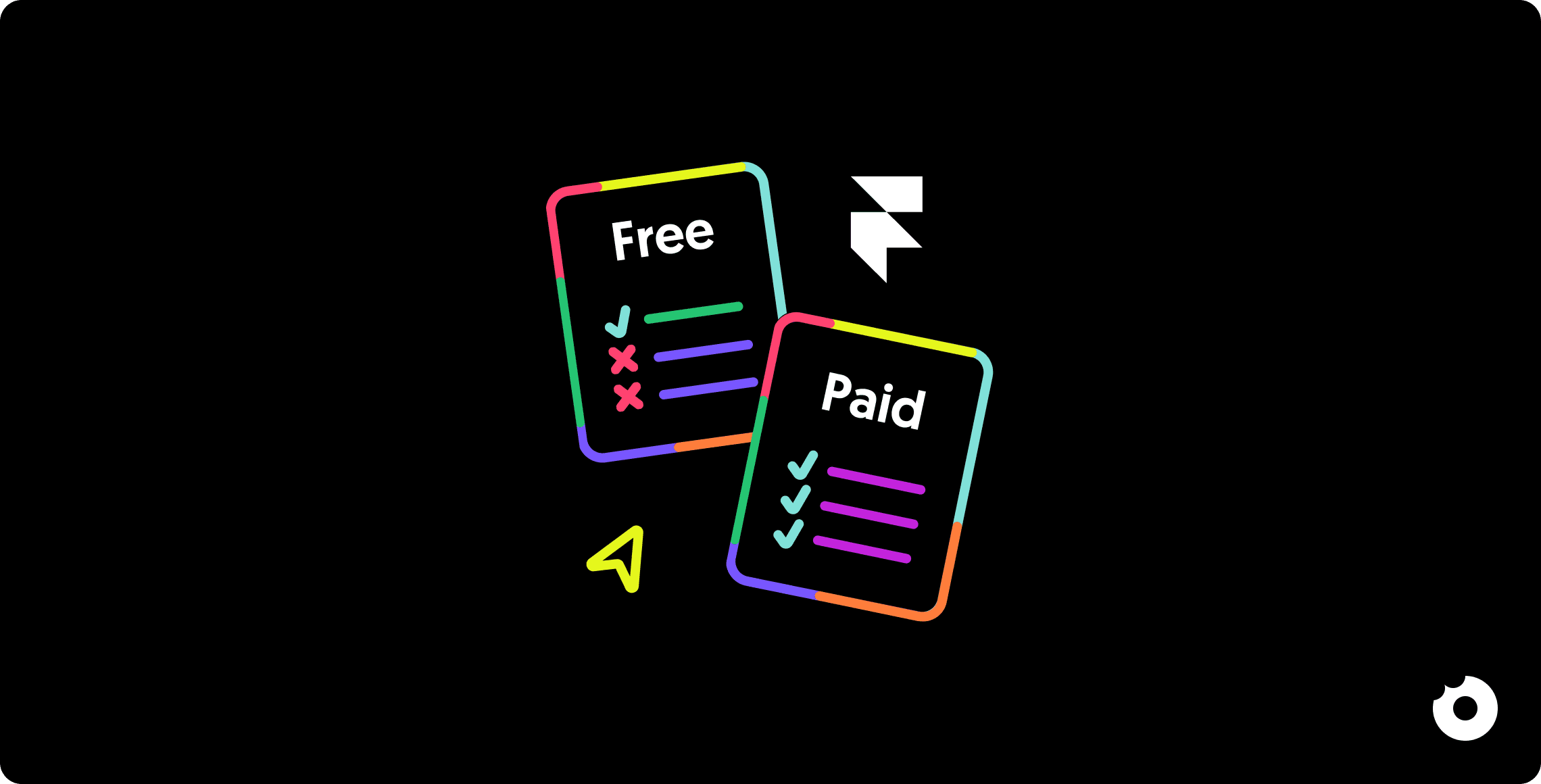
Yana Slyshchenko
Yana SlyshchenkoFeb 9, 2026

TL;DR

TL;DR

Framer’s free plan is powerful enough to build and publish real websites, with access to core design features and up to 10 CMS collections. It’s ideal for learning, prototyping, personal projects, and client previews. However, it comes with key limitations: no custom domain, Framer branding, strict traffic and bandwidth caps, no analytics, and no password protection. Start free to design and validate your site, but plan to upgrade once you need a custom domain, higher traffic, or professional features.

Framer’s free plan is powerful enough to build and publish real websites, with access to core design features and up to 10 CMS collections. It’s ideal for learning, prototyping, personal projects, and client previews. However, it comes with key limitations: no custom domain, Framer branding, strict traffic and bandwidth caps, no analytics, and no password protection. Start free to design and validate your site, but plan to upgrade once you need a custom domain, higher traffic, or professional features.

Thinking about using Framer but not sure if the free plan is enough for your project? You're not alone. Framer has become one of the most popular no-code website builders, especially among startups and SaaS companies looking to ship fast.

Having built dozens of Framer sites for B2B SaaS companies, we'll break down everything you can and cannot do with the free plan, compare it to paid options, and help you decide if it's the right starting point for your website.


What is the Framer free plan?

Unlike many website builders that offer limited trials, Framer provides a genuinely free plan that never expires. You can use it indefinitely to build, test, and even publish real websites without entering a credit card.

The free plan is designed for experimentation, learning, and non-commercial projects. It gives you access to most of Framer's powerful design features, making it one of the most generous free tiers in the no-code space.


What you CAN do with the Framer free plan

Let's start with the good news. The Framer free plan is surprisingly capable for a $0 option.


Unlimited projects

You can create as many projects as you want. This is perfect for experimenting with different designs, testing ideas, or building multiple prototypes before deciding which direction to take.


Build up to 1,000 pages

The free plan allows up to 1,000 pages shared between CMS pages and custom pages. For most personal websites, portfolios, or small projects, this is more than enough room to work with.


Use 10 CMS collections

Here's where Framer's free plan really shines. You get access to 10 CMS collections, which lets you manage dynamic content like blog posts, portfolio projects, team members, testimonials, and more. This is actually more CMS collections than the paid Basic plan offers (more on that later, it's an important detail most guides miss).


Publish on a Framer subdomain

Your site goes live instantly on a Framer subdomain like yoursite.framer.app. No need to purchase separate hosting or configure servers. Just hit publish and your website is accessible to anyone.


Free SSL certificate

Every site published on Framer automatically gets an SSL certificate. This means your site displays the secure padlock icon and uses HTTPS, which is essential for both security and SEO.


Access most design features

The free plan doesn't lock you out of Framer's core functionality. You can use the visual drag-and-drop editor, create components with variants, build responsive layouts with breakpoints, and add animations and interactions. The design experience is essentially the same as paid plans.


Basic SEO settings

You can configure meta titles, descriptions, and Open Graph tags for social sharing. Search engines like Google can crawl and index your site, giving you a chance to appear in search results even on the free tier.


What you CANNOT do with the Framer free plan

Now for the limitations. Understanding these restrictions will help you decide whether free is enough or if you need to budget for a paid plan.


Connect a custom domain

This is the biggest limitation for most users. On the free plan, you're stuck with the framer.app subdomain. You cannot connect your own domain like yourcompany.com. For personal projects this might be fine, but for any professional or business use, this is usually a dealbreaker.


Remove the "Made in Framer" badge

Every site published on the free plan displays a small watermark in the bottom corner showing it was built with Framer. While it's not intrusive, it does signal to visitors that you're using a free tool.


Exceed traffic limits

The free plan supports up to 1,000 visitors per month and 100MB of bandwidth. If your site starts getting traction, you'll quickly hit these limits. Framer will notify you via email before taking action, but sustained overages will require an upgrade.


Upload large files

Individual file uploads are capped at 5MB. This can be restrictive if you're working with high-resolution images, videos, or downloadable resources. You'll need to compress files or host large assets externally.


Access password protection

You cannot create password-protected pages on the free plan. If you need to gate content for clients, members, or private previews, you'll need to upgrade.


Use built-in analytics

The free tier doesn't include Framer's analytics features. You won't have visibility into traffic, page views, or visitor behavior unless you integrate a third-party tool manually.


Version history

There's no ability to roll back to previous versions of your site. If you make changes you regret, you'll need to manually undo them. Paid plans include version history that lets you restore earlier states.


Export your code

Framer doesn't allow code export. What you build stays in Framer. This means your site's growth is tied to Framer's platform, if you ever want to leave, you'll need to rebuild from scratch. For some teams, this lock-in is a dealbreaker worth knowing upfront.

Framer free vs Basic plan: is the upgrade worth it?

The Basic plan costs $10 per month (billed annually) or $15 month-to-month. Here's how it compares to Free:

Feature

Free Plan

Basic Plan ($10/mo)

Custom domain

No

Yes

Framer branding

Visible

Removed

Bandwidth

100MB

10GB

Monthly visitors

1,000

10,000

CMS collections

10

1

Password protection

No

Yes

Version history

No

Yes

Analytics

No

Basic

Pages

1,000

1,000

File upload size

5MB

25MB


The surprising CMS trade-off

Here's something most people miss: the Basic plan only includes 1 CMS collection, compared to 10 on the free plan. This means if you upgrade to Basic and need both a blog and a portfolio section, you're out of luck. You'd need to jump to the Pro plan at $30 per month.

This quirk catches many users off guard. You might upgrade expecting more features across the board, only to find you've actually lost CMS flexibility.


When Basic makes sense

The Basic plan works well for simple single-page sites, landing pages, or "coming soon" pages where you need a custom domain but don't require multiple content types.


When you should skip to Pro

If your site needs a blog plus another dynamic section (portfolio, team, testimonials, etc.), the Basic plan's single CMS collection won't cut it. In this case, it makes more financial sense to go directly to Pro, which includes 10 CMS collections along with additional features like version history and higher bandwidth.

We've seen this play out with clients like Fluida, where managing multiple content types across products required the flexibility that only comes with higher-tier plans.


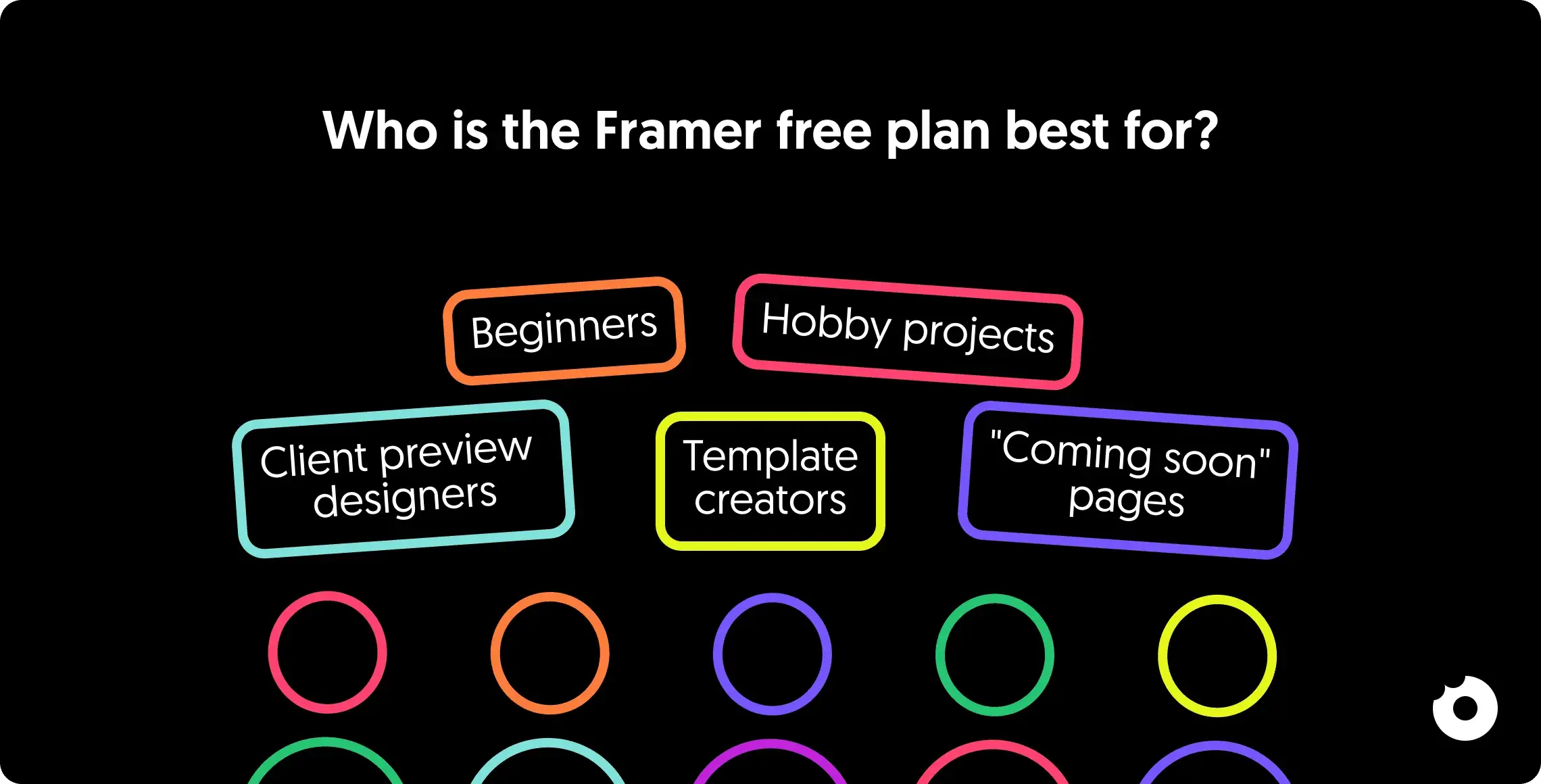
Who is the Framer free plan best for?

The free plan isn't for everyone, but it's perfect for several specific use cases.


Beginners learning the platform

If you're new to Framer, starting with the free plan lets you explore every feature without financial pressure. You can take your time learning the interface, experimenting with designs, and understanding how CMS works.


Designers building client previews

Freelancers and agencies often use the free plan to build and present website concepts to clients. Once the client approves and pays, you can upgrade that specific project to a paid plan with their custom domain.

This is exactly how we approach early-stage projects at Donux: we prototype on free tiers to validate concepts before clients commit to ongoing hosting costs.


Template creators

If you're building Framer templates to sell, the free plan lets you publish live demos that potential buyers can interact with before purchasing.


Personal hobby projects

Side projects, experiments, and personal sites that don't need professional branding work perfectly on the free tier. The framer.app subdomain is fine when you're not trying to impress clients or customers.


"Coming soon" pages

Building something bigger but need a placeholder? A free Framer site with a simple coming soon message and email capture form does the job while you work on the full version.

What happens when you exceed free plan limits?

Framer doesn't immediately shut down your site when you hit limits. Instead, you'll receive an email notification explaining what limit you've reached and your options for upgrading.

Your site continues to function during this grace period. However, if you consistently exceed limits without upgrading, Framer may temporarily pause your site until you take action.

The approach is fair and gives you time to evaluate whether to upgrade, optimize your site to reduce resource usage, or migrate elsewhere.


Tips to maximize the Framer free plan

Want to stretch the free plan as far as possible? These strategies help.


Optimize images before uploading

Use tools like TinyPNG or Squoosh to compress images before adding them to Framer. This keeps you under the 5MB file limit and reduces bandwidth consumption from visitors loading your pages.


Host large files externally

For videos, PDFs, or other large assets, upload them to services like YouTube, Vimeo, Google Drive, or Dropbox. Then embed or link to them from your Framer site instead of uploading directly.


Monitor your traffic

Keep rough track of how many visitors you're getting. If you're approaching 1,000 monthly visitors, it's time to plan for an upgrade before your site gets paused.


Build and test on free, upgrade at launch

Use the free plan for your entire design and development process. Only upgrade when you're ready to go live with a custom domain. This way you don't pay for months of development time.


Final verdict: should you start with the Framer free plan?

For most people, starting with the Framer free plan is the smart move. It costs nothing, gives you access to nearly all design features, and lets you build real, functional websites.

Use the free plan when:

  • You're learning Framer

  • Prototyping ideas before committing

  • Building client previews for approval

  • Working on personal projects where a custom domain isn't necessary

Plan to upgrade when:

  • You need a custom domain for professional use

  • Your traffic exceeds 1,000 monthly visitors

  • You require features like password protection and analytics

  • You need more than 1 CMS collection on a paid plan (skip Basic, go Pro)

The free plan's limitations are real, but they're also reasonable for a $0 product. Start free, learn the platform, and upgrade only when your project genuinely requires it.

Ready to go beyond free? Check out our guide to migrating to Framer for a step-by-step playbook.

Need help building a professional Framer website? At Donux, we've designed Framer sites for 80+ SaaS companies: from early-stage startups to funded scale-ups. We handle strategy, design, and launch so you can focus on your product. Book a free consultation to discuss your project.

Thinking about using Framer but not sure if the free plan is enough for your project? You're not alone. Framer has become one of the most popular no-code website builders, especially among startups and SaaS companies looking to ship fast.

Having built dozens of Framer sites for B2B SaaS companies, we'll break down everything you can and cannot do with the free plan, compare it to paid options, and help you decide if it's the right starting point for your website.


What is the Framer free plan?

Unlike many website builders that offer limited trials, Framer provides a genuinely free plan that never expires. You can use it indefinitely to build, test, and even publish real websites without entering a credit card.

The free plan is designed for experimentation, learning, and non-commercial projects. It gives you access to most of Framer's powerful design features, making it one of the most generous free tiers in the no-code space.


What you CAN do with the Framer free plan

Let's start with the good news. The Framer free plan is surprisingly capable for a $0 option.


Unlimited projects

You can create as many projects as you want. This is perfect for experimenting with different designs, testing ideas, or building multiple prototypes before deciding which direction to take.


Build up to 1,000 pages

The free plan allows up to 1,000 pages shared between CMS pages and custom pages. For most personal websites, portfolios, or small projects, this is more than enough room to work with.


Use 10 CMS collections

Here's where Framer's free plan really shines. You get access to 10 CMS collections, which lets you manage dynamic content like blog posts, portfolio projects, team members, testimonials, and more. This is actually more CMS collections than the paid Basic plan offers (more on that later, it's an important detail most guides miss).


Publish on a Framer subdomain

Your site goes live instantly on a Framer subdomain like yoursite.framer.app. No need to purchase separate hosting or configure servers. Just hit publish and your website is accessible to anyone.


Free SSL certificate

Every site published on Framer automatically gets an SSL certificate. This means your site displays the secure padlock icon and uses HTTPS, which is essential for both security and SEO.


Access most design features

The free plan doesn't lock you out of Framer's core functionality. You can use the visual drag-and-drop editor, create components with variants, build responsive layouts with breakpoints, and add animations and interactions. The design experience is essentially the same as paid plans.


Basic SEO settings

You can configure meta titles, descriptions, and Open Graph tags for social sharing. Search engines like Google can crawl and index your site, giving you a chance to appear in search results even on the free tier.


What you CANNOT do with the Framer free plan

Now for the limitations. Understanding these restrictions will help you decide whether free is enough or if you need to budget for a paid plan.


Connect a custom domain

This is the biggest limitation for most users. On the free plan, you're stuck with the framer.app subdomain. You cannot connect your own domain like yourcompany.com. For personal projects this might be fine, but for any professional or business use, this is usually a dealbreaker.


Remove the "Made in Framer" badge

Every site published on the free plan displays a small watermark in the bottom corner showing it was built with Framer. While it's not intrusive, it does signal to visitors that you're using a free tool.


Exceed traffic limits

The free plan supports up to 1,000 visitors per month and 100MB of bandwidth. If your site starts getting traction, you'll quickly hit these limits. Framer will notify you via email before taking action, but sustained overages will require an upgrade.


Upload large files

Individual file uploads are capped at 5MB. This can be restrictive if you're working with high-resolution images, videos, or downloadable resources. You'll need to compress files or host large assets externally.


Access password protection

You cannot create password-protected pages on the free plan. If you need to gate content for clients, members, or private previews, you'll need to upgrade.


Use built-in analytics

The free tier doesn't include Framer's analytics features. You won't have visibility into traffic, page views, or visitor behavior unless you integrate a third-party tool manually.


Version history

There's no ability to roll back to previous versions of your site. If you make changes you regret, you'll need to manually undo them. Paid plans include version history that lets you restore earlier states.


Export your code

Framer doesn't allow code export. What you build stays in Framer. This means your site's growth is tied to Framer's platform, if you ever want to leave, you'll need to rebuild from scratch. For some teams, this lock-in is a dealbreaker worth knowing upfront.


Framer free vs Basic plan: is the upgrade worth it?

The Basic plan costs $10 per month (billed annually) or $15 month-to-month. Here's how it compares to Free:

Feature

Free Plan

Basic Plan ($10/mo)

Custom domain

No

Yes

Framer branding

Visible

Removed

Bandwidth

100MB

10GB

Monthly visitors

1,000

10,000

CMS collections

10

1

Password protection

No

Yes

Version history

No

Yes

Analytics

No

Basic

Pages

1,000

1,000

File upload size

5MB

25MB


The surprising CMS trade-off

Here's something most people miss: the Basic plan only includes 1 CMS collection, compared to 10 on the free plan. This means if you upgrade to Basic and need both a blog and a portfolio section, you're out of luck. You'd need to jump to the Pro plan at $30 per month.

This quirk catches many users off guard. You might upgrade expecting more features across the board, only to find you've actually lost CMS flexibility.


When Basic makes sense

The Basic plan works well for simple single-page sites, landing pages, or "coming soon" pages where you need a custom domain but don't require multiple content types.


When you should skip to Pro

If your site needs a blog plus another dynamic section (portfolio, team, testimonials, etc.), the Basic plan's single CMS collection won't cut it. In this case, it makes more financial sense to go directly to Pro, which includes 10 CMS collections along with additional features like version history and higher bandwidth.

We've seen this play out with clients like Fluida, where managing multiple content types across products required the flexibility that only comes with higher-tier plans.


Who is the Framer free plan best for?

The free plan isn't for everyone, but it's perfect for several specific use cases.


Beginners learning the platform

If you're new to Framer, starting with the free plan lets you explore every feature without financial pressure. You can take your time learning the interface, experimenting with designs, and understanding how CMS works.


Designers building client previews

Freelancers and agencies often use the free plan to build and present website concepts to clients. Once the client approves and pays, you can upgrade that specific project to a paid plan with their custom domain.

This is exactly how we approach early-stage projects at Donux: we prototype on free tiers to validate concepts before clients commit to ongoing hosting costs.


Template creators

If you're building Framer templates to sell, the free plan lets you publish live demos that potential buyers can interact with before purchasing.


Personal hobby projects

Side projects, experiments, and personal sites that don't need professional branding work perfectly on the free tier. The framer.app subdomain is fine when you're not trying to impress clients or customers.


"Coming soon" pages

Building something bigger but need a placeholder? A free Framer site with a simple coming soon message and email capture form does the job while you work on the full version.


What happens when you exceed free plan limits?

Framer doesn't immediately shut down your site when you hit limits. Instead, you'll receive an email notification explaining what limit you've reached and your options for upgrading.

Your site continues to function during this grace period. However, if you consistently exceed limits without upgrading, Framer may temporarily pause your site until you take action.

The approach is fair and gives you time to evaluate whether to upgrade, optimize your site to reduce resource usage, or migrate elsewhere.


Tips to maximize the Framer free plan

Want to stretch the free plan as far as possible? These strategies help.


Optimize images before uploading

Use tools like TinyPNG or Squoosh to compress images before adding them to Framer. This keeps you under the 5MB file limit and reduces bandwidth consumption from visitors loading your pages.


Host large files externally

For videos, PDFs, or other large assets, upload them to services like YouTube, Vimeo, Google Drive, or Dropbox. Then embed or link to them from your Framer site instead of uploading directly.


Monitor your traffic

Keep rough track of how many visitors you're getting. If you're approaching 1,000 monthly visitors, it's time to plan for an upgrade before your site gets paused.


Build and test on free, upgrade at launch

Use the free plan for your entire design and development process. Only upgrade when you're ready to go live with a custom domain. This way you don't pay for months of development time.


Final verdict: should you start with the Framer free plan?

For most people, starting with the Framer free plan is the smart move. It costs nothing, gives you access to nearly all design features, and lets you build real, functional websites.

Use the free plan when:

  • You're learning Framer

  • Prototyping ideas before committing

  • Building client previews for approval

  • Working on personal projects where a custom domain isn't necessary

Plan to upgrade when:

  • You need a custom domain for professional use

  • Your traffic exceeds 1,000 monthly visitors

  • You require features like password protection and analytics

  • You need more than 1 CMS collection on a paid plan (skip Basic, go Pro)

The free plan's limitations are real, but they're also reasonable for a $0 product. Start free, learn the platform, and upgrade only when your project genuinely requires it.

Ready to go beyond free? Check out our guide to migrating to Framer for a step-by-step playbook.

Need help building a professional Framer website? At Donux, we've designed Framer sites for 80+ SaaS companies: from early-stage startups to funded scale-ups. We handle strategy, design, and launch so you can focus on your product. Book a free consultation to discuss your project.

Thinking about using Framer but not sure if the free plan is enough for your project? You're not alone. Framer has become one of the most popular no-code website builders, especially among startups and SaaS companies looking to ship fast.

Having built dozens of Framer sites for B2B SaaS companies, we'll break down everything you can and cannot do with the free plan, compare it to paid options, and help you decide if it's the right starting point for your website.


What is the Framer free plan?

Unlike many website builders that offer limited trials, Framer provides a genuinely free plan that never expires. You can use it indefinitely to build, test, and even publish real websites without entering a credit card.

The free plan is designed for experimentation, learning, and non-commercial projects. It gives you access to most of Framer's powerful design features, making it one of the most generous free tiers in the no-code space.


What you CAN do with the Framer free plan

Let's start with the good news. The Framer free plan is surprisingly capable for a $0 option.


Unlimited projects

You can create as many projects as you want. This is perfect for experimenting with different designs, testing ideas, or building multiple prototypes before deciding which direction to take.


Build up to 1,000 pages

The free plan allows up to 1,000 pages shared between CMS pages and custom pages. For most personal websites, portfolios, or small projects, this is more than enough room to work with.


Use 10 CMS collections

Here's where Framer's free plan really shines. You get access to 10 CMS collections, which lets you manage dynamic content like blog posts, portfolio projects, team members, testimonials, and more. This is actually more CMS collections than the paid Basic plan offers (more on that later, it's an important detail most guides miss).


Publish on a Framer subdomain

Your site goes live instantly on a Framer subdomain like yoursite.framer.app. No need to purchase separate hosting or configure servers. Just hit publish and your website is accessible to anyone.


Free SSL certificate

Every site published on Framer automatically gets an SSL certificate. This means your site displays the secure padlock icon and uses HTTPS, which is essential for both security and SEO.


Access most design features

The free plan doesn't lock you out of Framer's core functionality. You can use the visual drag-and-drop editor, create components with variants, build responsive layouts with breakpoints, and add animations and interactions. The design experience is essentially the same as paid plans.


Basic SEO settings

You can configure meta titles, descriptions, and Open Graph tags for social sharing. Search engines like Google can crawl and index your site, giving you a chance to appear in search results even on the free tier.


What you CANNOT do with the Framer free plan

Now for the limitations. Understanding these restrictions will help you decide whether free is enough or if you need to budget for a paid plan.


Connect a custom domain

This is the biggest limitation for most users. On the free plan, you're stuck with the framer.app subdomain. You cannot connect your own domain like yourcompany.com. For personal projects this might be fine, but for any professional or business use, this is usually a dealbreaker.


Remove the "Made in Framer" badge

Every site published on the free plan displays a small watermark in the bottom corner showing it was built with Framer. While it's not intrusive, it does signal to visitors that you're using a free tool.


Exceed traffic limits

The free plan supports up to 1,000 visitors per month and 100MB of bandwidth. If your site starts getting traction, you'll quickly hit these limits. Framer will notify you via email before taking action, but sustained overages will require an upgrade.


Upload large files

Individual file uploads are capped at 5MB. This can be restrictive if you're working with high-resolution images, videos, or downloadable resources. You'll need to compress files or host large assets externally.


Access password protection

You cannot create password-protected pages on the free plan. If you need to gate content for clients, members, or private previews, you'll need to upgrade.


Use built-in analytics

The free tier doesn't include Framer's analytics features. You won't have visibility into traffic, page views, or visitor behavior unless you integrate a third-party tool manually.


Version history

There's no ability to roll back to previous versions of your site. If you make changes you regret, you'll need to manually undo them. Paid plans include version history that lets you restore earlier states.


Export your code

Framer doesn't allow code export. What you build stays in Framer. This means your site's growth is tied to Framer's platform, if you ever want to leave, you'll need to rebuild from scratch. For some teams, this lock-in is a dealbreaker worth knowing upfront.


Framer free vs Basic plan: is the upgrade worth it?

The Basic plan costs $10 per month (billed annually) or $15 month-to-month. Here's how it compares to Free:

Feature

Free Plan

Basic Plan ($10/mo)

Custom domain

No

Yes

Framer branding

Visible

Removed

Bandwidth

100MB

10GB

Monthly visitors

1,000

10,000

CMS collections

10

1

Password protection

No

Yes

Version history

No

Yes

Analytics

No

Basic

Pages

1,000

1,000

File upload size

5MB

25MB


The surprising CMS trade-off

Here's something most people miss: the Basic plan only includes 1 CMS collection, compared to 10 on the free plan. This means if you upgrade to Basic and need both a blog and a portfolio section, you're out of luck. You'd need to jump to the Pro plan at $30 per month.

This quirk catches many users off guard. You might upgrade expecting more features across the board, only to find you've actually lost CMS flexibility.


When Basic makes sense

The Basic plan works well for simple single-page sites, landing pages, or "coming soon" pages where you need a custom domain but don't require multiple content types.


When you should skip to Pro

If your site needs a blog plus another dynamic section (portfolio, team, testimonials, etc.), the Basic plan's single CMS collection won't cut it. In this case, it makes more financial sense to go directly to Pro, which includes 10 CMS collections along with additional features like version history and higher bandwidth.

We've seen this play out with clients like Fluida, where managing multiple content types across products required the flexibility that only comes with higher-tier plans.


Who is the Framer free plan best for?

The free plan isn't for everyone, but it's perfect for several specific use cases.


Beginners learning the platform

If you're new to Framer, starting with the free plan lets you explore every feature without financial pressure. You can take your time learning the interface, experimenting with designs, and understanding how CMS works.


Designers building client previews

Freelancers and agencies often use the free plan to build and present website concepts to clients. Once the client approves and pays, you can upgrade that specific project to a paid plan with their custom domain.

This is exactly how we approach early-stage projects at Donux: we prototype on free tiers to validate concepts before clients commit to ongoing hosting costs.


Template creators

If you're building Framer templates to sell, the free plan lets you publish live demos that potential buyers can interact with before purchasing.


Personal hobby projects

Side projects, experiments, and personal sites that don't need professional branding work perfectly on the free tier. The framer.app subdomain is fine when you're not trying to impress clients or customers.


"Coming soon" pages

Building something bigger but need a placeholder? A free Framer site with a simple coming soon message and email capture form does the job while you work on the full version.


What happens when you exceed free plan limits?

Framer doesn't immediately shut down your site when you hit limits. Instead, you'll receive an email notification explaining what limit you've reached and your options for upgrading.

Your site continues to function during this grace period. However, if you consistently exceed limits without upgrading, Framer may temporarily pause your site until you take action.

The approach is fair and gives you time to evaluate whether to upgrade, optimize your site to reduce resource usage, or migrate elsewhere.


Tips to maximize the Framer free plan

Want to stretch the free plan as far as possible? These strategies help.


Optimize images before uploading

Use tools like TinyPNG or Squoosh to compress images before adding them to Framer. This keeps you under the 5MB file limit and reduces bandwidth consumption from visitors loading your pages.


Host large files externally

For videos, PDFs, or other large assets, upload them to services like YouTube, Vimeo, Google Drive, or Dropbox. Then embed or link to them from your Framer site instead of uploading directly.


Monitor your traffic

Keep rough track of how many visitors you're getting. If you're approaching 1,000 monthly visitors, it's time to plan for an upgrade before your site gets paused.


Build and test on free, upgrade at launch

Use the free plan for your entire design and development process. Only upgrade when you're ready to go live with a custom domain. This way you don't pay for months of development time.


Final verdict: should you start with the Framer free plan?

For most people, starting with the Framer free plan is the smart move. It costs nothing, gives you access to nearly all design features, and lets you build real, functional websites.

Use the free plan when:

  • You're learning Framer

  • Prototyping ideas before committing

  • Building client previews for approval

  • Working on personal projects where a custom domain isn't necessary

Plan to upgrade when:

  • You need a custom domain for professional use

  • Your traffic exceeds 1,000 monthly visitors

  • You require features like password protection and analytics

  • You need more than 1 CMS collection on a paid plan (skip Basic, go Pro)

The free plan's limitations are real, but they're also reasonable for a $0 product. Start free, learn the platform, and upgrade only when your project genuinely requires it.

Ready to go beyond free? Check out our guide to migrating to Framer for a step-by-step playbook.

Need help building a professional Framer website? At Donux, we've designed Framer sites for 80+ SaaS companies: from early-stage startups to funded scale-ups. We handle strategy, design, and launch so you can focus on your product. Book a free consultation to discuss your project.

Thinking about using Framer but not sure if the free plan is enough for your project? You're not alone. Framer has become one of the most popular no-code website builders, especially among startups and SaaS companies looking to ship fast.

Having built dozens of Framer sites for B2B SaaS companies, we'll break down everything you can and cannot do with the free plan, compare it to paid options, and help you decide if it's the right starting point for your website.


What is the Framer free plan?

Unlike many website builders that offer limited trials, Framer provides a genuinely free plan that never expires. You can use it indefinitely to build, test, and even publish real websites without entering a credit card.

The free plan is designed for experimentation, learning, and non-commercial projects. It gives you access to most of Framer's powerful design features, making it one of the most generous free tiers in the no-code space.


What you CAN do with the Framer free plan

Let's start with the good news. The Framer free plan is surprisingly capable for a $0 option.


Unlimited projects

You can create as many projects as you want. This is perfect for experimenting with different designs, testing ideas, or building multiple prototypes before deciding which direction to take.


Build up to 1,000 pages

The free plan allows up to 1,000 pages shared between CMS pages and custom pages. For most personal websites, portfolios, or small projects, this is more than enough room to work with.


Use 10 CMS collections

Here's where Framer's free plan really shines. You get access to 10 CMS collections, which lets you manage dynamic content like blog posts, portfolio projects, team members, testimonials, and more. This is actually more CMS collections than the paid Basic plan offers (more on that later, it's an important detail most guides miss).


Publish on a Framer subdomain

Your site goes live instantly on a Framer subdomain like yoursite.framer.app. No need to purchase separate hosting or configure servers. Just hit publish and your website is accessible to anyone.


Free SSL certificate

Every site published on Framer automatically gets an SSL certificate. This means your site displays the secure padlock icon and uses HTTPS, which is essential for both security and SEO.


Access most design features

The free plan doesn't lock you out of Framer's core functionality. You can use the visual drag-and-drop editor, create components with variants, build responsive layouts with breakpoints, and add animations and interactions. The design experience is essentially the same as paid plans.


Basic SEO settings

You can configure meta titles, descriptions, and Open Graph tags for social sharing. Search engines like Google can crawl and index your site, giving you a chance to appear in search results even on the free tier.


What you CANNOT do with the Framer free plan

Now for the limitations. Understanding these restrictions will help you decide whether free is enough or if you need to budget for a paid plan.


Connect a custom domain

This is the biggest limitation for most users. On the free plan, you're stuck with the framer.app subdomain. You cannot connect your own domain like yourcompany.com. For personal projects this might be fine, but for any professional or business use, this is usually a dealbreaker.


Remove the "Made in Framer" badge

Every site published on the free plan displays a small watermark in the bottom corner showing it was built with Framer. While it's not intrusive, it does signal to visitors that you're using a free tool.


Exceed traffic limits

The free plan supports up to 1,000 visitors per month and 100MB of bandwidth. If your site starts getting traction, you'll quickly hit these limits. Framer will notify you via email before taking action, but sustained overages will require an upgrade.


Upload large files

Individual file uploads are capped at 5MB. This can be restrictive if you're working with high-resolution images, videos, or downloadable resources. You'll need to compress files or host large assets externally.


Access password protection

You cannot create password-protected pages on the free plan. If you need to gate content for clients, members, or private previews, you'll need to upgrade.


Use built-in analytics

The free tier doesn't include Framer's analytics features. You won't have visibility into traffic, page views, or visitor behavior unless you integrate a third-party tool manually.


Version history

There's no ability to roll back to previous versions of your site. If you make changes you regret, you'll need to manually undo them. Paid plans include version history that lets you restore earlier states.


Export your code

Framer doesn't allow code export. What you build stays in Framer. This means your site's growth is tied to Framer's platform, if you ever want to leave, you'll need to rebuild from scratch. For some teams, this lock-in is a dealbreaker worth knowing upfront.


Framer free vs Basic plan: is the upgrade worth it?

The Basic plan costs $10 per month (billed annually) or $15 month-to-month. Here's how it compares to Free:

Feature

Free Plan

Basic Plan ($10/mo)

Custom domain

No

Yes

Framer branding

Visible

Removed

Bandwidth

100MB

10GB

Monthly visitors

1,000

10,000

CMS collections

10

1

Password protection

No

Yes

Version history

No

Yes

Analytics

No

Basic

Pages

1,000

1,000

File upload size

5MB

25MB


The surprising CMS trade-off

Here's something most people miss: the Basic plan only includes 1 CMS collection, compared to 10 on the free plan. This means if you upgrade to Basic and need both a blog and a portfolio section, you're out of luck. You'd need to jump to the Pro plan at $30 per month.

This quirk catches many users off guard. You might upgrade expecting more features across the board, only to find you've actually lost CMS flexibility.


When Basic makes sense

The Basic plan works well for simple single-page sites, landing pages, or "coming soon" pages where you need a custom domain but don't require multiple content types.


When you should skip to Pro

If your site needs a blog plus another dynamic section (portfolio, team, testimonials, etc.), the Basic plan's single CMS collection won't cut it. In this case, it makes more financial sense to go directly to Pro, which includes 10 CMS collections along with additional features like version history and higher bandwidth.

We've seen this play out with clients like Fluida, where managing multiple content types across products required the flexibility that only comes with higher-tier plans.


Who is the Framer free plan best for?

The free plan isn't for everyone, but it's perfect for several specific use cases.


Beginners learning the platform

If you're new to Framer, starting with the free plan lets you explore every feature without financial pressure. You can take your time learning the interface, experimenting with designs, and understanding how CMS works.


Designers building client previews

Freelancers and agencies often use the free plan to build and present website concepts to clients. Once the client approves and pays, you can upgrade that specific project to a paid plan with their custom domain.

This is exactly how we approach early-stage projects at Donux: we prototype on free tiers to validate concepts before clients commit to ongoing hosting costs.


Template creators

If you're building Framer templates to sell, the free plan lets you publish live demos that potential buyers can interact with before purchasing.


Personal hobby projects

Side projects, experiments, and personal sites that don't need professional branding work perfectly on the free tier. The framer.app subdomain is fine when you're not trying to impress clients or customers.


"Coming soon" pages

Building something bigger but need a placeholder? A free Framer site with a simple coming soon message and email capture form does the job while you work on the full version.


What happens when you exceed free plan limits?

Framer doesn't immediately shut down your site when you hit limits. Instead, you'll receive an email notification explaining what limit you've reached and your options for upgrading.

Your site continues to function during this grace period. However, if you consistently exceed limits without upgrading, Framer may temporarily pause your site until you take action.

The approach is fair and gives you time to evaluate whether to upgrade, optimize your site to reduce resource usage, or migrate elsewhere.


Tips to maximize the Framer free plan

Want to stretch the free plan as far as possible? These strategies help.


Optimize images before uploading

Use tools like TinyPNG or Squoosh to compress images before adding them to Framer. This keeps you under the 5MB file limit and reduces bandwidth consumption from visitors loading your pages.


Host large files externally

For videos, PDFs, or other large assets, upload them to services like YouTube, Vimeo, Google Drive, or Dropbox. Then embed or link to them from your Framer site instead of uploading directly.


Monitor your traffic

Keep rough track of how many visitors you're getting. If you're approaching 1,000 monthly visitors, it's time to plan for an upgrade before your site gets paused.


Build and test on free, upgrade at launch

Use the free plan for your entire design and development process. Only upgrade when you're ready to go live with a custom domain. This way you don't pay for months of development time.


Final verdict: should you start with the Framer free plan?

For most people, starting with the Framer free plan is the smart move. It costs nothing, gives you access to nearly all design features, and lets you build real, functional websites.

Use the free plan when:

  • You're learning Framer

  • Prototyping ideas before committing

  • Building client previews for approval

  • Working on personal projects where a custom domain isn't necessary

Plan to upgrade when:

  • You need a custom domain for professional use

  • Your traffic exceeds 1,000 monthly visitors

  • You require features like password protection and analytics

  • You need more than 1 CMS collection on a paid plan (skip Basic, go Pro)

The free plan's limitations are real, but they're also reasonable for a $0 product. Start free, learn the platform, and upgrade only when your project genuinely requires it.

Ready to go beyond free? Check out our guide to migrating to Framer for a step-by-step playbook.

Need help building a professional Framer website? At Donux, we've designed Framer sites for 80+ SaaS companies: from early-stage startups to funded scale-ups. We handle strategy, design, and launch so you can focus on your product. Book a free consultation to discuss your project.

Title

Got questions?

Is Framer really free forever?

Yes. The free plan is not a trial with an expiration date. You can use it indefinitely as long as you stay within the limits and don't need features exclusive to paid plans.

Is Framer really free forever?

Yes. The free plan is not a trial with an expiration date. You can use it indefinitely as long as you stay within the limits and don't need features exclusive to paid plans.

Is Framer really free forever?

Yes. The free plan is not a trial with an expiration date. You can use it indefinitely as long as you stay within the limits and don't need features exclusive to paid plans.

Is Framer really free forever?

Yes. The free plan is not a trial with an expiration date. You can use it indefinitely as long as you stay within the limits and don't need features exclusive to paid plans.

Can I switch from free to paid anytime?

Absolutely. Upgrading takes just a few clicks from your project settings. Your site and all its content remain intact when you move to a paid plan.

Can I switch from free to paid anytime?

Absolutely. Upgrading takes just a few clicks from your project settings. Your site and all its content remain intact when you move to a paid plan.

Can I switch from free to paid anytime?

Absolutely. Upgrading takes just a few clicks from your project settings. Your site and all its content remain intact when you move to a paid plan.

Can I switch from free to paid anytime?

Absolutely. Upgrading takes just a few clicks from your project settings. Your site and all its content remain intact when you move to a paid plan.

Will my site go down if I exceed limits?

Not immediately. Framer sends warning emails first and gives you time to upgrade or make adjustments. Only sustained violations over time may result in temporary pausing.

Will my site go down if I exceed limits?

Not immediately. Framer sends warning emails first and gives you time to upgrade or make adjustments. Only sustained violations over time may result in temporary pausing.

Will my site go down if I exceed limits?

Not immediately. Framer sends warning emails first and gives you time to upgrade or make adjustments. Only sustained violations over time may result in temporary pausing.

Will my site go down if I exceed limits?

Not immediately. Framer sends warning emails first and gives you time to upgrade or make adjustments. Only sustained violations over time may result in temporary pausing.

Can I use Framer free for client work?

Technically yes, but the Framer branding and subdomain usually aren't acceptable for final client delivery. Most professionals use free for development and previews, then upgrade for the final launch.

Can I use Framer free for client work?

Technically yes, but the Framer branding and subdomain usually aren't acceptable for final client delivery. Most professionals use free for development and previews, then upgrade for the final launch.

Can I use Framer free for client work?

Technically yes, but the Framer branding and subdomain usually aren't acceptable for final client delivery. Most professionals use free for development and previews, then upgrade for the final launch.

Can I use Framer free for client work?

Technically yes, but the Framer branding and subdomain usually aren't acceptable for final client delivery. Most professionals use free for development and previews, then upgrade for the final launch.

Can students get Framer for free?

Yes. Students can get the Basic plan (normally $10/month) completely free for one year through Framer's education program. That's $180 in value, including custom domain support and no watermark. Apply through Framer's website with a valid student email.

Can students get Framer for free?

Yes. Students can get the Basic plan (normally $10/month) completely free for one year through Framer's education program. That's $180 in value, including custom domain support and no watermark. Apply through Framer's website with a valid student email.

Can students get Framer for free?

Yes. Students can get the Basic plan (normally $10/month) completely free for one year through Framer's education program. That's $180 in value, including custom domain support and no watermark. Apply through Framer's website with a valid student email.

Can students get Framer for free?

Yes. Students can get the Basic plan (normally $10/month) completely free for one year through Framer's education program. That's $180 in value, including custom domain support and no watermark. Apply through Framer's website with a valid student email.

Does Framer offer nonprofit discounts?

Yes. Framer provides discounts for nonprofit organizations. To apply, reach out directly through their support page with documentation of your nonprofit status.

Does Framer offer nonprofit discounts?

Yes. Framer provides discounts for nonprofit organizations. To apply, reach out directly through their support page with documentation of your nonprofit status.

Does Framer offer nonprofit discounts?

Yes. Framer provides discounts for nonprofit organizations. To apply, reach out directly through their support page with documentation of your nonprofit status.

Does Framer offer nonprofit discounts?

Yes. Framer provides discounts for nonprofit organizations. To apply, reach out directly through their support page with documentation of your nonprofit status.

Can I export my Framer site's code?

No. Framer doesn't support code export. Your site lives on Framer's platform, and if you decide to leave, you'll need to rebuild elsewhere. This is worth considering if platform independence is important to your long-term strategy.

Can I export my Framer site's code?

No. Framer doesn't support code export. Your site lives on Framer's platform, and if you decide to leave, you'll need to rebuild elsewhere. This is worth considering if platform independence is important to your long-term strategy.

Can I export my Framer site's code?

No. Framer doesn't support code export. Your site lives on Framer's platform, and if you decide to leave, you'll need to rebuild elsewhere. This is worth considering if platform independence is important to your long-term strategy.

Can I export my Framer site's code?

No. Framer doesn't support code export. Your site lives on Framer's platform, and if you decide to leave, you'll need to rebuild elsewhere. This is worth considering if platform independence is important to your long-term strategy.

How does the free plan compare to Webflow or Squarespace?

Framer's free plan is more generous than most competitors. Webflow's free tier has similar subdomain restrictions, while Squarespace doesn't offer a free plan at all. Framer's 10 CMS collections on free is particularly notable: Webflow's free plan limits you to 50 CMS items total.

How does the free plan compare to Webflow or Squarespace?

Framer's free plan is more generous than most competitors. Webflow's free tier has similar subdomain restrictions, while Squarespace doesn't offer a free plan at all. Framer's 10 CMS collections on free is particularly notable: Webflow's free plan limits you to 50 CMS items total.

How does the free plan compare to Webflow or Squarespace?

Framer's free plan is more generous than most competitors. Webflow's free tier has similar subdomain restrictions, while Squarespace doesn't offer a free plan at all. Framer's 10 CMS collections on free is particularly notable: Webflow's free plan limits you to 50 CMS items total.

How does the free plan compare to Webflow or Squarespace?

Framer's free plan is more generous than most competitors. Webflow's free tier has similar subdomain restrictions, while Squarespace doesn't offer a free plan at all. Framer's 10 CMS collections on free is particularly notable: Webflow's free plan limits you to 50 CMS items total.

We’ll help you build the
right product

The first step is a quick chat

Donux srl © 2024 Via Carlo Farini 5, 20154 Milano P.IVA IT11315200961

Part of

We’ll help you build the
right product

The first step is a quick chat

Donux srl © 2024 Via Carlo Farini 5, 20154 Milano P.IVA IT11315200961

Part of