Framer vs Webflow for B2B SaaS Websites: A Practical Comparison

A practical comparison of Framer and Webflow for B2B SaaS websites. It focuses on what affects daily work for marketing teams: launch speed, scalability, collaboration, content, and SEO, and offers a simple framework to help teams choose the right platform.

A practical comparison of Framer and Webflow for B2B SaaS websites. It focuses on what affects daily work for marketing teams: launch speed, scalability, collaboration, content, and SEO, and offers a simple framework to help teams choose the right platform.

Yana Slyshchenko
Yana SlyshchenkoDec 24, 2025
Scale comparing Framer and Webflow for B2B SaaS websites

Table of Contents

Title

Title

Title

Framer vs Webflow can look like a simple website-builder decision, but for B2B SaaS teams, it rarely is.

The real difference shows up a few weeks later, when the first campaign needs a new landing page, the pricing changes, the SEO team asks for cleaner structure, and the site starts accumulating small inconsistencies that slow everyone down.

A SaaS website is a living product asset. It has to ship fast, stay consistent as pages multiply, and support growth motions that evolve constantly: new use cases, new segments, new positioning. That’s where the choice between Webflow and Framer becomes less about preferences and more about sustainability. Simply put, it affects how your team works, and what the site needs to hold up over time.

While Framer’s website builder often shines when speed and fluid iteration matter most, Webflow tends to shine when structure, repeatability, and content operations are the priority. The right choice? It depends on whether you’re optimizing for rapid experimentation, long-term scalability, or a deliberate balance of both.

Framer vs Webflow? A Quick Comparison

First things first. If you’re comparing Framer vs Webflow for a B2B SaaS website, you probably want a clear answer before diving into details:

Framer and Webflow can both work really well for SaaS websites, but they support different operating rhythms.

  • Framer is often the faster option when the priority is shipping polished pages fast, iterating frequently, and keeping the build workflow lightweight for marketing-led teams.

  • Webflow tends to fit better when the priority is scaling the site with structure, especially as pages multiply, content operations grow, and template consistency starts to matter.

Easy enough, but how do you choose?

A simple way to decide is to look at what will create friction six months from now. If the site will stay relatively lean and speed is the main constraint, Framer usually feels easier to run with. If the site is expected to expand into a content-heavy ecosystem with repeatable page types and stronger governance needs, Webflow typically provides a more stable foundation.
Framer vs Webflow comparison for B2B SaaS websites

Questions You Should Ask Yourself Before Choosing Framer or Webflow

For a B2B SaaS website, the platform decision is less about what you can build on day one, and more about what the site will demand after launch. Most teams don’t struggle with the first homepage. They struggle with the tenth landing page, the fifth pricing-page update, the growing list of integrations, and the moment multiple people start shipping changes in parallel.

For these reasons, a useful way to compare Framer and Webflow is to look at your site’s operating reality:

  • How often does the website change? Weekly experiments and campaign pages create different needs than quarterly updates.

  • Who owns updates? A marketing-led workflow has different constraints than a setup where design and engineering guard consistency.

  • How much content will you manage? A few core pages behave very differently from a site that becomes a library of use cases, integrations, and SEO pages.

  • How do you protect consistency over time? The more the site grows, the more small deviations compound into slower delivery and messy maintenance.

    When those variables are clear, the choice becomes easier to justify and to live with. That’s the lens that matters for SaaS teams: not “which tool is better,” but “which tool matches how the site will actually be run.”

Now that we’ve covered the basics, let’s delve into the full-depth comparison.

But if you already know what your site needs, great. Donux supports B2B SaaS teams with websites built for real iteration, clean structure, and long-term maintainability. Let’s talk.
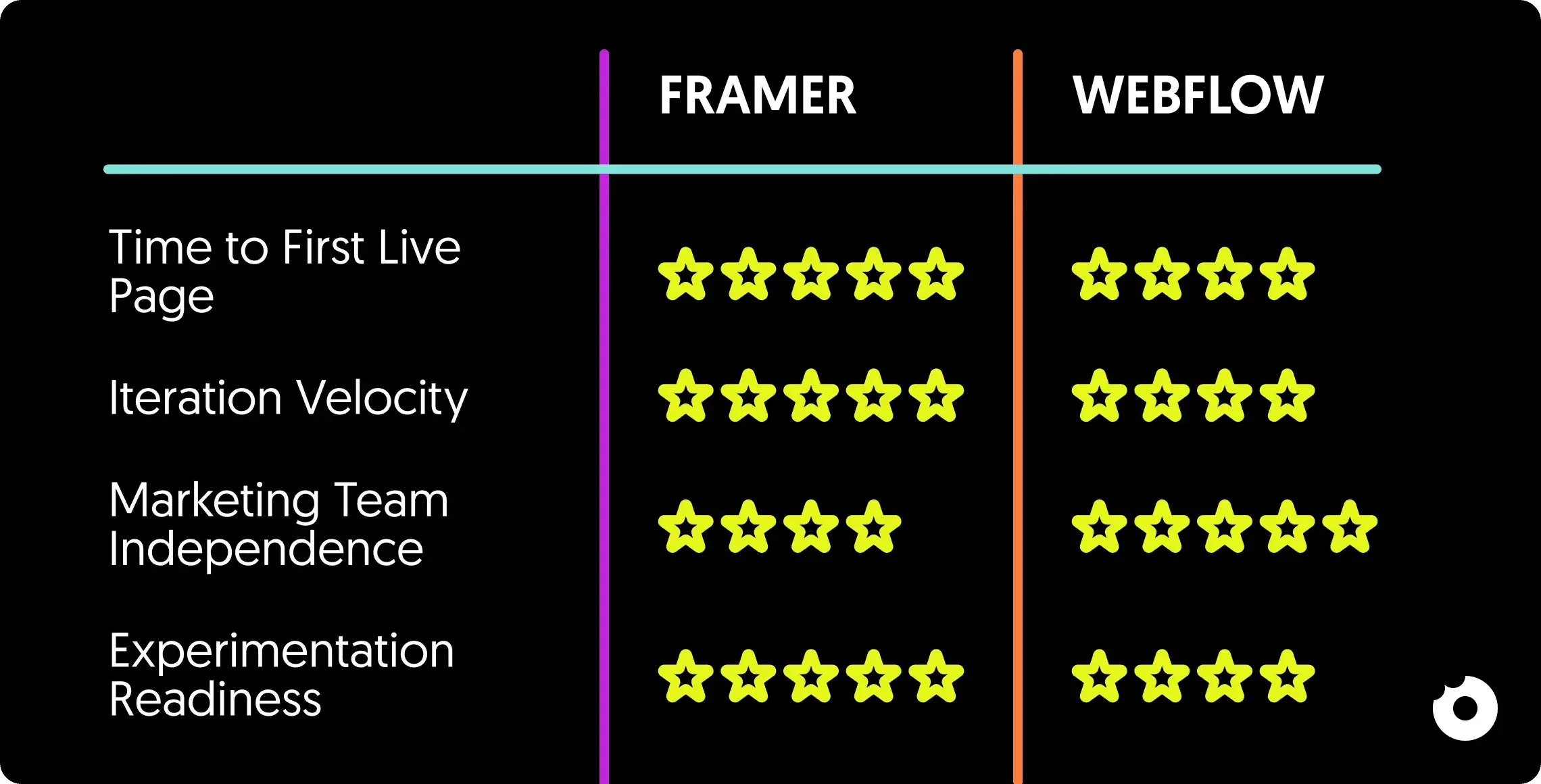
Comparison table rating Framer vs Webflow for B2B SaaS websites

What Is Framer?

Framer is a website builder designed for speed and design-led iteration. It lets teams create high-quality pages quickly, publish changes with minimal friction, and keep momentum when marketing needs to move fast. For B2B SaaS, that matters because the website is rarely “done”: messaging evolves, new campaigns go live, and positioning shifts as the product grows.

What makes Framer stand out is how quickly it turns ideas into live pages. It feels closer to designing than to “setting up a system,” which can be a huge advantage when the website’s main job is to support fast experimentation and frequent updates.

Framer for SaaS B2B Sites: Strengths and Limitations

Framer shines when the website is primarily a marketing surface: a tight set of core pages, a steady stream of landing pages, and a team that wants to ship without heavy process.

The pros - where Framer tends to work especially well:

  • Fast launch cycles for campaigns and new pages, with short iteration loops.

  • High polish with less overhead, especially for design-heavy layouts and interactions.

  • A lightweight workflow that fits marketing-led teams and small squads.

The cons - where Framer can start to feel limiting:

  • Content operations at scale, when the site grows into a structured library.

  • Governance and repeatability, when multiple people ship changes and consistency needs tighter guardrails.

  • Long-term maintainability, when the site shifts from “pages” to “systems” and needs more formal structure.

    Quick fit check: Framer is usually a great fit when speed and iteration matter most and the site stays relatively lean. If the website is expected to become content-heavy, with many repeatable page types and several contributors shipping changes in parallel, extra structure starts to matter.
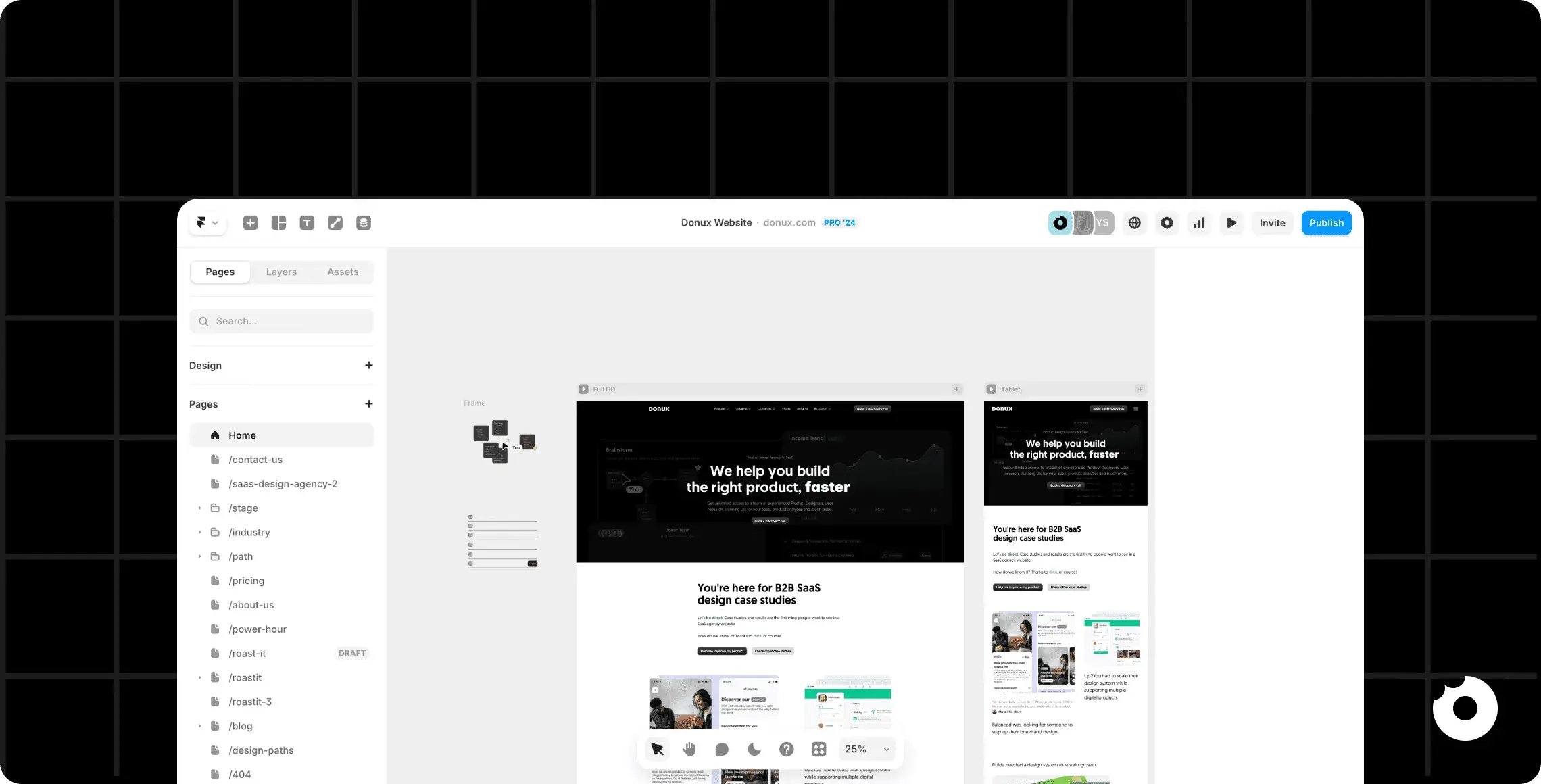
Framer editor interface showing a B2B SaaS website layout in desktop and mobile views

What Is Webflow?

Webflow is a website platform built around structure, repeatability, and long-term maintainability. It’s often chosen when a B2B SaaS website needs to scale beyond a handful of pages and become a real content ecosystem (use cases, integrations, industries, resource hubs) without turning into a patchwork of one-off layouts.

What makes Webflow stand out in SaaS contexts is how well it supports websites that need clear rules. When pages multiply and multiple people contribute, that structure helps teams keep things consistent, reduce rework, and ship updates without the site slowly drifting into inconsistency.

Webflow for SaaS B2B Sites: Strengths and Limitations

Webflow shines when the marketing site is expected to grow in volume and complexity, and when the team needs a workflow that stays reliable over time.

The pros - where Webflow tends to work especially well:

  • Repeatable page types that scale cleanly as the site.

  • Stronger content operations, especially when a CMS-driven workflow becomes central to growth.

  • Consistency at scale, with clearer patterns that help multiple contributors stay aligned.

  • SEO workflows that benefit from structure, especially for content-heavy SaaS websites.

The cons - where Webflow can start to feel limiting:

  • Slower iteration when speed is the main constraint, especially for rapid campaign cycles.

  • More upfront setup, because repeatability and structure require decisions early.

  • A workflow that can feel heavier for small teams that just want to ship a page quickly.

    Quick fit check:

    Webflow is usually the stronger choice when your SaaS website is expected to become a structured library and SEO/content are central to growth. If the main priority is fast experimentation and frequent landing-page iteration with minimal overhead, it may feel like more platform than you need.
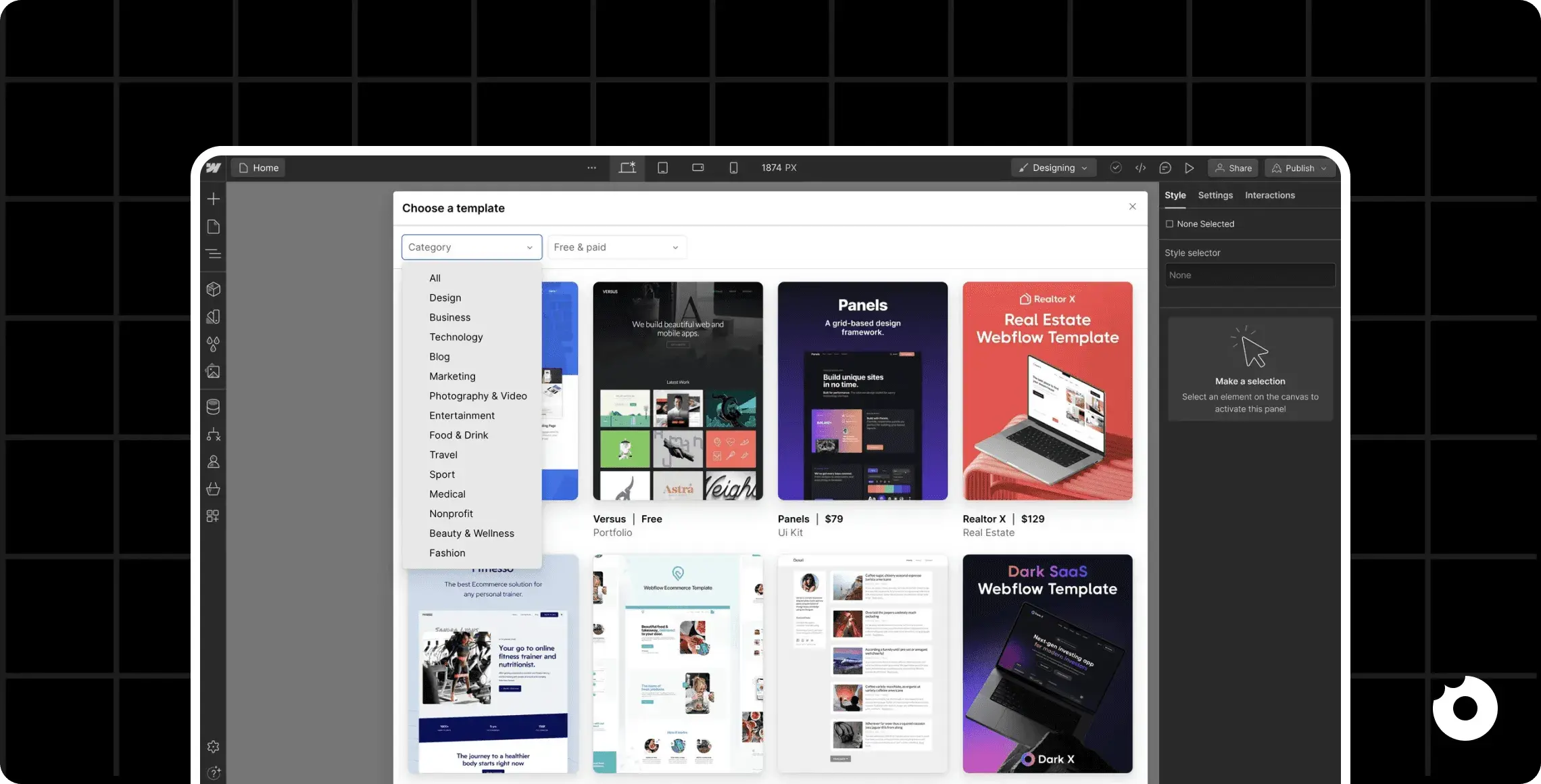
Webflow template marketplace shown inside the Webflow editor interface

Framer vs Webflow Differences That Matter for SaaS Marketing Sites

At this point, the high-level picture is clear. The real decision shows up after launch, when the website becomes a weekly workflow: pages keep changing, more people touch the site, and small inconsistencies start to slow teams down.

The differences below focus on where that friction typically appears, because that’s when the right platform becomes obvious.

Speed to Launch and Iteration

For SaaS B2B teams, “speed” has two faces: launching a new page quickly, and iterating once the page is live. Framer usually feels faster when the work is highly page-driven because the workflow stays lightweight and design-led.

Webflow often pays off when speed depends on coordination. If updates tend to ripple across multiple pages (pricin-pageg changes, navigation updates, repeated sections across templates), Webflow’s more structured approach can keep iterations cleaner over time.

In other words: Framer is often quicker for shipping new pages, while Webflow often stays efficient when shipping site-wide change becomes a regular pattern.

H3: Design Flexibility vs Structured Control

Framer tends to encourage flexibility by default. That’s great when a SaaS team is still refining messaging, testing different page narratives, or pushing creative layouts that change frequently.

Webflow, on the contrary, tends to reward control. As the site grows, that control reduces “design drift”: small inconsistencies that accumulate when multiple pages and contributors evolve in parallel.

Framer can absolutely stay consistent too, but it usually depends more on discipline and a strong internal process. Webflow makes consistency easier to enforce through structure, especially when repeatable page types and templates become a core part of the site.
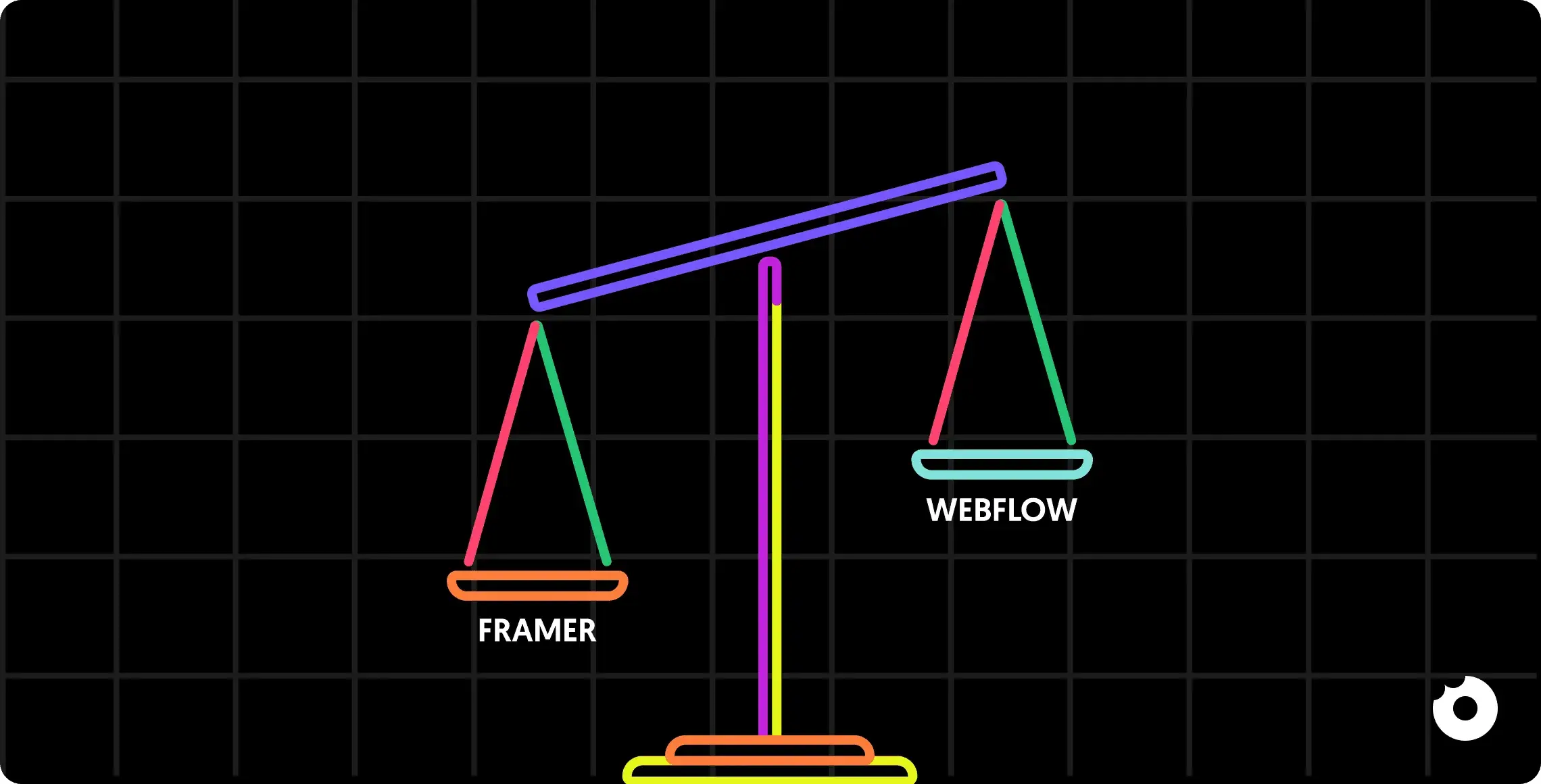
Balance scale illustrating Framer vs Webflow for B2B SaaS website comparison

Collaboration: Marketing, Design, and Dev Handoffs

Framer often fits a marketing-led ownership model: fewer handoffs, faster publishing, and a workflow that keeps momentum high for small teams. That’s ideal when most updates are handled by one function (or one tight squad) and the website needs to move at campaign speed.

Webflow often fits shared ownership better. When design wants tighter guardrails, SEO needs consistency, and multiple contributors publish in parallel, the workflow benefits from a more structured setup.

The difference shows up in reliability: Framer can be extremely fast with a clear owner; Webflow often feels safer when ownership is distributed and consistency has to survive multiple hands.

Scalability: From One Landing Page to a Full Marketing Site

Both tools can launch a great-looking SaaS website. The divergence shows up when the site becomes an ecosystem: integrations, use cases, industry pages, resource hubs, and SEO pages that need repeatable patterns and steady maintenance.

Framer often scales smoothly when the site remains relatively lean and page iteration stays the main job. Webflow often scales more comfortably when the site becomes content-heavy and template-driven, aka when the team needs repeatability, predictable structure, and a workflow that doesn’t get harder every time ten new pages are added.

A simple reality check helps here: if growth means “more pages of the same kind,” Webflow often feels increasingly advantageous. If growth means “more campaigns, more launches, more frequent page updates,” Framer often stays the more natural fit.
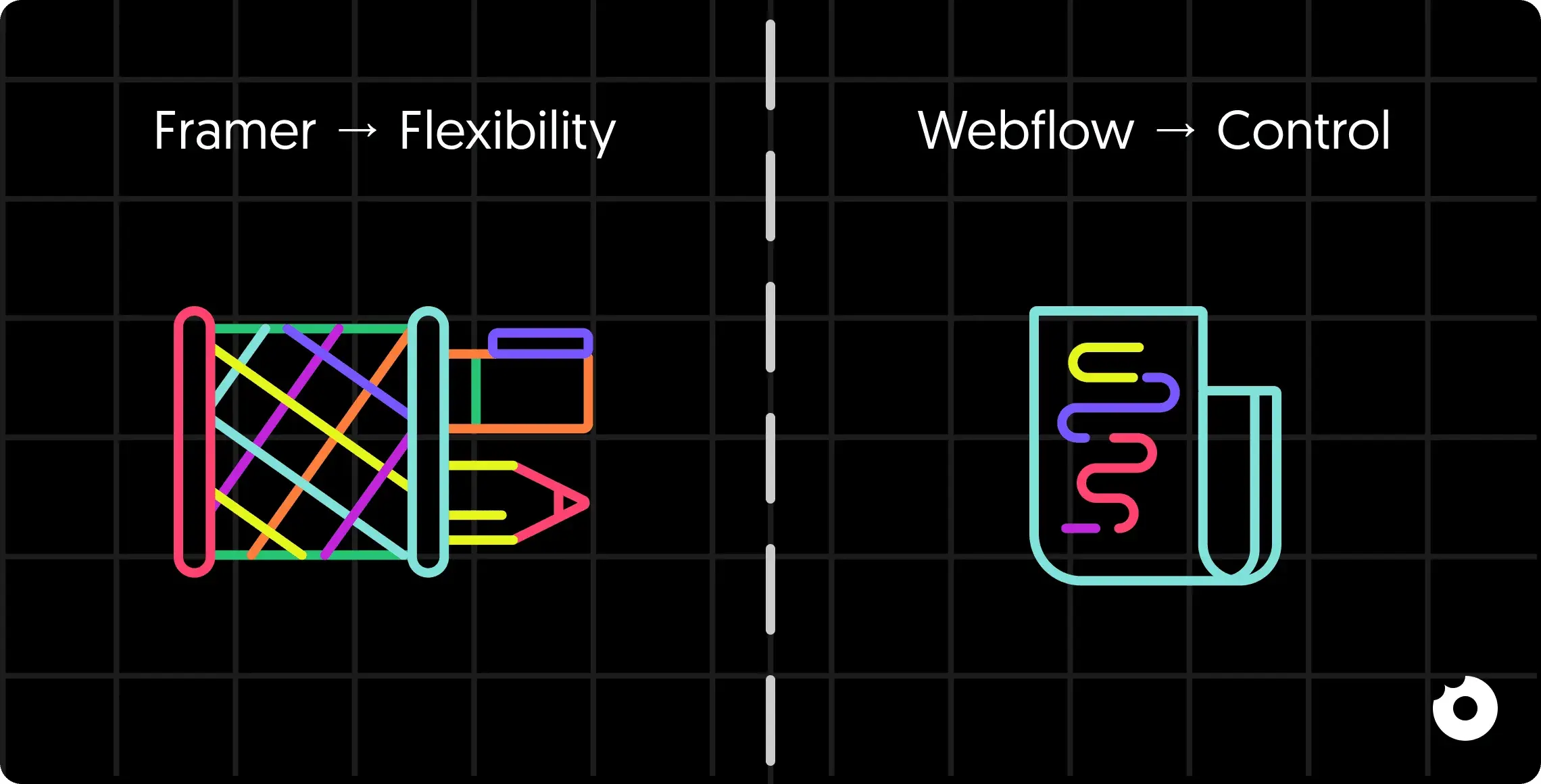
Illustration showing Framer as flexibility and Webflow as control in B2B SaaS website design

Framer vs Webflow: Let’s Talk SEO

Let’s be clear: SEO for a B2B SaaS website isn’t just “can it rank?”. It’s whether the team can keep performance solid, publish consistently, and maintain a clean structure as the site evolves.

On the technical side, both Framer and Webflow can support strong SEO foundations for most SaaS websites with indexable pages, good performance when the site is built with care, and a structure search engines can crawl. The practical difference usually shows up over time, as the site grows: more pages, more components, more iterations. That’s when stability becomes the real constraint and keeping performance predictable, ensuring important pages stay easy to discover and index, and avoiding the slow accumulation of messy patterns that hurt maintainability becomes the key factor.

Then there’s the day-to-day SEO workflow. Titles and meta descriptions change. Headings get refined as positioning evolves. Internal links need constant attention as new pages are added and the site architecture expands. Both platforms let teams handle these essentials, but the friction can feel very different depending on how structured the site is, how many people publish changes, and how repeatable page types need to be.

Where Webflow often pulls ahead is when SEO becomes a content engine rather than a layer on top of a lean site. If the website is expected to grow into a library (with use cases, integration pages, industry pages, and ongoing publishing) repeatable structures and CMS-driven workflows start to matter. In those scenarios, Webflow can make it easier to scale content while keeping patterns consistent and maintenance under control. If SEO remains focused on a smaller set of core pages plus campaign landings, Framer can be more than enough.

Framer or Webflow? Choose Based on Your SaaS Site Goals

At this point, the decision becomes much easier if it’s tied to the job your website needs to do. Not in theory, but in practice: how often it changes, how content-heavy it will become, and how many people will touch it every month.

Choose Framer if…

  • Your website is campaign-led, with frequent landing pages and fast iteration cycles.

  • Speed matters most, and the team wants a lightweight publishing workflow.

  • The site is expected to stay relatively lean (core pages + launches), with limited CMS complexity.

  • You value design polish and flexibility and prefer to iterate directly on the page.

  • Website ownership is clear (often marketing + design), and governance can stay simple.

Choose Webflow if…

  • Your SaaS website is becoming a content engine: integrations, use cases, industries, resources, and SEO pages.

  • You need repeatable page types and a structure that stays consistent as volume grows.

  • Multiple people publish changes and you want stronger guardrails to prevent drift.

  • Long-term maintainability matters more than rapid one-off experimentation.

  • SEO and content operations require a workflow that scales without becoming messy.
    Framer vs Webflow logo comparison for B2B SaaS websites

The “Hybrid” Approach Some SaaS Teams Use

Some B2B SaaS teams treat the website as two different surfaces with two different needs. They keep the structured, content-heavy part of the site in a system built for consistency, then use a faster, more flexible workflow for campaign landings and short-lived experiments.

In practice, a hybrid setup can look like this: Webflow handles the core marketing site and CMS-driven pages, while Framer is used for high-velocity landing pages that need to ship fast and change often. The payoff is focus: each platform is used where it naturally performs best.

The trade-off is operational. Hybrid only works when the team has a clear ownership model and a plan for keeping things consistent across surfaces: brand, components, navigation expectations, and analytics tracking.

Without that discipline, the site can start to feel like two different products.

Final Take: Webflow vs Framer for SaaS Marketing Websites

Framer and Webflow can both power strong SaaS websites. The decision comes down to what will keep your team effective over time: whether the site is driven by fast campaign cycles and frequent page iteration, or whether it’s evolving into a structured content ecosystem that needs repeatability, governance, and long-term maintainability.

The right choice is the one that supports your website’s operating model without creating hidden drag with slow updates, inconsistent patterns, or a workflow that breaks as soon as more people get involved. When that fit is right, the site becomes easier to ship, easier to scale, and easier to keep coherent as the product grows.

If you’re weighing Framer and Webflow and want a second set of eyes on what your SaaS website needs next, we can help you build a B2B SaaS websites that stay fast, consistent, and built for growth. Get in touch here → https://donux.com/contact-us

Framer vs Webflow can look like a simple website-builder decision, but for B2B SaaS teams, it rarely is.

The real difference shows up a few weeks later, when the first campaign needs a new landing page, the pricing changes, the SEO team asks for cleaner structure, and the site starts accumulating small inconsistencies that slow everyone down.

A SaaS website is a living product asset. It has to ship fast, stay consistent as pages multiply, and support growth motions that evolve constantly: new use cases, new segments, new positioning. That’s where the choice between Webflow and Framer becomes less about preferences and more about sustainability. Simply put, it affects how your team works, and what the site needs to hold up over time.

While Framer’s website builder often shines when speed and fluid iteration matter most, Webflow tends to shine when structure, repeatability, and content operations are the priority. The right choice? It depends on whether you’re optimizing for rapid experimentation, long-term scalability, or a deliberate balance of both.

Framer vs Webflow? A Quick Comparison

First things first. If you’re comparing Framer vs Webflow for a B2B SaaS website, you probably want a clear answer before diving into details:

Framer and Webflow can both work really well for SaaS websites, but they support different operating rhythms.

  • Framer is often the faster option when the priority is shipping polished pages fast, iterating frequently, and keeping the build workflow lightweight for marketing-led teams.

  • Webflow tends to fit better when the priority is scaling the site with structure, especially as pages multiply, content operations grow, and template consistency starts to matter.

Easy enough, but how do you choose?

A simple way to decide is to look at what will create friction six months from now. If the site will stay relatively lean and speed is the main constraint, Framer usually feels easier to run with. If the site is expected to expand into a content-heavy ecosystem with repeatable page types and stronger governance needs, Webflow typically provides a more stable foundation.

Framer vs Webflow comparison for B2B SaaS websites

Questions You Should Ask Yourself Before Choosing Framer or Webflow

For a B2B SaaS website, the platform decision is less about what you can build on day one, and more about what the site will demand after launch. Most teams don’t struggle with the first homepage. They struggle with the tenth landing page, the fifth pricing-page update, the growing list of integrations, and the moment multiple people start shipping changes in parallel.

For these reasons, a useful way to compare Framer and Webflow is to look at your site’s operating reality:

  • How often does the website change? Weekly experiments and campaign pages create different needs than quarterly updates.

  • Who owns updates? A marketing-led workflow has different constraints than a setup where design and engineering guard consistency.

  • How much content will you manage? A few core pages behave very differently from a site that becomes a library of use cases, integrations, and SEO pages.

  • How do you protect consistency over time? The more the site grows, the more small deviations compound into slower delivery and messy maintenance.

    When those variables are clear, the choice becomes easier to justify and to live with. That’s the lens that matters for SaaS teams: not “which tool is better,” but “which tool matches how the site will actually be run.”

Now that we’ve covered the basics, let’s delve into the full-depth comparison.

But if you already know what your site needs, great. Donux supports B2B SaaS teams with websites built for real iteration, clean structure, and long-term maintainability. Let’s talk.

Comparison table rating Framer vs Webflow for B2B SaaS websites

What Is Framer?

Framer is a website builder designed for speed and design-led iteration. It lets teams create high-quality pages quickly, publish changes with minimal friction, and keep momentum when marketing needs to move fast. For B2B SaaS, that matters because the website is rarely “done”: messaging evolves, new campaigns go live, and positioning shifts as the product grows.

What makes Framer stand out is how quickly it turns ideas into live pages. It feels closer to designing than to “setting up a system,” which can be a huge advantage when the website’s main job is to support fast experimentation and frequent updates.

Framer for SaaS B2B Sites: Strengths and Limitations

Framer shines when the website is primarily a marketing surface: a tight set of core pages, a steady stream of landing pages, and a team that wants to ship without heavy process.

The pros - where Framer tends to work especially well:

  • Fast launch cycles for campaigns and new pages, with short iteration loops.

  • High polish with less overhead, especially for design-heavy layouts and interactions.

  • A lightweight workflow that fits marketing-led teams and small squads.

The cons - where Framer can start to feel limiting:

  • Content operations at scale, when the site grows into a structured library.

  • Governance and repeatability, when multiple people ship changes and consistency needs tighter guardrails.

  • Long-term maintainability, when the site shifts from “pages” to “systems” and needs more formal structure.

    Quick fit check: Framer is usually a great fit when speed and iteration matter most and the site stays relatively lean. If the website is expected to become content-heavy, with many repeatable page types and several contributors shipping changes in parallel, extra structure starts to matter.

Framer editor interface showing a B2B SaaS website layout in desktop and mobile views

What Is Webflow?

Webflow is a website platform built around structure, repeatability, and long-term maintainability. It’s often chosen when a B2B SaaS website needs to scale beyond a handful of pages and become a real content ecosystem (use cases, integrations, industries, resource hubs) without turning into a patchwork of one-off layouts.

What makes Webflow stand out in SaaS contexts is how well it supports websites that need clear rules. When pages multiply and multiple people contribute, that structure helps teams keep things consistent, reduce rework, and ship updates without the site slowly drifting into inconsistency.

Webflow for SaaS B2B Sites: Strengths and Limitations

Webflow shines when the marketing site is expected to grow in volume and complexity, and when the team needs a workflow that stays reliable over time.

The pros - where Webflow tends to work especially well:

  • Repeatable page types that scale cleanly as the site.

  • Stronger content operations, especially when a CMS-driven workflow becomes central to growth.

  • Consistency at scale, with clearer patterns that help multiple contributors stay aligned.

  • SEO workflows that benefit from structure, especially for content-heavy SaaS websites.

The cons - where Webflow can start to feel limiting:

  • Slower iteration when speed is the main constraint, especially for rapid campaign cycles.

  • More upfront setup, because repeatability and structure require decisions early.

  • A workflow that can feel heavier for small teams that just want to ship a page quickly.

    Quick fit check:

    Webflow is usually the stronger choice when your SaaS website is expected to become a structured library and SEO/content are central to growth. If the main priority is fast experimentation and frequent landing-page iteration with minimal overhead, it may feel like more platform than you need.

Webflow template marketplace shown inside the Webflow editor interface

Framer vs Webflow Differences That Matter for SaaS Marketing Sites

At this point, the high-level picture is clear. The real decision shows up after launch, when the website becomes a weekly workflow: pages keep changing, more people touch the site, and small inconsistencies start to slow teams down.

The differences below focus on where that friction typically appears, because that’s when the right platform becomes obvious.

Speed to Launch and Iteration

For SaaS B2B teams, “speed” has two faces: launching a new page quickly, and iterating once the page is live. Framer usually feels faster when the work is highly page-driven because the workflow stays lightweight and design-led.

Webflow often pays off when speed depends on coordination. If updates tend to ripple across multiple pages (pricin-pageg changes, navigation updates, repeated sections across templates), Webflow’s more structured approach can keep iterations cleaner over time.

In other words: Framer is often quicker for shipping new pages, while Webflow often stays efficient when shipping site-wide change becomes a regular pattern.

H3: Design Flexibility vs Structured Control

Framer tends to encourage flexibility by default. That’s great when a SaaS team is still refining messaging, testing different page narratives, or pushing creative layouts that change frequently.

Webflow, on the contrary, tends to reward control. As the site grows, that control reduces “design drift”: small inconsistencies that accumulate when multiple pages and contributors evolve in parallel.

Framer can absolutely stay consistent too, but it usually depends more on discipline and a strong internal process. Webflow makes consistency easier to enforce through structure, especially when repeatable page types and templates become a core part of the site.

Balance scale illustrating Framer vs Webflow for B2B SaaS website comparison

Collaboration: Marketing, Design, and Dev Handoffs

Framer often fits a marketing-led ownership model: fewer handoffs, faster publishing, and a workflow that keeps momentum high for small teams. That’s ideal when most updates are handled by one function (or one tight squad) and the website needs to move at campaign speed.

Webflow often fits shared ownership better. When design wants tighter guardrails, SEO needs consistency, and multiple contributors publish in parallel, the workflow benefits from a more structured setup.

The difference shows up in reliability: Framer can be extremely fast with a clear owner; Webflow often feels safer when ownership is distributed and consistency has to survive multiple hands.

Scalability: From One Landing Page to a Full Marketing Site

Both tools can launch a great-looking SaaS website. The divergence shows up when the site becomes an ecosystem: integrations, use cases, industry pages, resource hubs, and SEO pages that need repeatable patterns and steady maintenance.

Framer often scales smoothly when the site remains relatively lean and page iteration stays the main job. Webflow often scales more comfortably when the site becomes content-heavy and template-driven, aka when the team needs repeatability, predictable structure, and a workflow that doesn’t get harder every time ten new pages are added.

A simple reality check helps here: if growth means “more pages of the same kind,” Webflow often feels increasingly advantageous. If growth means “more campaigns, more launches, more frequent page updates,” Framer often stays the more natural fit.

Illustration showing Framer as flexibility and Webflow as control in B2B SaaS website design

Framer vs Webflow: Let’s Talk SEO

Let’s be clear: SEO for a B2B SaaS website isn’t just “can it rank?”. It’s whether the team can keep performance solid, publish consistently, and maintain a clean structure as the site evolves.

On the technical side, both Framer and Webflow can support strong SEO foundations for most SaaS websites with indexable pages, good performance when the site is built with care, and a structure search engines can crawl. The practical difference usually shows up over time, as the site grows: more pages, more components, more iterations. That’s when stability becomes the real constraint and keeping performance predictable, ensuring important pages stay easy to discover and index, and avoiding the slow accumulation of messy patterns that hurt maintainability becomes the key factor.

Then there’s the day-to-day SEO workflow. Titles and meta descriptions change. Headings get refined as positioning evolves. Internal links need constant attention as new pages are added and the site architecture expands. Both platforms let teams handle these essentials, but the friction can feel very different depending on how structured the site is, how many people publish changes, and how repeatable page types need to be.

Where Webflow often pulls ahead is when SEO becomes a content engine rather than a layer on top of a lean site. If the website is expected to grow into a library (with use cases, integration pages, industry pages, and ongoing publishing) repeatable structures and CMS-driven workflows start to matter. In those scenarios, Webflow can make it easier to scale content while keeping patterns consistent and maintenance under control. If SEO remains focused on a smaller set of core pages plus campaign landings, Framer can be more than enough.

Framer or Webflow? Choose Based on Your SaaS Site Goals

At this point, the decision becomes much easier if it’s tied to the job your website needs to do. Not in theory, but in practice: how often it changes, how content-heavy it will become, and how many people will touch it every month.

Choose Framer if…

  • Your website is campaign-led, with frequent landing pages and fast iteration cycles.

  • Speed matters most, and the team wants a lightweight publishing workflow.

  • The site is expected to stay relatively lean (core pages + launches), with limited CMS complexity.

  • You value design polish and flexibility and prefer to iterate directly on the page.

  • Website ownership is clear (often marketing + design), and governance can stay simple.

Choose Webflow if…

  • Your SaaS website is becoming a content engine: integrations, use cases, industries, resources, and SEO pages.

  • You need repeatable page types and a structure that stays consistent as volume grows.

  • Multiple people publish changes and you want stronger guardrails to prevent drift.

  • Long-term maintainability matters more than rapid one-off experimentation.

  • SEO and content operations require a workflow that scales without becoming messy.

    Framer vs Webflow logo comparison for B2B SaaS websites

The “Hybrid” Approach Some SaaS Teams Use

Some B2B SaaS teams treat the website as two different surfaces with two different needs. They keep the structured, content-heavy part of the site in a system built for consistency, then use a faster, more flexible workflow for campaign landings and short-lived experiments.

In practice, a hybrid setup can look like this: Webflow handles the core marketing site and CMS-driven pages, while Framer is used for high-velocity landing pages that need to ship fast and change often. The payoff is focus: each platform is used where it naturally performs best.

The trade-off is operational. Hybrid only works when the team has a clear ownership model and a plan for keeping things consistent across surfaces: brand, components, navigation expectations, and analytics tracking.

Without that discipline, the site can start to feel like two different products.

Final Take: Webflow vs Framer for SaaS Marketing Websites

Framer and Webflow can both power strong SaaS websites. The decision comes down to what will keep your team effective over time: whether the site is driven by fast campaign cycles and frequent page iteration, or whether it’s evolving into a structured content ecosystem that needs repeatability, governance, and long-term maintainability.

The right choice is the one that supports your website’s operating model without creating hidden drag with slow updates, inconsistent patterns, or a workflow that breaks as soon as more people get involved. When that fit is right, the site becomes easier to ship, easier to scale, and easier to keep coherent as the product grows.

If you’re weighing Framer and Webflow and want a second set of eyes on what your SaaS website needs next, we can help you build a B2B SaaS websites that stay fast, consistent, and built for growth. Get in touch here → https://donux.com/contact-us

Framer vs Webflow can look like a simple website-builder decision, but for B2B SaaS teams, it rarely is.

The real difference shows up a few weeks later, when the first campaign needs a new landing page, the pricing changes, the SEO team asks for cleaner structure, and the site starts accumulating small inconsistencies that slow everyone down.

A SaaS website is a living product asset. It has to ship fast, stay consistent as pages multiply, and support growth motions that evolve constantly: new use cases, new segments, new positioning. That’s where the choice between Webflow and Framer becomes less about preferences and more about sustainability. Simply put, it affects how your team works, and what the site needs to hold up over time.

While Framer’s website builder often shines when speed and fluid iteration matter most, Webflow tends to shine when structure, repeatability, and content operations are the priority. The right choice? It depends on whether you’re optimizing for rapid experimentation, long-term scalability, or a deliberate balance of both.

Framer vs Webflow? A Quick Comparison

First things first. If you’re comparing Framer vs Webflow for a B2B SaaS website, you probably want a clear answer before diving into details:

Framer and Webflow can both work really well for SaaS websites, but they support different operating rhythms.

  • Framer is often the faster option when the priority is shipping polished pages fast, iterating frequently, and keeping the build workflow lightweight for marketing-led teams.

  • Webflow tends to fit better when the priority is scaling the site with structure, especially as pages multiply, content operations grow, and template consistency starts to matter.

Easy enough, but how do you choose?

A simple way to decide is to look at what will create friction six months from now. If the site will stay relatively lean and speed is the main constraint, Framer usually feels easier to run with. If the site is expected to expand into a content-heavy ecosystem with repeatable page types and stronger governance needs, Webflow typically provides a more stable foundation.

Framer vs Webflow comparison for B2B SaaS websites

Questions You Should Ask Yourself Before Choosing Framer or Webflow

For a B2B SaaS website, the platform decision is less about what you can build on day one, and more about what the site will demand after launch. Most teams don’t struggle with the first homepage. They struggle with the tenth landing page, the fifth pricing-page update, the growing list of integrations, and the moment multiple people start shipping changes in parallel.

For these reasons, a useful way to compare Framer and Webflow is to look at your site’s operating reality:

  • How often does the website change? Weekly experiments and campaign pages create different needs than quarterly updates.

  • Who owns updates? A marketing-led workflow has different constraints than a setup where design and engineering guard consistency.

  • How much content will you manage? A few core pages behave very differently from a site that becomes a library of use cases, integrations, and SEO pages.

  • How do you protect consistency over time? The more the site grows, the more small deviations compound into slower delivery and messy maintenance.

    When those variables are clear, the choice becomes easier to justify and to live with. That’s the lens that matters for SaaS teams: not “which tool is better,” but “which tool matches how the site will actually be run.”

Now that we’ve covered the basics, let’s delve into the full-depth comparison.

But if you already know what your site needs, great. Donux supports B2B SaaS teams with websites built for real iteration, clean structure, and long-term maintainability. Let’s talk.

Comparison table rating Framer vs Webflow for B2B SaaS websites

What Is Framer?

Framer is a website builder designed for speed and design-led iteration. It lets teams create high-quality pages quickly, publish changes with minimal friction, and keep momentum when marketing needs to move fast. For B2B SaaS, that matters because the website is rarely “done”: messaging evolves, new campaigns go live, and positioning shifts as the product grows.

What makes Framer stand out is how quickly it turns ideas into live pages. It feels closer to designing than to “setting up a system,” which can be a huge advantage when the website’s main job is to support fast experimentation and frequent updates.

Framer for SaaS B2B Sites: Strengths and Limitations

Framer shines when the website is primarily a marketing surface: a tight set of core pages, a steady stream of landing pages, and a team that wants to ship without heavy process.

The pros - where Framer tends to work especially well:

  • Fast launch cycles for campaigns and new pages, with short iteration loops.

  • High polish with less overhead, especially for design-heavy layouts and interactions.

  • A lightweight workflow that fits marketing-led teams and small squads.

The cons - where Framer can start to feel limiting:

  • Content operations at scale, when the site grows into a structured library.

  • Governance and repeatability, when multiple people ship changes and consistency needs tighter guardrails.

  • Long-term maintainability, when the site shifts from “pages” to “systems” and needs more formal structure.

    Quick fit check: Framer is usually a great fit when speed and iteration matter most and the site stays relatively lean. If the website is expected to become content-heavy, with many repeatable page types and several contributors shipping changes in parallel, extra structure starts to matter.

Framer editor interface showing a B2B SaaS website layout in desktop and mobile views

What Is Webflow?

Webflow is a website platform built around structure, repeatability, and long-term maintainability. It’s often chosen when a B2B SaaS website needs to scale beyond a handful of pages and become a real content ecosystem (use cases, integrations, industries, resource hubs) without turning into a patchwork of one-off layouts.

What makes Webflow stand out in SaaS contexts is how well it supports websites that need clear rules. When pages multiply and multiple people contribute, that structure helps teams keep things consistent, reduce rework, and ship updates without the site slowly drifting into inconsistency.

Webflow for SaaS B2B Sites: Strengths and Limitations

Webflow shines when the marketing site is expected to grow in volume and complexity, and when the team needs a workflow that stays reliable over time.

The pros - where Webflow tends to work especially well:

  • Repeatable page types that scale cleanly as the site.

  • Stronger content operations, especially when a CMS-driven workflow becomes central to growth.

  • Consistency at scale, with clearer patterns that help multiple contributors stay aligned.

  • SEO workflows that benefit from structure, especially for content-heavy SaaS websites.

The cons - where Webflow can start to feel limiting:

  • Slower iteration when speed is the main constraint, especially for rapid campaign cycles.

  • More upfront setup, because repeatability and structure require decisions early.

  • A workflow that can feel heavier for small teams that just want to ship a page quickly.

    Quick fit check:

    Webflow is usually the stronger choice when your SaaS website is expected to become a structured library and SEO/content are central to growth. If the main priority is fast experimentation and frequent landing-page iteration with minimal overhead, it may feel like more platform than you need.

Webflow template marketplace shown inside the Webflow editor interface

Framer vs Webflow Differences That Matter for SaaS Marketing Sites

At this point, the high-level picture is clear. The real decision shows up after launch, when the website becomes a weekly workflow: pages keep changing, more people touch the site, and small inconsistencies start to slow teams down.

The differences below focus on where that friction typically appears, because that’s when the right platform becomes obvious.

Speed to Launch and Iteration

For SaaS B2B teams, “speed” has two faces: launching a new page quickly, and iterating once the page is live. Framer usually feels faster when the work is highly page-driven because the workflow stays lightweight and design-led.

Webflow often pays off when speed depends on coordination. If updates tend to ripple across multiple pages (pricin-pageg changes, navigation updates, repeated sections across templates), Webflow’s more structured approach can keep iterations cleaner over time.

In other words: Framer is often quicker for shipping new pages, while Webflow often stays efficient when shipping site-wide change becomes a regular pattern.

H3: Design Flexibility vs Structured Control

Framer tends to encourage flexibility by default. That’s great when a SaaS team is still refining messaging, testing different page narratives, or pushing creative layouts that change frequently.

Webflow, on the contrary, tends to reward control. As the site grows, that control reduces “design drift”: small inconsistencies that accumulate when multiple pages and contributors evolve in parallel.

Framer can absolutely stay consistent too, but it usually depends more on discipline and a strong internal process. Webflow makes consistency easier to enforce through structure, especially when repeatable page types and templates become a core part of the site.

Balance scale illustrating Framer vs Webflow for B2B SaaS website comparison

Collaboration: Marketing, Design, and Dev Handoffs

Framer often fits a marketing-led ownership model: fewer handoffs, faster publishing, and a workflow that keeps momentum high for small teams. That’s ideal when most updates are handled by one function (or one tight squad) and the website needs to move at campaign speed.

Webflow often fits shared ownership better. When design wants tighter guardrails, SEO needs consistency, and multiple contributors publish in parallel, the workflow benefits from a more structured setup.

The difference shows up in reliability: Framer can be extremely fast with a clear owner; Webflow often feels safer when ownership is distributed and consistency has to survive multiple hands.

Scalability: From One Landing Page to a Full Marketing Site

Both tools can launch a great-looking SaaS website. The divergence shows up when the site becomes an ecosystem: integrations, use cases, industry pages, resource hubs, and SEO pages that need repeatable patterns and steady maintenance.

Framer often scales smoothly when the site remains relatively lean and page iteration stays the main job. Webflow often scales more comfortably when the site becomes content-heavy and template-driven, aka when the team needs repeatability, predictable structure, and a workflow that doesn’t get harder every time ten new pages are added.

A simple reality check helps here: if growth means “more pages of the same kind,” Webflow often feels increasingly advantageous. If growth means “more campaigns, more launches, more frequent page updates,” Framer often stays the more natural fit.

Illustration showing Framer as flexibility and Webflow as control in B2B SaaS website design

Framer vs Webflow: Let’s Talk SEO

Let’s be clear: SEO for a B2B SaaS website isn’t just “can it rank?”. It’s whether the team can keep performance solid, publish consistently, and maintain a clean structure as the site evolves.

On the technical side, both Framer and Webflow can support strong SEO foundations for most SaaS websites with indexable pages, good performance when the site is built with care, and a structure search engines can crawl. The practical difference usually shows up over time, as the site grows: more pages, more components, more iterations. That’s when stability becomes the real constraint and keeping performance predictable, ensuring important pages stay easy to discover and index, and avoiding the slow accumulation of messy patterns that hurt maintainability becomes the key factor.

Then there’s the day-to-day SEO workflow. Titles and meta descriptions change. Headings get refined as positioning evolves. Internal links need constant attention as new pages are added and the site architecture expands. Both platforms let teams handle these essentials, but the friction can feel very different depending on how structured the site is, how many people publish changes, and how repeatable page types need to be.

Where Webflow often pulls ahead is when SEO becomes a content engine rather than a layer on top of a lean site. If the website is expected to grow into a library (with use cases, integration pages, industry pages, and ongoing publishing) repeatable structures and CMS-driven workflows start to matter. In those scenarios, Webflow can make it easier to scale content while keeping patterns consistent and maintenance under control. If SEO remains focused on a smaller set of core pages plus campaign landings, Framer can be more than enough.

Framer or Webflow? Choose Based on Your SaaS Site Goals

At this point, the decision becomes much easier if it’s tied to the job your website needs to do. Not in theory, but in practice: how often it changes, how content-heavy it will become, and how many people will touch it every month.

Choose Framer if…

  • Your website is campaign-led, with frequent landing pages and fast iteration cycles.

  • Speed matters most, and the team wants a lightweight publishing workflow.

  • The site is expected to stay relatively lean (core pages + launches), with limited CMS complexity.

  • You value design polish and flexibility and prefer to iterate directly on the page.

  • Website ownership is clear (often marketing + design), and governance can stay simple.

Choose Webflow if…

  • Your SaaS website is becoming a content engine: integrations, use cases, industries, resources, and SEO pages.

  • You need repeatable page types and a structure that stays consistent as volume grows.

  • Multiple people publish changes and you want stronger guardrails to prevent drift.

  • Long-term maintainability matters more than rapid one-off experimentation.

  • SEO and content operations require a workflow that scales without becoming messy.

    Framer vs Webflow logo comparison for B2B SaaS websites

The “Hybrid” Approach Some SaaS Teams Use

Some B2B SaaS teams treat the website as two different surfaces with two different needs. They keep the structured, content-heavy part of the site in a system built for consistency, then use a faster, more flexible workflow for campaign landings and short-lived experiments.

In practice, a hybrid setup can look like this: Webflow handles the core marketing site and CMS-driven pages, while Framer is used for high-velocity landing pages that need to ship fast and change often. The payoff is focus: each platform is used where it naturally performs best.

The trade-off is operational. Hybrid only works when the team has a clear ownership model and a plan for keeping things consistent across surfaces: brand, components, navigation expectations, and analytics tracking.

Without that discipline, the site can start to feel like two different products.

Final Take: Webflow vs Framer for SaaS Marketing Websites

Framer and Webflow can both power strong SaaS websites. The decision comes down to what will keep your team effective over time: whether the site is driven by fast campaign cycles and frequent page iteration, or whether it’s evolving into a structured content ecosystem that needs repeatability, governance, and long-term maintainability.

The right choice is the one that supports your website’s operating model without creating hidden drag with slow updates, inconsistent patterns, or a workflow that breaks as soon as more people get involved. When that fit is right, the site becomes easier to ship, easier to scale, and easier to keep coherent as the product grows.

If you’re weighing Framer and Webflow and want a second set of eyes on what your SaaS website needs next, we can help you build a B2B SaaS websites that stay fast, consistent, and built for growth. Get in touch here → https://donux.com/contact-us

Framer vs Webflow can look like a simple website-builder decision, but for B2B SaaS teams, it rarely is.

The real difference shows up a few weeks later, when the first campaign needs a new landing page, the pricing changes, the SEO team asks for cleaner structure, and the site starts accumulating small inconsistencies that slow everyone down.

A SaaS website is a living product asset. It has to ship fast, stay consistent as pages multiply, and support growth motions that evolve constantly: new use cases, new segments, new positioning. That’s where the choice between Webflow and Framer becomes less about preferences and more about sustainability. Simply put, it affects how your team works, and what the site needs to hold up over time.

While Framer’s website builder often shines when speed and fluid iteration matter most, Webflow tends to shine when structure, repeatability, and content operations are the priority. The right choice? It depends on whether you’re optimizing for rapid experimentation, long-term scalability, or a deliberate balance of both.

Framer vs Webflow? A Quick Comparison

First things first. If you’re comparing Framer vs Webflow for a B2B SaaS website, you probably want a clear answer before diving into details:

Framer and Webflow can both work really well for SaaS websites, but they support different operating rhythms.

  • Framer is often the faster option when the priority is shipping polished pages fast, iterating frequently, and keeping the build workflow lightweight for marketing-led teams.

  • Webflow tends to fit better when the priority is scaling the site with structure, especially as pages multiply, content operations grow, and template consistency starts to matter.

Easy enough, but how do you choose?

A simple way to decide is to look at what will create friction six months from now. If the site will stay relatively lean and speed is the main constraint, Framer usually feels easier to run with. If the site is expected to expand into a content-heavy ecosystem with repeatable page types and stronger governance needs, Webflow typically provides a more stable foundation.

Framer vs Webflow comparison for B2B SaaS websites

Questions You Should Ask Yourself Before Choosing Framer or Webflow

For a B2B SaaS website, the platform decision is less about what you can build on day one, and more about what the site will demand after launch. Most teams don’t struggle with the first homepage. They struggle with the tenth landing page, the fifth pricing-page update, the growing list of integrations, and the moment multiple people start shipping changes in parallel.

For these reasons, a useful way to compare Framer and Webflow is to look at your site’s operating reality:

  • How often does the website change? Weekly experiments and campaign pages create different needs than quarterly updates.

  • Who owns updates? A marketing-led workflow has different constraints than a setup where design and engineering guard consistency.

  • How much content will you manage? A few core pages behave very differently from a site that becomes a library of use cases, integrations, and SEO pages.

  • How do you protect consistency over time? The more the site grows, the more small deviations compound into slower delivery and messy maintenance.

    When those variables are clear, the choice becomes easier to justify and to live with. That’s the lens that matters for SaaS teams: not “which tool is better,” but “which tool matches how the site will actually be run.”

Now that we’ve covered the basics, let’s delve into the full-depth comparison.

But if you already know what your site needs, great. Donux supports B2B SaaS teams with websites built for real iteration, clean structure, and long-term maintainability. Let’s talk.

Comparison table rating Framer vs Webflow for B2B SaaS websites

What Is Framer?

Framer is a website builder designed for speed and design-led iteration. It lets teams create high-quality pages quickly, publish changes with minimal friction, and keep momentum when marketing needs to move fast. For B2B SaaS, that matters because the website is rarely “done”: messaging evolves, new campaigns go live, and positioning shifts as the product grows.

What makes Framer stand out is how quickly it turns ideas into live pages. It feels closer to designing than to “setting up a system,” which can be a huge advantage when the website’s main job is to support fast experimentation and frequent updates.

Framer for SaaS B2B Sites: Strengths and Limitations

Framer shines when the website is primarily a marketing surface: a tight set of core pages, a steady stream of landing pages, and a team that wants to ship without heavy process.

The pros - where Framer tends to work especially well:

  • Fast launch cycles for campaigns and new pages, with short iteration loops.

  • High polish with less overhead, especially for design-heavy layouts and interactions.

  • A lightweight workflow that fits marketing-led teams and small squads.

The cons - where Framer can start to feel limiting:

  • Content operations at scale, when the site grows into a structured library.

  • Governance and repeatability, when multiple people ship changes and consistency needs tighter guardrails.

  • Long-term maintainability, when the site shifts from “pages” to “systems” and needs more formal structure.

    Quick fit check: Framer is usually a great fit when speed and iteration matter most and the site stays relatively lean. If the website is expected to become content-heavy, with many repeatable page types and several contributors shipping changes in parallel, extra structure starts to matter.

Framer editor interface showing a B2B SaaS website layout in desktop and mobile views

What Is Webflow?

Webflow is a website platform built around structure, repeatability, and long-term maintainability. It’s often chosen when a B2B SaaS website needs to scale beyond a handful of pages and become a real content ecosystem (use cases, integrations, industries, resource hubs) without turning into a patchwork of one-off layouts.

What makes Webflow stand out in SaaS contexts is how well it supports websites that need clear rules. When pages multiply and multiple people contribute, that structure helps teams keep things consistent, reduce rework, and ship updates without the site slowly drifting into inconsistency.

Webflow for SaaS B2B Sites: Strengths and Limitations

Webflow shines when the marketing site is expected to grow in volume and complexity, and when the team needs a workflow that stays reliable over time.

The pros - where Webflow tends to work especially well:

  • Repeatable page types that scale cleanly as the site.

  • Stronger content operations, especially when a CMS-driven workflow becomes central to growth.

  • Consistency at scale, with clearer patterns that help multiple contributors stay aligned.

  • SEO workflows that benefit from structure, especially for content-heavy SaaS websites.

The cons - where Webflow can start to feel limiting:

  • Slower iteration when speed is the main constraint, especially for rapid campaign cycles.

  • More upfront setup, because repeatability and structure require decisions early.

  • A workflow that can feel heavier for small teams that just want to ship a page quickly.

    Quick fit check:

    Webflow is usually the stronger choice when your SaaS website is expected to become a structured library and SEO/content are central to growth. If the main priority is fast experimentation and frequent landing-page iteration with minimal overhead, it may feel like more platform than you need.

Webflow template marketplace shown inside the Webflow editor interface

Framer vs Webflow Differences That Matter for SaaS Marketing Sites

At this point, the high-level picture is clear. The real decision shows up after launch, when the website becomes a weekly workflow: pages keep changing, more people touch the site, and small inconsistencies start to slow teams down.

The differences below focus on where that friction typically appears, because that’s when the right platform becomes obvious.

Speed to Launch and Iteration

For SaaS B2B teams, “speed” has two faces: launching a new page quickly, and iterating once the page is live. Framer usually feels faster when the work is highly page-driven because the workflow stays lightweight and design-led.

Webflow often pays off when speed depends on coordination. If updates tend to ripple across multiple pages (pricin-pageg changes, navigation updates, repeated sections across templates), Webflow’s more structured approach can keep iterations cleaner over time.

In other words: Framer is often quicker for shipping new pages, while Webflow often stays efficient when shipping site-wide change becomes a regular pattern.

H3: Design Flexibility vs Structured Control

Framer tends to encourage flexibility by default. That’s great when a SaaS team is still refining messaging, testing different page narratives, or pushing creative layouts that change frequently.

Webflow, on the contrary, tends to reward control. As the site grows, that control reduces “design drift”: small inconsistencies that accumulate when multiple pages and contributors evolve in parallel.

Framer can absolutely stay consistent too, but it usually depends more on discipline and a strong internal process. Webflow makes consistency easier to enforce through structure, especially when repeatable page types and templates become a core part of the site.

Balance scale illustrating Framer vs Webflow for B2B SaaS website comparison

Collaboration: Marketing, Design, and Dev Handoffs

Framer often fits a marketing-led ownership model: fewer handoffs, faster publishing, and a workflow that keeps momentum high for small teams. That’s ideal when most updates are handled by one function (or one tight squad) and the website needs to move at campaign speed.

Webflow often fits shared ownership better. When design wants tighter guardrails, SEO needs consistency, and multiple contributors publish in parallel, the workflow benefits from a more structured setup.

The difference shows up in reliability: Framer can be extremely fast with a clear owner; Webflow often feels safer when ownership is distributed and consistency has to survive multiple hands.

Scalability: From One Landing Page to a Full Marketing Site

Both tools can launch a great-looking SaaS website. The divergence shows up when the site becomes an ecosystem: integrations, use cases, industry pages, resource hubs, and SEO pages that need repeatable patterns and steady maintenance.

Framer often scales smoothly when the site remains relatively lean and page iteration stays the main job. Webflow often scales more comfortably when the site becomes content-heavy and template-driven, aka when the team needs repeatability, predictable structure, and a workflow that doesn’t get harder every time ten new pages are added.

A simple reality check helps here: if growth means “more pages of the same kind,” Webflow often feels increasingly advantageous. If growth means “more campaigns, more launches, more frequent page updates,” Framer often stays the more natural fit.

Illustration showing Framer as flexibility and Webflow as control in B2B SaaS website design

Framer vs Webflow: Let’s Talk SEO

Let’s be clear: SEO for a B2B SaaS website isn’t just “can it rank?”. It’s whether the team can keep performance solid, publish consistently, and maintain a clean structure as the site evolves.

On the technical side, both Framer and Webflow can support strong SEO foundations for most SaaS websites with indexable pages, good performance when the site is built with care, and a structure search engines can crawl. The practical difference usually shows up over time, as the site grows: more pages, more components, more iterations. That’s when stability becomes the real constraint and keeping performance predictable, ensuring important pages stay easy to discover and index, and avoiding the slow accumulation of messy patterns that hurt maintainability becomes the key factor.

Then there’s the day-to-day SEO workflow. Titles and meta descriptions change. Headings get refined as positioning evolves. Internal links need constant attention as new pages are added and the site architecture expands. Both platforms let teams handle these essentials, but the friction can feel very different depending on how structured the site is, how many people publish changes, and how repeatable page types need to be.

Where Webflow often pulls ahead is when SEO becomes a content engine rather than a layer on top of a lean site. If the website is expected to grow into a library (with use cases, integration pages, industry pages, and ongoing publishing) repeatable structures and CMS-driven workflows start to matter. In those scenarios, Webflow can make it easier to scale content while keeping patterns consistent and maintenance under control. If SEO remains focused on a smaller set of core pages plus campaign landings, Framer can be more than enough.

Framer or Webflow? Choose Based on Your SaaS Site Goals

At this point, the decision becomes much easier if it’s tied to the job your website needs to do. Not in theory, but in practice: how often it changes, how content-heavy it will become, and how many people will touch it every month.

Choose Framer if…

  • Your website is campaign-led, with frequent landing pages and fast iteration cycles.

  • Speed matters most, and the team wants a lightweight publishing workflow.

  • The site is expected to stay relatively lean (core pages + launches), with limited CMS complexity.

  • You value design polish and flexibility and prefer to iterate directly on the page.

  • Website ownership is clear (often marketing + design), and governance can stay simple.

Choose Webflow if…

  • Your SaaS website is becoming a content engine: integrations, use cases, industries, resources, and SEO pages.

  • You need repeatable page types and a structure that stays consistent as volume grows.

  • Multiple people publish changes and you want stronger guardrails to prevent drift.

  • Long-term maintainability matters more than rapid one-off experimentation.

  • SEO and content operations require a workflow that scales without becoming messy.

    Framer vs Webflow logo comparison for B2B SaaS websites

The “Hybrid” Approach Some SaaS Teams Use

Some B2B SaaS teams treat the website as two different surfaces with two different needs. They keep the structured, content-heavy part of the site in a system built for consistency, then use a faster, more flexible workflow for campaign landings and short-lived experiments.

In practice, a hybrid setup can look like this: Webflow handles the core marketing site and CMS-driven pages, while Framer is used for high-velocity landing pages that need to ship fast and change often. The payoff is focus: each platform is used where it naturally performs best.

The trade-off is operational. Hybrid only works when the team has a clear ownership model and a plan for keeping things consistent across surfaces: brand, components, navigation expectations, and analytics tracking.

Without that discipline, the site can start to feel like two different products.

Final Take: Webflow vs Framer for SaaS Marketing Websites

Framer and Webflow can both power strong SaaS websites. The decision comes down to what will keep your team effective over time: whether the site is driven by fast campaign cycles and frequent page iteration, or whether it’s evolving into a structured content ecosystem that needs repeatability, governance, and long-term maintainability.

The right choice is the one that supports your website’s operating model without creating hidden drag with slow updates, inconsistent patterns, or a workflow that breaks as soon as more people get involved. When that fit is right, the site becomes easier to ship, easier to scale, and easier to keep coherent as the product grows.

If you’re weighing Framer and Webflow and want a second set of eyes on what your SaaS website needs next, we can help you build a B2B SaaS websites that stay fast, consistent, and built for growth. Get in touch here → https://donux.com/contact-us

Subscribe to our product design newsletter

We'll be sending two emails every month with product and design tips for B2B SaaS

By submitting this form, I accept the privacy policy

By submitting this form, I accept the privacy policy

By submitting this form, I accept the privacy policy

We’ll help you build the
right product

The first step is a quick chat 👋

Donux srl © 2024 Via Carlo Farini 5, 20154 Milano P.IVA IT11315200961

Part of

We’ll help you build the
right product

The first step is a quick chat 👋

Donux srl © 2024 Via Carlo Farini 5, 20154 Milano P.IVA IT11315200961

Part of

We’ll help you build the
right product

The first step is a quick chat 👋

Donux srl © 2024 Via Carlo Farini 5, 20154 Milano P.IVA IT11315200961

Part of