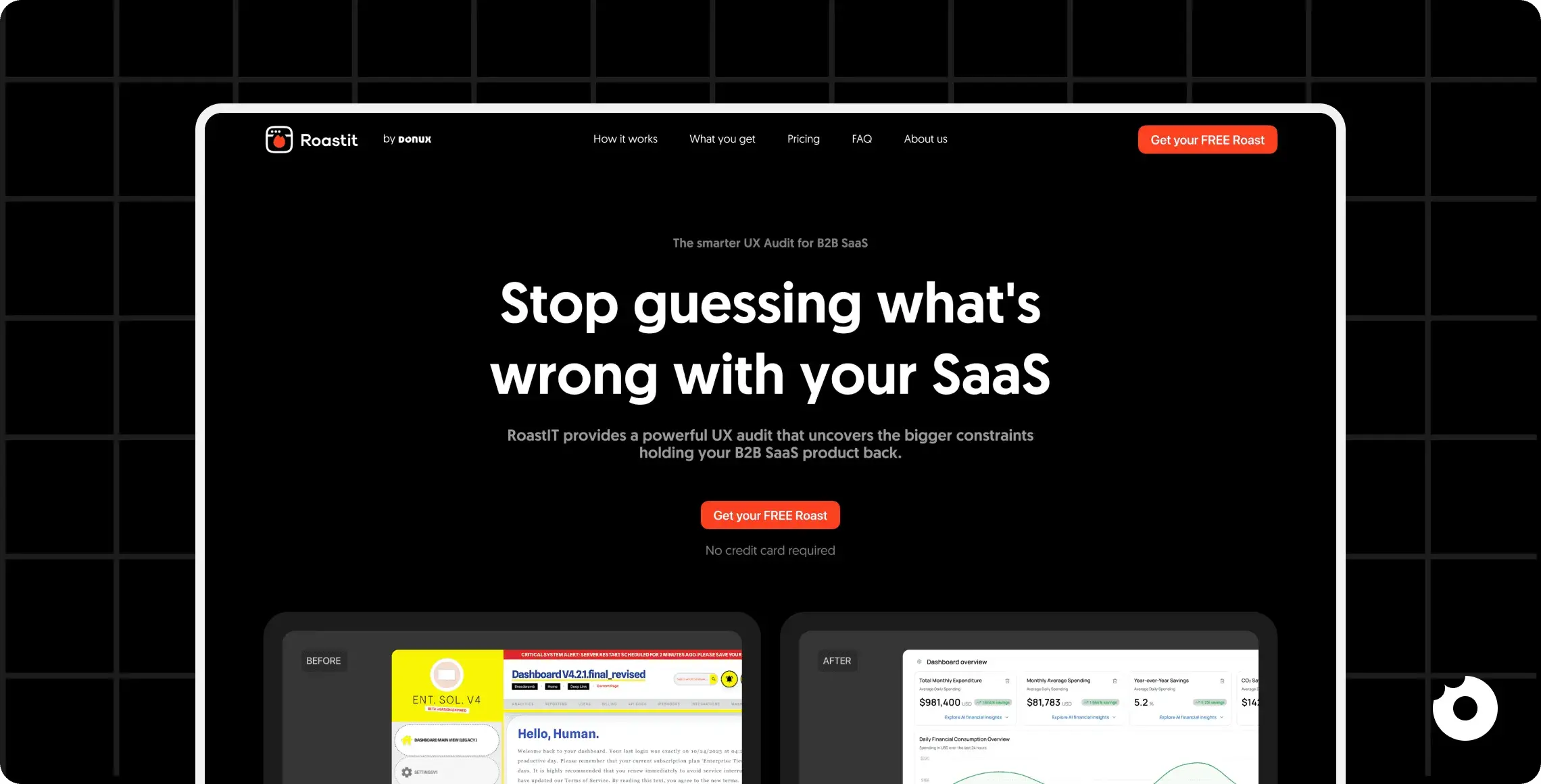
UX Audit Guide: Improve Your SaaS User Experience
A practical guide to running UX audits for B2B SaaS products


Table of Contents
Title
Title
Title
A UX audit is a step-by-step review of your SaaS platform to identify usability issues and make it easier for users to achieve their goals. It’s essential for B2B SaaS companies where poor user experiences - like confusing navigation or frustrating onboarding - can lead to customer churn and lost revenue.
Key takeaways:
What it is: A UX audit identifies where users face challenges and provides actionable insights to improve usability.
Why it matters: Better usability improves retention, conversion rates, and reduces churn.
How it works: Analyze user flows, test accessibility, and gather feedback to focus on high-impact fixes.
The result? Happier users and measurable business growth. This guide explains how to run a UX audit, prioritize findings, and turn insights into meaningful updates for your SaaS product.
Why B2B SaaS Products Need UX Audits
B2B SaaS products are built for speed and efficiency, but poor navigation, clunky workflows, or accessibility issues can slow entire teams - not just individual users. Small usability problems quickly turn into renewal risks.
UX audits help catch these issues early. They reveal where users get stuck, which features are ignored, and where design causes confusion, giving teams a clear path to high-impact improvements.
It’s clear that understanding user behavior through audits isn’t just helpful - it’s essential.
What You Gain from UX Audits
A UX audit gives you a real-world look at how users interact with your platform. It uncovers those hidden friction points where users hesitate, make mistakes, or abandon tasks altogether. With this clarity, you can move away from guesswork and tackle problems head-on.
By diving into user motivations, pain points, and behaviors, you can design a platform that feels more natural and intuitive. This means users spend less time struggling with the interface and more time unlocking its value. Plus, UX audits can highlight accessibility issues, ensuring your platform meets standards and opens the door for a broader audience. Fixing these gaps not only reduces compliance risks but also grows your user base.
Streamlining workflows based on audit insights can also make a big difference. Features buried in complexity become easier to find, and onboarding processes that once confused users become simple and straightforward. This leads to faster adoption of new features and helps users hit their goals without unnecessary effort.
Ultimately, improving how users interact with your platform doesn’t just make them happier - it delivers real business results.
The Financial Impact of UX Audits
Improved usability has a direct impact on your bottom line. By streamlining workflows like onboarding and feature adoption, UX audits can boost conversion rates, improve retention, and cut down on churn.
Onboarding, in particular, plays a huge role in user retention. When new users can quickly understand how to use your platform and achieve early wins, they’re far more likely to stick around. Fixing friction in the onboarding process can speed up trial-to-paid conversions and help users see the platform’s value sooner.
Better feature discoverability is another big win. When users can easily explore and engage with your platform’s full capabilities, they’re more likely to renew and even expand their usage. Over time, these improvements add up, showing that the relatively small investment in regular UX audits can safeguard revenue and fuel long-term growth.

How to Prepare for a UX Audit
Having a clear plan with well-defined objectives and relevant data is crucial for tackling the most impactful issues during a UX audit. Without this groundwork, you risk wasting time on less critical problems that don't lead to meaningful progress.
Effective preparation requires a focused and systematic approach. Setting boundaries early ensures that you concentrate on the most important areas, rather than trying to audit the entire product. This keeps the process manageable and increases the likelihood of actionable results. Start by defining your goals, gathering the right data, and understanding your users to establish a clear audit scope.
Setting Your Objectives and Scope
A clear scope is key to an effective UX audit. Start by pinpointing areas to improve and link them to measurable outcomes, like reducing checkout abandonment. Use frameworks like SMART to set precise goals, e.g., "reduce onboarding drop-off by 15% in three months." Focus your audit on areas tied to these goals, such as navigation, feature adoption, or onboarding, and involve stakeholders to align priorities.
Collecting Data and User Feedback
Data collection is a cornerstone of UX audit preparation. To gain a comprehensive understanding, combine quantitative data with qualitative insights.
Use tools like Google Analytics to track metrics such as drop-off points, bounce rates, and task durations. Pair this with tools like Hotjar to capture heatmaps, session recordings, and user surveys. This combination bridges the gap between assumptions and actionable insights.
Quantitative data provides a high-level view of user behavior, while qualitative feedback - gathered from surveys, support tickets, or user interviews - reveals the "why" behind the numbers. Direct feedback uncovers user perceptions, while data analytics show what’s actually happening. Organize this information in spreadsheets, shared documents, or research tools to keep everything accessible and easy to analyze.
Creating User Personas
Knowing your audience is key to designing meaningful experiences. User personas are research-based profiles that detail your ideal users’ motivations, needs, behaviors, and goals. These personas help your team design with empathy, steering away from guesswork.
Build personas using real customer data. Look at demographics, job roles, pain points, and how different user groups engage with your product. For instance, a persona for a B2B SaaS product might be "Sarah, a marketing manager at a mid-sized company, who needs to generate reports quickly but finds the dashboard overly complicated." These profiles serve as a tangible reference, keeping the team focused on solving real user problems.
Personas ensure you aren’t designing for a vague "everyone." They help prioritize features and fixes that matter most to your core audience. When your team can clearly visualize user challenges, they’re more likely to create solutions that address those challenges effectively.
5 Steps to Conduct a UX Audit
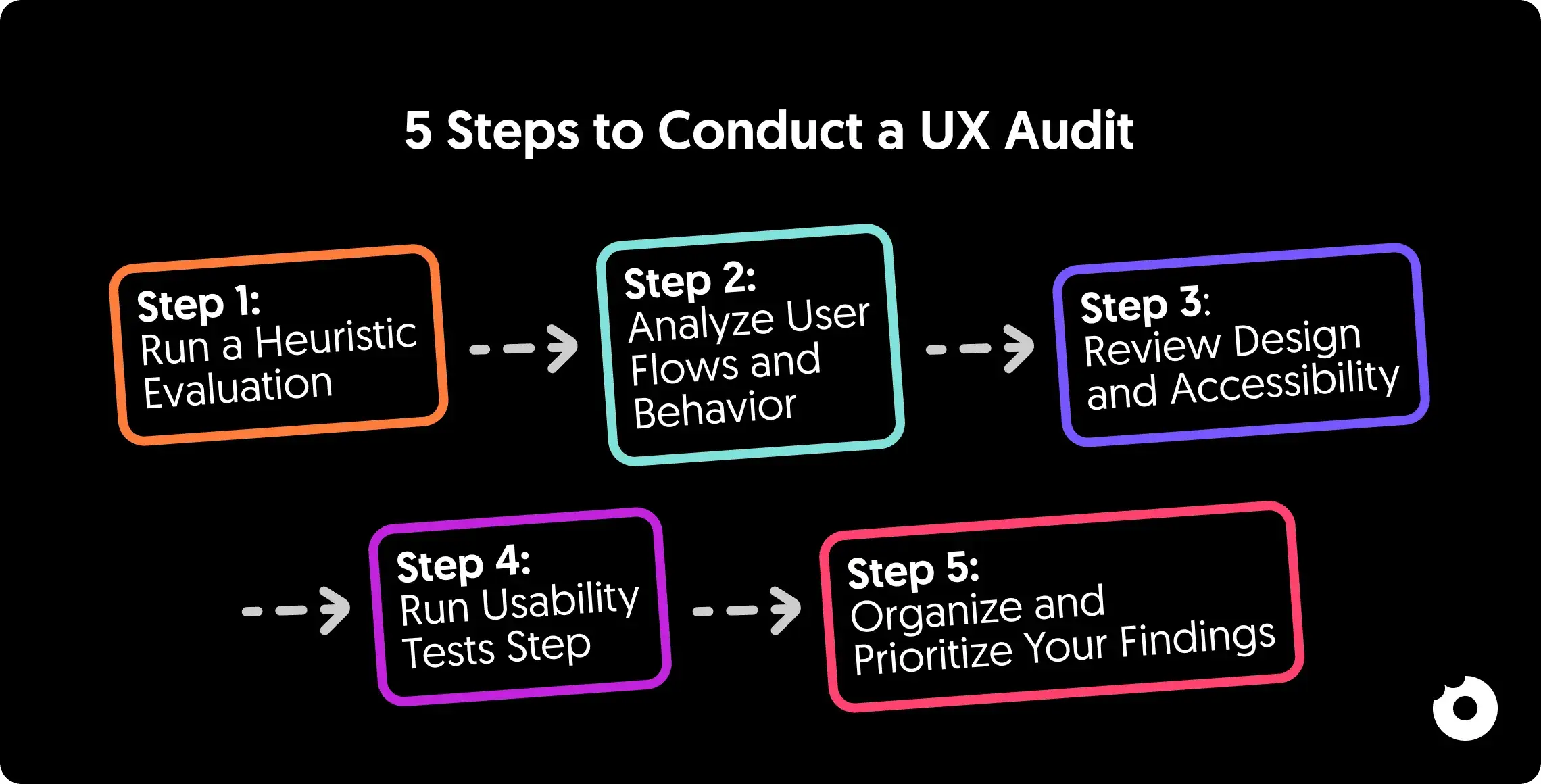
With clear goals in place, a UX audit combines expert review, behavioral data, and user testing to uncover usability issues. The focus isn’t on minor flaws, but on barriers that block key user tasks - helping you prioritize what to fix first.
Step 1: Run a Heuristic Evaluation
Begin with an expert heuristic evaluation using the data and objectives you’ve collected. This structured approach has usability specialists review your interface against established principles, like Nielsen’s 10 Usability Heuristics, to identify design flaws and usability gaps. Focus on key screens and workflows, looking for confusing navigation, inconsistent patterns, error-prone interactions, or mismatches with real-world expectations. Document each issue and the principle it violates - this helps uncover systemic problems rather than isolated mistakes and sets the stage for deeper user testing.
Step 2: Analyze User Flows and Behavior
User flow analysis shows how people move through your product and where they get stuck or frustrated. Combine it with session replays and funnel data to spot friction points in key flows like onboarding, feature adoption, or checkout. Patterns like drop-offs, repeated clicks, or backtracking reveal usability issues that need fixing.
Step 3: Review Design and Accessibility
Ensure your interface is clear, responsive, and accessible. Check WCAG compliance for color contrast, keyboard navigation, screen readers, and logical headings. Test across devices to confirm smooth, readable, and user-friendly experiences.
Step 4: Run Usability Tests
Usability testing shows how real users interact with your product, revealing issues analytics can miss. Have participants complete tasks while thinking aloud, noting hesitation or confusion. Use metrics like SUS, task completion, and error rates to measure performance and identify areas to improve.
Step 5: Organize and Prioritize Your Findings
After gathering feedback, group and prioritize issues by severity, frequency, and business impact. Use frameworks like PIE or an Impact-Effort Matrix to spot quick wins and critical fixes. Focus first on high-severity problems affecting most users to drive meaningful improvements.

UX Audit Checklist for SaaS Products
A well-structured checklist keeps your UX audit organized and ensures you address key areas like usability, accessibility, and user interactions. It serves as a guide to move from analysis to actionable improvements.
Usability and Navigation
Start by assessing how easily users can navigate your product and achieve their goals. Menu labels should clearly describe their destinations - avoid vague terms that confuse users. Make sure the navigation structure is efficient, enabling users to reach major sections with minimal clicks. On deeper pages, breadcrumbs should always be present to help users understand their location within the product.
Test features like real-time form validation and ensure error messages are clear and specific (e.g., "Invalid email format") to reduce user mistakes. Allow users to undo critical actions, and include confirmation dialogs for irreversible operations. For search functionality, check that it handles typos effectively and offers helpful suggestions when errors occur.
Accessibility and Performance
Once navigation is clear, ensure your product is accessible and performs reliably across devices. Accessibility is essential. Use tools like Axe by Deque, Google Lighthouse, and WAVE to spot common issues, then follow up with manual testing. Confirm keyboard navigation works, color contrast meets WCAG standards, images have alt text, forms are properly labeled, and heading structures are logical.
Check mobile responsiveness: touch targets should be at least 44×44 pixels, and layouts must adapt without horizontal scrolling. Monitor performance with metrics like Time-to-Interactive, use loading indicators or skeleton screens for heavy pages, and track backend operations like API responses to prevent delays.
User Flows and Interactions
After addressing usability and accessibility, focus on how users navigate key workflows. Start with critical paths like onboarding and retention - the sign-up process should be simple, with progressive profiling for extra details. Remove unnecessary steps to reach the "aha moment" faster.
Next, evaluate workflows for main features - search, dashboards, forms, reports. Every interaction should give clear feedback, with visible progress and confirmations.
Consistency is key: buttons, forms, and clickable elements should behave predictably, creating a smooth, intuitive experience across your SaaS platform.
Using Donux Tools for Continuous UX Improvement
A UX audit is just the beginning; the real progress comes from ongoing, consistent enhancements. Using the insights from your audit, Donux's tools are designed to turn findings into immediate, meaningful updates. These tools directly address the usability challenges highlighted earlier, ensuring your product keeps improving.
Roastit for Automated UX Audits

Roastit supports B2B SaaS teams with expert-led UX audits focused on real user behavior. Instead of automated insights, it delivers thoughtful analysis and prioritized recommendations that help improve usability, adoption, and retention, giving teams a clear path to meaningful improvements.
"The Roastit team are incredibly knowledgeable and helped us plug a skill gap in the company."
Ivor Colson Founder @Omnifia, UK
Frontfriend for Faster Design Implementation
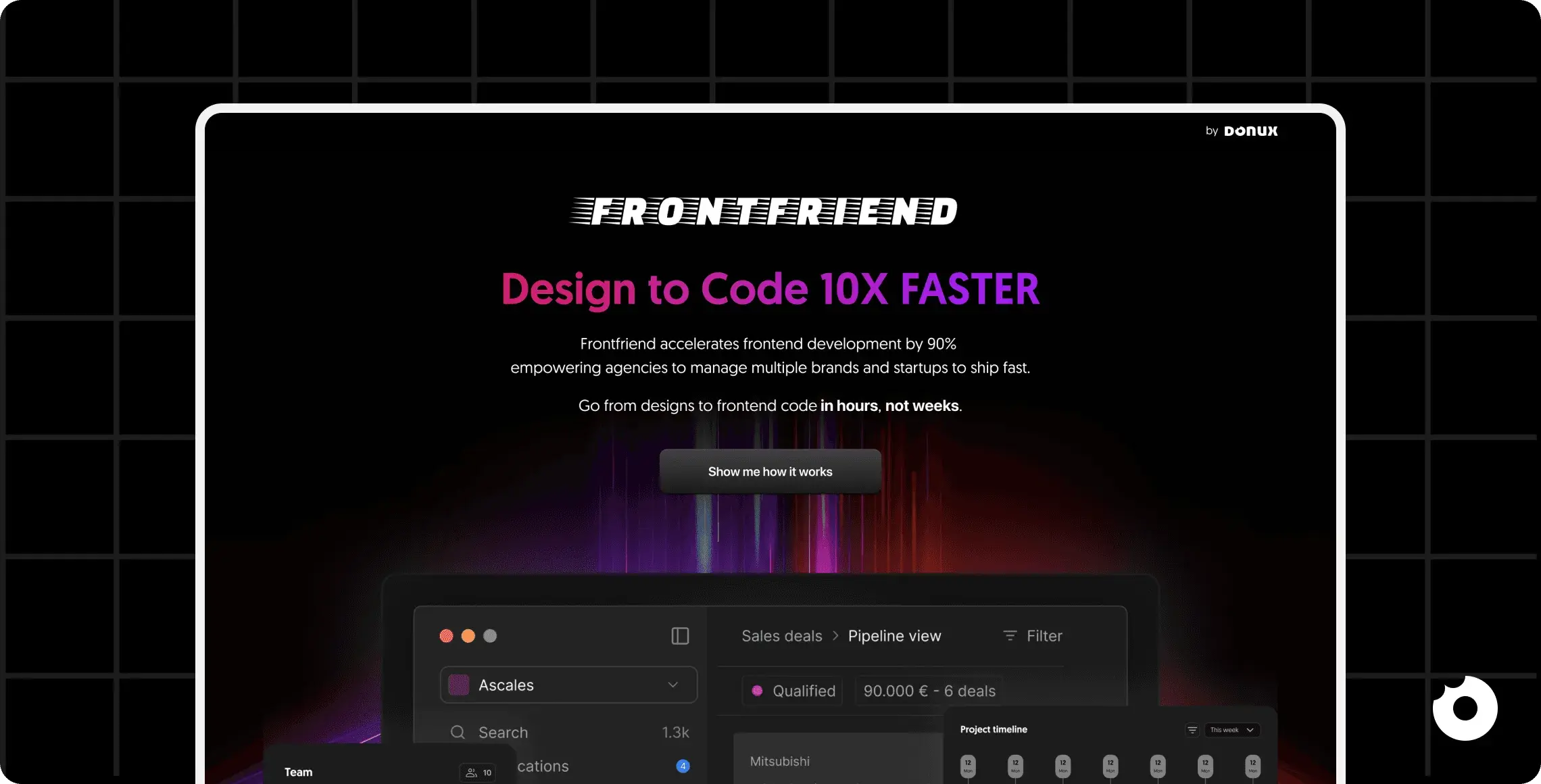
Once UX issues are identified, the next challenge is getting those design improvements into code. Frontfriend bridges the gap by converting designs into code up to 10× faster, reducing the lag between design and development. Whether it's fixing navigation glitches or tackling accessibility concerns, Frontfriend ensures updates are deployed quickly and efficiently.
Byte for Quick Design Iterations
Byte focuses on speed, allowing teams to test and refine design changes in 48 hours or less. This rapid turnaround makes it easier to implement high-impact updates, validate them, and move on to the next improvement without delay.
"Donux helped us iterate faster, increasing feature adoption from 17% to 66%." - Mario De Donno, CTO, 4Dem
Together, these tools create a system for continuous improvement. Roastit helps you identify areas for enhancement, Frontfriend ensures quick implementation, and Byte enables rapid iteration. By using them regularly, your SaaS product can keep evolving to meet user expectations and deliver a better experience.
Conclusion
A UX audit combines heuristic reviews, user testing, and prioritized findings to fuel ongoing improvement and long-term growth. With most users abandoning frustrating products, identifying pain points is critical. Regular audits help uncover issues, prioritize fixes, and turn insights into actionable design changes, keeping your SaaS aligned with user needs and driving satisfaction and growth.
Tools like Roastit, which identifies critical improvement areas through automated audits, Frontfriend, which speeds up design-to-code conversion by up to 10×, and Byte, enabling design iterations in just 48 hours, can help transform insights into measurable results quickly. Together, these resources streamline the process, turning UX audits into a strategic advantage.
At Donux, we use UX audits as a core part of our process to help B2B SaaS companies uncover usability issues, improve user experiences, and drive measurable growth. If you’re ready to stop guessing and start optimizing your product based on real insights, book a discovery call with us today.
A UX audit is a step-by-step review of your SaaS platform to identify usability issues and make it easier for users to achieve their goals. It’s essential for B2B SaaS companies where poor user experiences - like confusing navigation or frustrating onboarding - can lead to customer churn and lost revenue.
Key takeaways:
What it is: A UX audit identifies where users face challenges and provides actionable insights to improve usability.
Why it matters: Better usability improves retention, conversion rates, and reduces churn.
How it works: Analyze user flows, test accessibility, and gather feedback to focus on high-impact fixes.
The result? Happier users and measurable business growth. This guide explains how to run a UX audit, prioritize findings, and turn insights into meaningful updates for your SaaS product.
Why B2B SaaS Products Need UX Audits
B2B SaaS products are built for speed and efficiency, but poor navigation, clunky workflows, or accessibility issues can slow entire teams - not just individual users. Small usability problems quickly turn into renewal risks.
UX audits help catch these issues early. They reveal where users get stuck, which features are ignored, and where design causes confusion, giving teams a clear path to high-impact improvements.
It’s clear that understanding user behavior through audits isn’t just helpful - it’s essential.
What You Gain from UX Audits
A UX audit gives you a real-world look at how users interact with your platform. It uncovers those hidden friction points where users hesitate, make mistakes, or abandon tasks altogether. With this clarity, you can move away from guesswork and tackle problems head-on.
By diving into user motivations, pain points, and behaviors, you can design a platform that feels more natural and intuitive. This means users spend less time struggling with the interface and more time unlocking its value. Plus, UX audits can highlight accessibility issues, ensuring your platform meets standards and opens the door for a broader audience. Fixing these gaps not only reduces compliance risks but also grows your user base.
Streamlining workflows based on audit insights can also make a big difference. Features buried in complexity become easier to find, and onboarding processes that once confused users become simple and straightforward. This leads to faster adoption of new features and helps users hit their goals without unnecessary effort.
Ultimately, improving how users interact with your platform doesn’t just make them happier - it delivers real business results.
The Financial Impact of UX Audits
Improved usability has a direct impact on your bottom line. By streamlining workflows like onboarding and feature adoption, UX audits can boost conversion rates, improve retention, and cut down on churn.
Onboarding, in particular, plays a huge role in user retention. When new users can quickly understand how to use your platform and achieve early wins, they’re far more likely to stick around. Fixing friction in the onboarding process can speed up trial-to-paid conversions and help users see the platform’s value sooner.
Better feature discoverability is another big win. When users can easily explore and engage with your platform’s full capabilities, they’re more likely to renew and even expand their usage. Over time, these improvements add up, showing that the relatively small investment in regular UX audits can safeguard revenue and fuel long-term growth.

How to Prepare for a UX Audit
Having a clear plan with well-defined objectives and relevant data is crucial for tackling the most impactful issues during a UX audit. Without this groundwork, you risk wasting time on less critical problems that don't lead to meaningful progress.
Effective preparation requires a focused and systematic approach. Setting boundaries early ensures that you concentrate on the most important areas, rather than trying to audit the entire product. This keeps the process manageable and increases the likelihood of actionable results. Start by defining your goals, gathering the right data, and understanding your users to establish a clear audit scope.
Setting Your Objectives and Scope
A clear scope is key to an effective UX audit. Start by pinpointing areas to improve and link them to measurable outcomes, like reducing checkout abandonment. Use frameworks like SMART to set precise goals, e.g., "reduce onboarding drop-off by 15% in three months." Focus your audit on areas tied to these goals, such as navigation, feature adoption, or onboarding, and involve stakeholders to align priorities.
Collecting Data and User Feedback
Data collection is a cornerstone of UX audit preparation. To gain a comprehensive understanding, combine quantitative data with qualitative insights.
Use tools like Google Analytics to track metrics such as drop-off points, bounce rates, and task durations. Pair this with tools like Hotjar to capture heatmaps, session recordings, and user surveys. This combination bridges the gap between assumptions and actionable insights.
Quantitative data provides a high-level view of user behavior, while qualitative feedback - gathered from surveys, support tickets, or user interviews - reveals the "why" behind the numbers. Direct feedback uncovers user perceptions, while data analytics show what’s actually happening. Organize this information in spreadsheets, shared documents, or research tools to keep everything accessible and easy to analyze.
Creating User Personas
Knowing your audience is key to designing meaningful experiences. User personas are research-based profiles that detail your ideal users’ motivations, needs, behaviors, and goals. These personas help your team design with empathy, steering away from guesswork.
Build personas using real customer data. Look at demographics, job roles, pain points, and how different user groups engage with your product. For instance, a persona for a B2B SaaS product might be "Sarah, a marketing manager at a mid-sized company, who needs to generate reports quickly but finds the dashboard overly complicated." These profiles serve as a tangible reference, keeping the team focused on solving real user problems.
Personas ensure you aren’t designing for a vague "everyone." They help prioritize features and fixes that matter most to your core audience. When your team can clearly visualize user challenges, they’re more likely to create solutions that address those challenges effectively.
5 Steps to Conduct a UX Audit

With clear goals in place, a UX audit combines expert review, behavioral data, and user testing to uncover usability issues. The focus isn’t on minor flaws, but on barriers that block key user tasks - helping you prioritize what to fix first.
Step 1: Run a Heuristic Evaluation
Begin with an expert heuristic evaluation using the data and objectives you’ve collected. This structured approach has usability specialists review your interface against established principles, like Nielsen’s 10 Usability Heuristics, to identify design flaws and usability gaps. Focus on key screens and workflows, looking for confusing navigation, inconsistent patterns, error-prone interactions, or mismatches with real-world expectations. Document each issue and the principle it violates - this helps uncover systemic problems rather than isolated mistakes and sets the stage for deeper user testing.
Step 2: Analyze User Flows and Behavior
User flow analysis shows how people move through your product and where they get stuck or frustrated. Combine it with session replays and funnel data to spot friction points in key flows like onboarding, feature adoption, or checkout. Patterns like drop-offs, repeated clicks, or backtracking reveal usability issues that need fixing.
Step 3: Review Design and Accessibility
Ensure your interface is clear, responsive, and accessible. Check WCAG compliance for color contrast, keyboard navigation, screen readers, and logical headings. Test across devices to confirm smooth, readable, and user-friendly experiences.
Step 4: Run Usability Tests
Usability testing shows how real users interact with your product, revealing issues analytics can miss. Have participants complete tasks while thinking aloud, noting hesitation or confusion. Use metrics like SUS, task completion, and error rates to measure performance and identify areas to improve.
Step 5: Organize and Prioritize Your Findings
After gathering feedback, group and prioritize issues by severity, frequency, and business impact. Use frameworks like PIE or an Impact-Effort Matrix to spot quick wins and critical fixes. Focus first on high-severity problems affecting most users to drive meaningful improvements.

UX Audit Checklist for SaaS Products
A well-structured checklist keeps your UX audit organized and ensures you address key areas like usability, accessibility, and user interactions. It serves as a guide to move from analysis to actionable improvements.
Usability and Navigation
Start by assessing how easily users can navigate your product and achieve their goals. Menu labels should clearly describe their destinations - avoid vague terms that confuse users. Make sure the navigation structure is efficient, enabling users to reach major sections with minimal clicks. On deeper pages, breadcrumbs should always be present to help users understand their location within the product.
Test features like real-time form validation and ensure error messages are clear and specific (e.g., "Invalid email format") to reduce user mistakes. Allow users to undo critical actions, and include confirmation dialogs for irreversible operations. For search functionality, check that it handles typos effectively and offers helpful suggestions when errors occur.
Accessibility and Performance
Once navigation is clear, ensure your product is accessible and performs reliably across devices. Accessibility is essential. Use tools like Axe by Deque, Google Lighthouse, and WAVE to spot common issues, then follow up with manual testing. Confirm keyboard navigation works, color contrast meets WCAG standards, images have alt text, forms are properly labeled, and heading structures are logical.
Check mobile responsiveness: touch targets should be at least 44×44 pixels, and layouts must adapt without horizontal scrolling. Monitor performance with metrics like Time-to-Interactive, use loading indicators or skeleton screens for heavy pages, and track backend operations like API responses to prevent delays.
User Flows and Interactions
After addressing usability and accessibility, focus on how users navigate key workflows. Start with critical paths like onboarding and retention - the sign-up process should be simple, with progressive profiling for extra details. Remove unnecessary steps to reach the "aha moment" faster.
Next, evaluate workflows for main features - search, dashboards, forms, reports. Every interaction should give clear feedback, with visible progress and confirmations.
Consistency is key: buttons, forms, and clickable elements should behave predictably, creating a smooth, intuitive experience across your SaaS platform.
Using Donux Tools for Continuous UX Improvement

A UX audit is just the beginning; the real progress comes from ongoing, consistent enhancements. Using the insights from your audit, Donux's tools are designed to turn findings into immediate, meaningful updates. These tools directly address the usability challenges highlighted earlier, ensuring your product keeps improving.
Roastit for Automated UX Audits

Roastit supports B2B SaaS teams with expert-led UX audits focused on real user behavior. Instead of automated insights, it delivers thoughtful analysis and prioritized recommendations that help improve usability, adoption, and retention, giving teams a clear path to meaningful improvements.
"The Roastit team are incredibly knowledgeable and helped us plug a skill gap in the company."
Ivor Colson Founder @Omnifia, UK
Frontfriend for Faster Design Implementation

Once UX issues are identified, the next challenge is getting those design improvements into code. Frontfriend bridges the gap by converting designs into code up to 10× faster, reducing the lag between design and development. Whether it's fixing navigation glitches or tackling accessibility concerns, Frontfriend ensures updates are deployed quickly and efficiently.
Byte for Quick Design Iterations

Byte focuses on speed, allowing teams to test and refine design changes in 48 hours or less. This rapid turnaround makes it easier to implement high-impact updates, validate them, and move on to the next improvement without delay.
"Donux helped us iterate faster, increasing feature adoption from 17% to 66%." - Mario De Donno, CTO, 4Dem
Together, these tools create a system for continuous improvement. Roastit helps you identify areas for enhancement, Frontfriend ensures quick implementation, and Byte enables rapid iteration. By using them regularly, your SaaS product can keep evolving to meet user expectations and deliver a better experience.
Conclusion
A UX audit combines heuristic reviews, user testing, and prioritized findings to fuel ongoing improvement and long-term growth. With most users abandoning frustrating products, identifying pain points is critical. Regular audits help uncover issues, prioritize fixes, and turn insights into actionable design changes, keeping your SaaS aligned with user needs and driving satisfaction and growth.
Tools like Roastit, which identifies critical improvement areas through automated audits, Frontfriend, which speeds up design-to-code conversion by up to 10×, and Byte, enabling design iterations in just 48 hours, can help transform insights into measurable results quickly. Together, these resources streamline the process, turning UX audits into a strategic advantage.
At Donux, we use UX audits as a core part of our process to help B2B SaaS companies uncover usability issues, improve user experiences, and drive measurable growth. If you’re ready to stop guessing and start optimizing your product based on real insights, book a discovery call with us today.
A UX audit is a step-by-step review of your SaaS platform to identify usability issues and make it easier for users to achieve their goals. It’s essential for B2B SaaS companies where poor user experiences - like confusing navigation or frustrating onboarding - can lead to customer churn and lost revenue.
Key takeaways:
What it is: A UX audit identifies where users face challenges and provides actionable insights to improve usability.
Why it matters: Better usability improves retention, conversion rates, and reduces churn.
How it works: Analyze user flows, test accessibility, and gather feedback to focus on high-impact fixes.
The result? Happier users and measurable business growth. This guide explains how to run a UX audit, prioritize findings, and turn insights into meaningful updates for your SaaS product.
Why B2B SaaS Products Need UX Audits
B2B SaaS products are built for speed and efficiency, but poor navigation, clunky workflows, or accessibility issues can slow entire teams - not just individual users. Small usability problems quickly turn into renewal risks.
UX audits help catch these issues early. They reveal where users get stuck, which features are ignored, and where design causes confusion, giving teams a clear path to high-impact improvements.
It’s clear that understanding user behavior through audits isn’t just helpful - it’s essential.
What You Gain from UX Audits
A UX audit gives you a real-world look at how users interact with your platform. It uncovers those hidden friction points where users hesitate, make mistakes, or abandon tasks altogether. With this clarity, you can move away from guesswork and tackle problems head-on.
By diving into user motivations, pain points, and behaviors, you can design a platform that feels more natural and intuitive. This means users spend less time struggling with the interface and more time unlocking its value. Plus, UX audits can highlight accessibility issues, ensuring your platform meets standards and opens the door for a broader audience. Fixing these gaps not only reduces compliance risks but also grows your user base.
Streamlining workflows based on audit insights can also make a big difference. Features buried in complexity become easier to find, and onboarding processes that once confused users become simple and straightforward. This leads to faster adoption of new features and helps users hit their goals without unnecessary effort.
Ultimately, improving how users interact with your platform doesn’t just make them happier - it delivers real business results.
The Financial Impact of UX Audits
Improved usability has a direct impact on your bottom line. By streamlining workflows like onboarding and feature adoption, UX audits can boost conversion rates, improve retention, and cut down on churn.
Onboarding, in particular, plays a huge role in user retention. When new users can quickly understand how to use your platform and achieve early wins, they’re far more likely to stick around. Fixing friction in the onboarding process can speed up trial-to-paid conversions and help users see the platform’s value sooner.
Better feature discoverability is another big win. When users can easily explore and engage with your platform’s full capabilities, they’re more likely to renew and even expand their usage. Over time, these improvements add up, showing that the relatively small investment in regular UX audits can safeguard revenue and fuel long-term growth.

How to Prepare for a UX Audit
Having a clear plan with well-defined objectives and relevant data is crucial for tackling the most impactful issues during a UX audit. Without this groundwork, you risk wasting time on less critical problems that don't lead to meaningful progress.
Effective preparation requires a focused and systematic approach. Setting boundaries early ensures that you concentrate on the most important areas, rather than trying to audit the entire product. This keeps the process manageable and increases the likelihood of actionable results. Start by defining your goals, gathering the right data, and understanding your users to establish a clear audit scope.
Setting Your Objectives and Scope
A clear scope is key to an effective UX audit. Start by pinpointing areas to improve and link them to measurable outcomes, like reducing checkout abandonment. Use frameworks like SMART to set precise goals, e.g., "reduce onboarding drop-off by 15% in three months." Focus your audit on areas tied to these goals, such as navigation, feature adoption, or onboarding, and involve stakeholders to align priorities.
Collecting Data and User Feedback
Data collection is a cornerstone of UX audit preparation. To gain a comprehensive understanding, combine quantitative data with qualitative insights.
Use tools like Google Analytics to track metrics such as drop-off points, bounce rates, and task durations. Pair this with tools like Hotjar to capture heatmaps, session recordings, and user surveys. This combination bridges the gap between assumptions and actionable insights.
Quantitative data provides a high-level view of user behavior, while qualitative feedback - gathered from surveys, support tickets, or user interviews - reveals the "why" behind the numbers. Direct feedback uncovers user perceptions, while data analytics show what’s actually happening. Organize this information in spreadsheets, shared documents, or research tools to keep everything accessible and easy to analyze.
Creating User Personas
Knowing your audience is key to designing meaningful experiences. User personas are research-based profiles that detail your ideal users’ motivations, needs, behaviors, and goals. These personas help your team design with empathy, steering away from guesswork.
Build personas using real customer data. Look at demographics, job roles, pain points, and how different user groups engage with your product. For instance, a persona for a B2B SaaS product might be "Sarah, a marketing manager at a mid-sized company, who needs to generate reports quickly but finds the dashboard overly complicated." These profiles serve as a tangible reference, keeping the team focused on solving real user problems.
Personas ensure you aren’t designing for a vague "everyone." They help prioritize features and fixes that matter most to your core audience. When your team can clearly visualize user challenges, they’re more likely to create solutions that address those challenges effectively.
5 Steps to Conduct a UX Audit

With clear goals in place, a UX audit combines expert review, behavioral data, and user testing to uncover usability issues. The focus isn’t on minor flaws, but on barriers that block key user tasks - helping you prioritize what to fix first.
Step 1: Run a Heuristic Evaluation
Begin with an expert heuristic evaluation using the data and objectives you’ve collected. This structured approach has usability specialists review your interface against established principles, like Nielsen’s 10 Usability Heuristics, to identify design flaws and usability gaps. Focus on key screens and workflows, looking for confusing navigation, inconsistent patterns, error-prone interactions, or mismatches with real-world expectations. Document each issue and the principle it violates - this helps uncover systemic problems rather than isolated mistakes and sets the stage for deeper user testing.
Step 2: Analyze User Flows and Behavior
User flow analysis shows how people move through your product and where they get stuck or frustrated. Combine it with session replays and funnel data to spot friction points in key flows like onboarding, feature adoption, or checkout. Patterns like drop-offs, repeated clicks, or backtracking reveal usability issues that need fixing.
Step 3: Review Design and Accessibility
Ensure your interface is clear, responsive, and accessible. Check WCAG compliance for color contrast, keyboard navigation, screen readers, and logical headings. Test across devices to confirm smooth, readable, and user-friendly experiences.
Step 4: Run Usability Tests
Usability testing shows how real users interact with your product, revealing issues analytics can miss. Have participants complete tasks while thinking aloud, noting hesitation or confusion. Use metrics like SUS, task completion, and error rates to measure performance and identify areas to improve.
Step 5: Organize and Prioritize Your Findings
After gathering feedback, group and prioritize issues by severity, frequency, and business impact. Use frameworks like PIE or an Impact-Effort Matrix to spot quick wins and critical fixes. Focus first on high-severity problems affecting most users to drive meaningful improvements.

UX Audit Checklist for SaaS Products
A well-structured checklist keeps your UX audit organized and ensures you address key areas like usability, accessibility, and user interactions. It serves as a guide to move from analysis to actionable improvements.
Usability and Navigation
Start by assessing how easily users can navigate your product and achieve their goals. Menu labels should clearly describe their destinations - avoid vague terms that confuse users. Make sure the navigation structure is efficient, enabling users to reach major sections with minimal clicks. On deeper pages, breadcrumbs should always be present to help users understand their location within the product.
Test features like real-time form validation and ensure error messages are clear and specific (e.g., "Invalid email format") to reduce user mistakes. Allow users to undo critical actions, and include confirmation dialogs for irreversible operations. For search functionality, check that it handles typos effectively and offers helpful suggestions when errors occur.
Accessibility and Performance
Once navigation is clear, ensure your product is accessible and performs reliably across devices. Accessibility is essential. Use tools like Axe by Deque, Google Lighthouse, and WAVE to spot common issues, then follow up with manual testing. Confirm keyboard navigation works, color contrast meets WCAG standards, images have alt text, forms are properly labeled, and heading structures are logical.
Check mobile responsiveness: touch targets should be at least 44×44 pixels, and layouts must adapt without horizontal scrolling. Monitor performance with metrics like Time-to-Interactive, use loading indicators or skeleton screens for heavy pages, and track backend operations like API responses to prevent delays.
User Flows and Interactions
After addressing usability and accessibility, focus on how users navigate key workflows. Start with critical paths like onboarding and retention - the sign-up process should be simple, with progressive profiling for extra details. Remove unnecessary steps to reach the "aha moment" faster.
Next, evaluate workflows for main features - search, dashboards, forms, reports. Every interaction should give clear feedback, with visible progress and confirmations.
Consistency is key: buttons, forms, and clickable elements should behave predictably, creating a smooth, intuitive experience across your SaaS platform.
Using Donux Tools for Continuous UX Improvement

A UX audit is just the beginning; the real progress comes from ongoing, consistent enhancements. Using the insights from your audit, Donux's tools are designed to turn findings into immediate, meaningful updates. These tools directly address the usability challenges highlighted earlier, ensuring your product keeps improving.
Roastit for Automated UX Audits

Roastit supports B2B SaaS teams with expert-led UX audits focused on real user behavior. Instead of automated insights, it delivers thoughtful analysis and prioritized recommendations that help improve usability, adoption, and retention, giving teams a clear path to meaningful improvements.
"The Roastit team are incredibly knowledgeable and helped us plug a skill gap in the company."
Ivor Colson Founder @Omnifia, UK
Frontfriend for Faster Design Implementation

Once UX issues are identified, the next challenge is getting those design improvements into code. Frontfriend bridges the gap by converting designs into code up to 10× faster, reducing the lag between design and development. Whether it's fixing navigation glitches or tackling accessibility concerns, Frontfriend ensures updates are deployed quickly and efficiently.
Byte for Quick Design Iterations

Byte focuses on speed, allowing teams to test and refine design changes in 48 hours or less. This rapid turnaround makes it easier to implement high-impact updates, validate them, and move on to the next improvement without delay.
"Donux helped us iterate faster, increasing feature adoption from 17% to 66%." - Mario De Donno, CTO, 4Dem
Together, these tools create a system for continuous improvement. Roastit helps you identify areas for enhancement, Frontfriend ensures quick implementation, and Byte enables rapid iteration. By using them regularly, your SaaS product can keep evolving to meet user expectations and deliver a better experience.
Conclusion
A UX audit combines heuristic reviews, user testing, and prioritized findings to fuel ongoing improvement and long-term growth. With most users abandoning frustrating products, identifying pain points is critical. Regular audits help uncover issues, prioritize fixes, and turn insights into actionable design changes, keeping your SaaS aligned with user needs and driving satisfaction and growth.
Tools like Roastit, which identifies critical improvement areas through automated audits, Frontfriend, which speeds up design-to-code conversion by up to 10×, and Byte, enabling design iterations in just 48 hours, can help transform insights into measurable results quickly. Together, these resources streamline the process, turning UX audits into a strategic advantage.
At Donux, we use UX audits as a core part of our process to help B2B SaaS companies uncover usability issues, improve user experiences, and drive measurable growth. If you’re ready to stop guessing and start optimizing your product based on real insights, book a discovery call with us today.
A UX audit is a step-by-step review of your SaaS platform to identify usability issues and make it easier for users to achieve their goals. It’s essential for B2B SaaS companies where poor user experiences - like confusing navigation or frustrating onboarding - can lead to customer churn and lost revenue.
Key takeaways:
What it is: A UX audit identifies where users face challenges and provides actionable insights to improve usability.
Why it matters: Better usability improves retention, conversion rates, and reduces churn.
How it works: Analyze user flows, test accessibility, and gather feedback to focus on high-impact fixes.
The result? Happier users and measurable business growth. This guide explains how to run a UX audit, prioritize findings, and turn insights into meaningful updates for your SaaS product.
Why B2B SaaS Products Need UX Audits
B2B SaaS products are built for speed and efficiency, but poor navigation, clunky workflows, or accessibility issues can slow entire teams - not just individual users. Small usability problems quickly turn into renewal risks.
UX audits help catch these issues early. They reveal where users get stuck, which features are ignored, and where design causes confusion, giving teams a clear path to high-impact improvements.
It’s clear that understanding user behavior through audits isn’t just helpful - it’s essential.
What You Gain from UX Audits
A UX audit gives you a real-world look at how users interact with your platform. It uncovers those hidden friction points where users hesitate, make mistakes, or abandon tasks altogether. With this clarity, you can move away from guesswork and tackle problems head-on.
By diving into user motivations, pain points, and behaviors, you can design a platform that feels more natural and intuitive. This means users spend less time struggling with the interface and more time unlocking its value. Plus, UX audits can highlight accessibility issues, ensuring your platform meets standards and opens the door for a broader audience. Fixing these gaps not only reduces compliance risks but also grows your user base.
Streamlining workflows based on audit insights can also make a big difference. Features buried in complexity become easier to find, and onboarding processes that once confused users become simple and straightforward. This leads to faster adoption of new features and helps users hit their goals without unnecessary effort.
Ultimately, improving how users interact with your platform doesn’t just make them happier - it delivers real business results.
The Financial Impact of UX Audits
Improved usability has a direct impact on your bottom line. By streamlining workflows like onboarding and feature adoption, UX audits can boost conversion rates, improve retention, and cut down on churn.
Onboarding, in particular, plays a huge role in user retention. When new users can quickly understand how to use your platform and achieve early wins, they’re far more likely to stick around. Fixing friction in the onboarding process can speed up trial-to-paid conversions and help users see the platform’s value sooner.
Better feature discoverability is another big win. When users can easily explore and engage with your platform’s full capabilities, they’re more likely to renew and even expand their usage. Over time, these improvements add up, showing that the relatively small investment in regular UX audits can safeguard revenue and fuel long-term growth.

How to Prepare for a UX Audit
Having a clear plan with well-defined objectives and relevant data is crucial for tackling the most impactful issues during a UX audit. Without this groundwork, you risk wasting time on less critical problems that don't lead to meaningful progress.
Effective preparation requires a focused and systematic approach. Setting boundaries early ensures that you concentrate on the most important areas, rather than trying to audit the entire product. This keeps the process manageable and increases the likelihood of actionable results. Start by defining your goals, gathering the right data, and understanding your users to establish a clear audit scope.
Setting Your Objectives and Scope
A clear scope is key to an effective UX audit. Start by pinpointing areas to improve and link them to measurable outcomes, like reducing checkout abandonment. Use frameworks like SMART to set precise goals, e.g., "reduce onboarding drop-off by 15% in three months." Focus your audit on areas tied to these goals, such as navigation, feature adoption, or onboarding, and involve stakeholders to align priorities.
Collecting Data and User Feedback
Data collection is a cornerstone of UX audit preparation. To gain a comprehensive understanding, combine quantitative data with qualitative insights.
Use tools like Google Analytics to track metrics such as drop-off points, bounce rates, and task durations. Pair this with tools like Hotjar to capture heatmaps, session recordings, and user surveys. This combination bridges the gap between assumptions and actionable insights.
Quantitative data provides a high-level view of user behavior, while qualitative feedback - gathered from surveys, support tickets, or user interviews - reveals the "why" behind the numbers. Direct feedback uncovers user perceptions, while data analytics show what’s actually happening. Organize this information in spreadsheets, shared documents, or research tools to keep everything accessible and easy to analyze.
Creating User Personas
Knowing your audience is key to designing meaningful experiences. User personas are research-based profiles that detail your ideal users’ motivations, needs, behaviors, and goals. These personas help your team design with empathy, steering away from guesswork.
Build personas using real customer data. Look at demographics, job roles, pain points, and how different user groups engage with your product. For instance, a persona for a B2B SaaS product might be "Sarah, a marketing manager at a mid-sized company, who needs to generate reports quickly but finds the dashboard overly complicated." These profiles serve as a tangible reference, keeping the team focused on solving real user problems.
Personas ensure you aren’t designing for a vague "everyone." They help prioritize features and fixes that matter most to your core audience. When your team can clearly visualize user challenges, they’re more likely to create solutions that address those challenges effectively.
5 Steps to Conduct a UX Audit

With clear goals in place, a UX audit combines expert review, behavioral data, and user testing to uncover usability issues. The focus isn’t on minor flaws, but on barriers that block key user tasks - helping you prioritize what to fix first.
Step 1: Run a Heuristic Evaluation
Begin with an expert heuristic evaluation using the data and objectives you’ve collected. This structured approach has usability specialists review your interface against established principles, like Nielsen’s 10 Usability Heuristics, to identify design flaws and usability gaps. Focus on key screens and workflows, looking for confusing navigation, inconsistent patterns, error-prone interactions, or mismatches with real-world expectations. Document each issue and the principle it violates - this helps uncover systemic problems rather than isolated mistakes and sets the stage for deeper user testing.
Step 2: Analyze User Flows and Behavior
User flow analysis shows how people move through your product and where they get stuck or frustrated. Combine it with session replays and funnel data to spot friction points in key flows like onboarding, feature adoption, or checkout. Patterns like drop-offs, repeated clicks, or backtracking reveal usability issues that need fixing.
Step 3: Review Design and Accessibility
Ensure your interface is clear, responsive, and accessible. Check WCAG compliance for color contrast, keyboard navigation, screen readers, and logical headings. Test across devices to confirm smooth, readable, and user-friendly experiences.
Step 4: Run Usability Tests
Usability testing shows how real users interact with your product, revealing issues analytics can miss. Have participants complete tasks while thinking aloud, noting hesitation or confusion. Use metrics like SUS, task completion, and error rates to measure performance and identify areas to improve.
Step 5: Organize and Prioritize Your Findings
After gathering feedback, group and prioritize issues by severity, frequency, and business impact. Use frameworks like PIE or an Impact-Effort Matrix to spot quick wins and critical fixes. Focus first on high-severity problems affecting most users to drive meaningful improvements.

UX Audit Checklist for SaaS Products
A well-structured checklist keeps your UX audit organized and ensures you address key areas like usability, accessibility, and user interactions. It serves as a guide to move from analysis to actionable improvements.
Usability and Navigation
Start by assessing how easily users can navigate your product and achieve their goals. Menu labels should clearly describe their destinations - avoid vague terms that confuse users. Make sure the navigation structure is efficient, enabling users to reach major sections with minimal clicks. On deeper pages, breadcrumbs should always be present to help users understand their location within the product.
Test features like real-time form validation and ensure error messages are clear and specific (e.g., "Invalid email format") to reduce user mistakes. Allow users to undo critical actions, and include confirmation dialogs for irreversible operations. For search functionality, check that it handles typos effectively and offers helpful suggestions when errors occur.
Accessibility and Performance
Once navigation is clear, ensure your product is accessible and performs reliably across devices. Accessibility is essential. Use tools like Axe by Deque, Google Lighthouse, and WAVE to spot common issues, then follow up with manual testing. Confirm keyboard navigation works, color contrast meets WCAG standards, images have alt text, forms are properly labeled, and heading structures are logical.
Check mobile responsiveness: touch targets should be at least 44×44 pixels, and layouts must adapt without horizontal scrolling. Monitor performance with metrics like Time-to-Interactive, use loading indicators or skeleton screens for heavy pages, and track backend operations like API responses to prevent delays.
User Flows and Interactions
After addressing usability and accessibility, focus on how users navigate key workflows. Start with critical paths like onboarding and retention - the sign-up process should be simple, with progressive profiling for extra details. Remove unnecessary steps to reach the "aha moment" faster.
Next, evaluate workflows for main features - search, dashboards, forms, reports. Every interaction should give clear feedback, with visible progress and confirmations.
Consistency is key: buttons, forms, and clickable elements should behave predictably, creating a smooth, intuitive experience across your SaaS platform.
Using Donux Tools for Continuous UX Improvement

A UX audit is just the beginning; the real progress comes from ongoing, consistent enhancements. Using the insights from your audit, Donux's tools are designed to turn findings into immediate, meaningful updates. These tools directly address the usability challenges highlighted earlier, ensuring your product keeps improving.
Roastit for Automated UX Audits

Roastit supports B2B SaaS teams with expert-led UX audits focused on real user behavior. Instead of automated insights, it delivers thoughtful analysis and prioritized recommendations that help improve usability, adoption, and retention, giving teams a clear path to meaningful improvements.
"The Roastit team are incredibly knowledgeable and helped us plug a skill gap in the company."
Ivor Colson Founder @Omnifia, UK
Frontfriend for Faster Design Implementation

Once UX issues are identified, the next challenge is getting those design improvements into code. Frontfriend bridges the gap by converting designs into code up to 10× faster, reducing the lag between design and development. Whether it's fixing navigation glitches or tackling accessibility concerns, Frontfriend ensures updates are deployed quickly and efficiently.
Byte for Quick Design Iterations

Byte focuses on speed, allowing teams to test and refine design changes in 48 hours or less. This rapid turnaround makes it easier to implement high-impact updates, validate them, and move on to the next improvement without delay.
"Donux helped us iterate faster, increasing feature adoption from 17% to 66%." - Mario De Donno, CTO, 4Dem
Together, these tools create a system for continuous improvement. Roastit helps you identify areas for enhancement, Frontfriend ensures quick implementation, and Byte enables rapid iteration. By using them regularly, your SaaS product can keep evolving to meet user expectations and deliver a better experience.
Conclusion
A UX audit combines heuristic reviews, user testing, and prioritized findings to fuel ongoing improvement and long-term growth. With most users abandoning frustrating products, identifying pain points is critical. Regular audits help uncover issues, prioritize fixes, and turn insights into actionable design changes, keeping your SaaS aligned with user needs and driving satisfaction and growth.
Tools like Roastit, which identifies critical improvement areas through automated audits, Frontfriend, which speeds up design-to-code conversion by up to 10×, and Byte, enabling design iterations in just 48 hours, can help transform insights into measurable results quickly. Together, these resources streamline the process, turning UX audits into a strategic advantage.
At Donux, we use UX audits as a core part of our process to help B2B SaaS companies uncover usability issues, improve user experiences, and drive measurable growth. If you’re ready to stop guessing and start optimizing your product based on real insights, book a discovery call with us today.
Subscribe to our product design newsletter
We'll be sending two emails every month with product and design tips for B2B SaaS
Products
About
Products
About
Products
About