Your Guide to the Google Design Sprint: The 5-Day Framework Explained
A practical guide to the Google Design Sprint: what it is, how it works, and how B2B SaaS teams use it to reduce risk and validate big ideas in just five days.



Table of Contents
Title
Title
Title
Picture this: you're about to shoot a massive blockbuster movie. Instead of spending millions on the full production right away, you first create a killer trailer and show it to a test audience. If they love it, you go all in. If they don't, you tweak the story before a single scene is shot.That’s the essence of a Google Design Sprint. It's a focused, five-day process for tackling big challenges by creating a realistic prototype and testing it with real people. It’s all about compressing months of back-and-forth debate into a single, intensely productive week.
De-Risking Big Ideas Before You Build
A Design Sprint isn't just another long meeting on the calendar. It's a structured method for taking the guesswork out of major projects, giving you clear, data-driven answers to your most critical business questions. Think of it as hitting the fast-forward button on your product development timeline.
Instead of building a complete product and just hoping for the best at launch, you test a high-fidelity illusion of that product first. This sharp focus helps answer the single most important question any team can ask: are we even building the right thing? By getting feedback from actual users before a single line of production code is written, you sidestep expensive mistakes and make decisions based on solid evidence, not just assumptions.
The Origins at Google
This whole approach started inside Google back in 2010. Its creator, Jake Knapp, ran early sprints with teams like Chrome and Google Search, figuring out how to squeeze months of work into just one week.
By 2012, Google Ventures (GV) adopted the process and started running it with their portfolio companies. It quickly earned a reputation as a "greatest hits" compilation of ideas from design thinking, behavioural science, and business strategy. The real magic was in condensing user research, something that used to take weeks, into a format that delivers actionable insights in the same week the prototype is built.
A Design Sprint is a structured, time-constrained process for answering critical business questions through design, prototyping, and testing ideas with users. It's a shortcut to learning without building and launching.
Why It Matters for Your Business
To really get what a Design Sprint is, it helps to understand the fundamentals of user experience design, because a sprint is a super-focused application of those principles. The benefits have a direct impact on your bottom line.
Speed: Why wait months for answers you can get in a few days? This kind of speed helps you move faster than the competition.
Alignment: It gets everyone: engineers, designers, marketers, executives, in the same room, focused on the same goal. No more silos.
User Validation: You get to test your biggest assumptions with real users and find out what works (and what doesn't) before you invest a ton of money.
Reduced Risk: By validating or killing off ideas early, you dramatically lower the financial and reputational risk of a failed launch.
Breaking Down the Five-Day Sprint Process
The real genius of a Google Design Sprint is its five-day, step-by-step structure. Each day builds on the last, turning a complex problem into a tested solution. It’s a way to fast-forward months of debate and development into one productive week and de-risk big ideas.
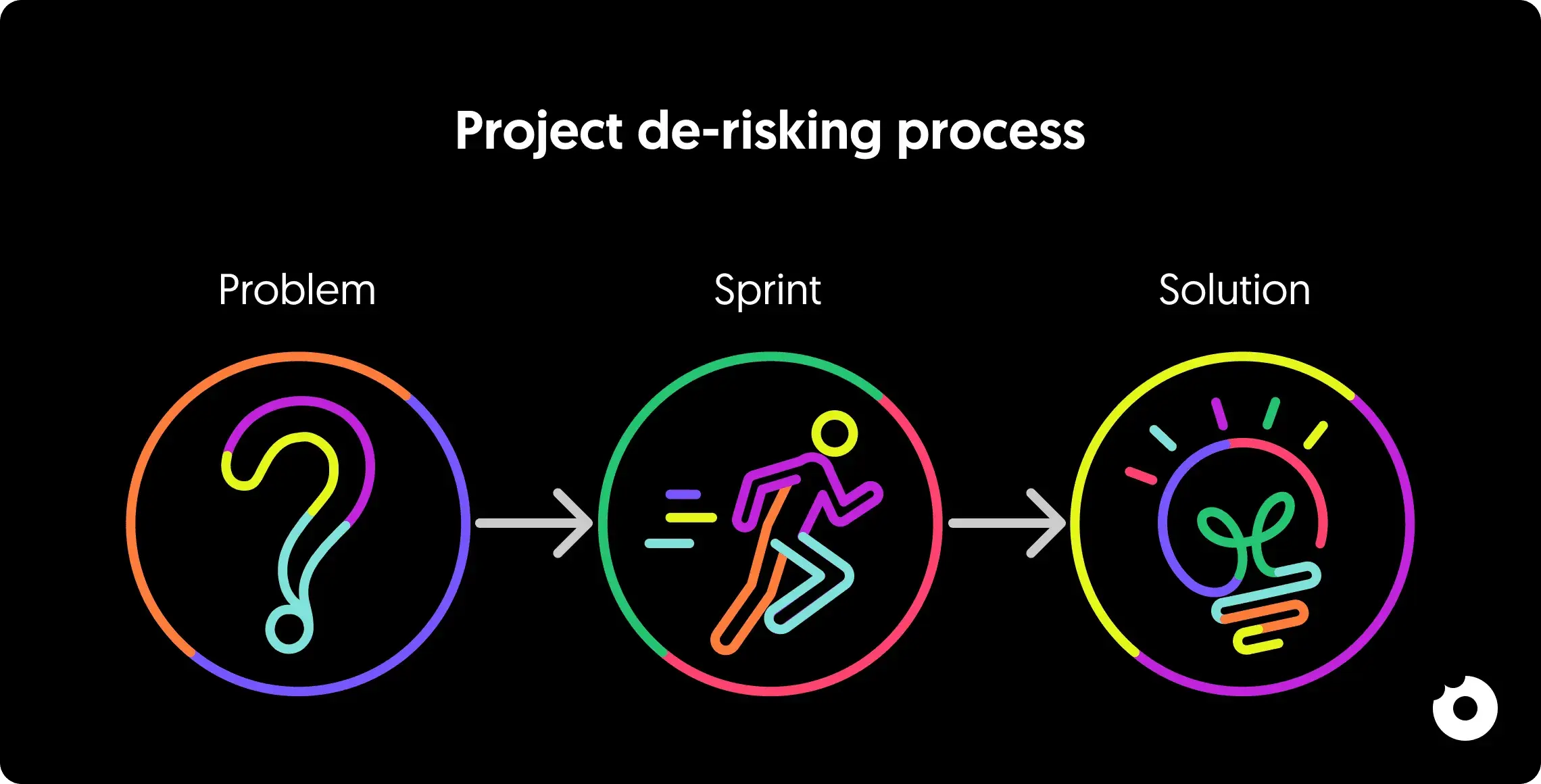
This process acts as the crucial link between simply having a problem and actually building a solution that works, replacing ambiguity with genuine clarity.
To really get a feel for how this works in practice, let's walk through the day-by-day structure. The table below gives a quick overview of what to expect, and then we'll dive into the details for each day.
The Google Design Sprint At a Glance
Day
Focus
Key Activities
Main Outcome
1
Map the Problem
Expert interviews, setting a long-term goal, mapping the user journey.
A single, clear target for the sprint.
2
Sketch Solutions
Lightning Demos, individual solution sketching (Crazy 8s).
A collection of diverse, well-thought-out solution concepts.
3
Decide
Solution critique ("art museum"), dot voting, Decider's choice.
A storyboard outlining the winning solution to be prototyped.
4
Prototype
Building a high-fidelity, realistic-looking prototype.
A testable prototype ready for user feedback.
5
Test
One-on-one user interviews (with 5 target users).
Validated learnings and clear, actionable insights.
Day 1: Map Out the Problem
The first day is all about getting the entire team on the same page. The main goal here is to establish a shared understanding of the problem, agree on a long-term vision, and literally map out the challenge. We aren't trying to solve anything yet, it’s all about defining the battlefield with precision.
Key activities include "Ask the Experts," where we bring in stakeholders to get their unique perspectives and insights. From there, the team collaborates to map the complete customer journey, pinpointing every key interaction. By day's end, the group will have chosen a single, specific moment in that journey to focus on the spot where we have the biggest opportunity to make an impact.
This is the foundation for the entire week. It ensures every ounce of effort from here on out is aimed at the most critical part of the problem.
Day 2: Sketch Competing Solutions
With a clear target in our sights, Tuesday is for creating solutions. But here’s the twist: everyone works individually. Instead of a classic group brainstorm where the loudest person often wins, each team member quietly sketches out their own detailed concepts. This simple change is incredible for generating a wide range of creative ideas and avoiding the trap of groupthink.
The day usually kicks off with "Lightning Demos," a quick-fire round where everyone shares inspiring examples from other products or even different industries. After that, we move into a structured, four-step sketching process that takes people from rough notes to a complete solution concept. The emphasis is entirely on critical thinking, not artistic talent.
The point of Day 2 isn't to land on one perfect idea. It's to generate several strong, competing solutions that we can properly evaluate tomorrow. Working alone first always gets a richer, more diverse pool of ideas.
Day 3: Decide on the Best Path Forward
Wednesday is decision day. The walls are filled with all the solution sketches from Tuesday, forming an “art museum” of ideas. The team reviews, critiques, and votes on each concept using silent review and dot voting to surface the strongest solutions without endless debate. The Decider, a designated leader, makes the final choice. By the end of the day, the team creates a storyboard, a comic-strip-style plan that clearly shows what will be built on Thursday.
Day 4: Build a Realistic Prototype
On Thursday, we shift from planning to building. The goal is a high-fidelity “Goldilocks” prototype, realistic enough for user feedback but simple enough to create in about seven hours. The team splits tasks, using tools like Figma or Sketch to bring the storyboard to life.
Makers: The designers and engineers who will build the actual screens.
Stitcher: One person who pieces all the screens and components together into a cohesive flow.
Writer: Someone focused on crafting realistic and compelling text for the prototype.
Asset Collector: This person is in charge of finding all the images, icons, and data needed to make the prototype feel authentic.
By the end of the day, you have a tangible artifact that's ready for its close-up with real users.
Day 5: Test with Real Users
Friday is test day. We show the prototype to five real users in one-on-one sessions, guided by a facilitator, while the team observes remotely. Immediate feedback reveals what works and what doesn’t, giving clear insights for next steps and saving months of uncertainty.
How to Assemble Your Sprint Team for Success
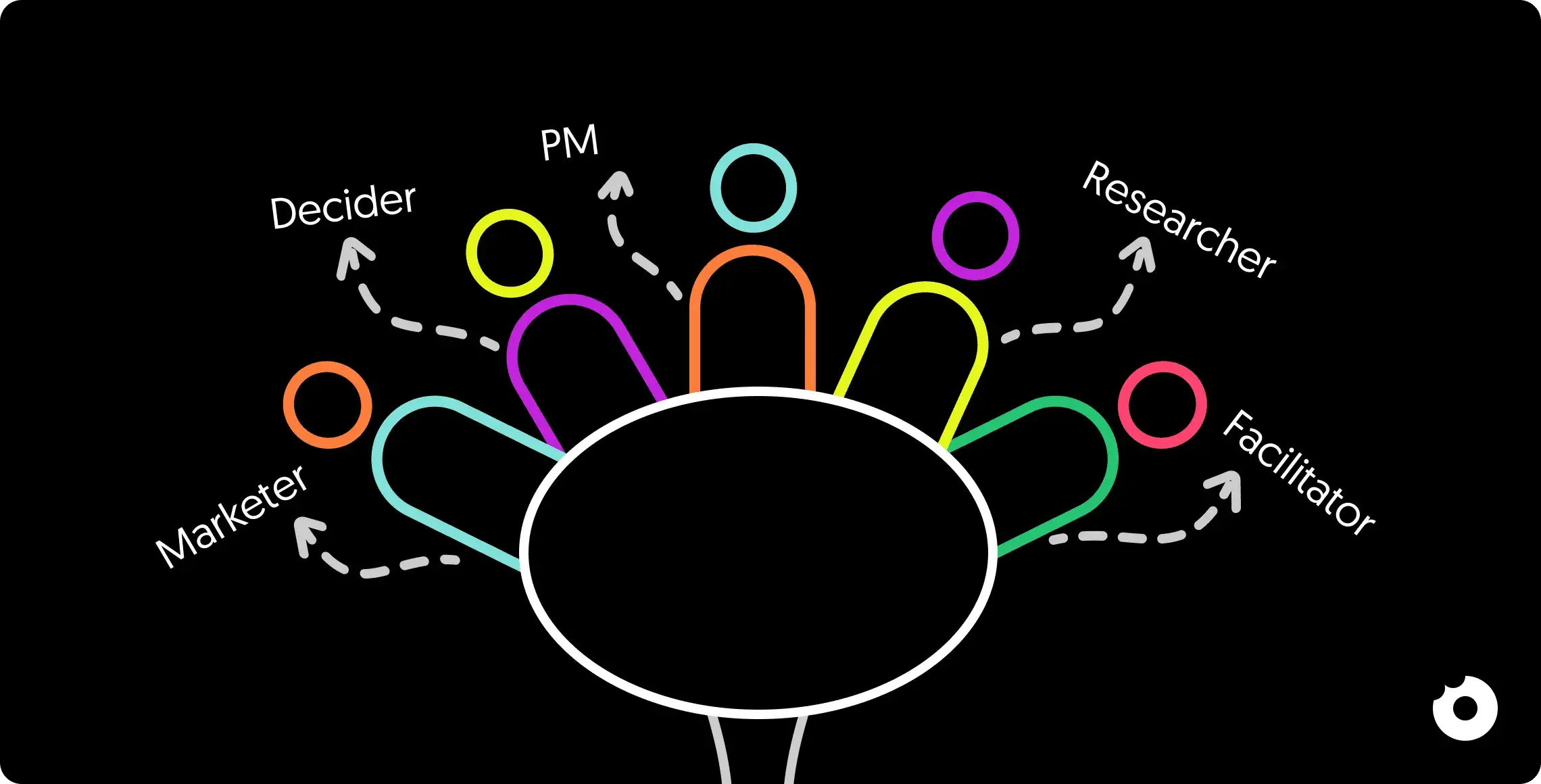
A Design Sprint’s success depends as much on the team as the process. Gather a small, cross-functional group of no more than seven people, each bringing a unique perspective.
This isn't an open invitation for everyone with an opinion. It’s a strategic selection of individuals with unique expertise. Think of it like putting together a crew for a high-stakes mission, every single person has a vital role to play in tackling the challenge.
Defining Your Core Sprint Roles
While everyone’s voice matters, a few specific roles are essential to keep the sprint from going off the rails. These roles provide the structure and authority needed to make real decisions, preventing the week from getting bogged down in endless debates.
The Decider: Makes the final call, keeping the sprint moving.
The Facilitator: Guides the process, keeps time, and ensures focus.
The Experts: Provide deep, varied insights from their areas of expertise.
A sprint team should be a balanced mix of perspectives. Including engineering, design, marketing, and customer support ensures that the solution is not only desirable for users but also feasible to build and viable for the business.
Your Pre-Sprint Logistics Checklist
Once you've got your crew, setting up the right environment is the next big step. A well-prepared space lets the team get straight into deep work without fighting distractions. Think of this as your pre-flight checklist for a smooth take-off on Monday morning.
Secure a Dedicated "War Room": You need to book one room for all five days. It must have plenty of whiteboard space for all the ideas, maps, and sketches that will emerge.
Gather Essential Supplies: Get the room stocked up. We're talking sticky notes, good markers, dot stickers for voting, and plenty of healthy snacks to keep energy levels up. The right tools need to be an arm's length away.
Schedule User Tests in Advance: Don't leave this until Thursday. Finding and booking five users from your target audience should be done the week before the sprint even starts. This saves a world of last-minute panic.
Implement a Strict "No Devices" Rule: Laptops and phones are the biggest enemies of focus. Set a hard-and-fast rule that all devices are put away during the exercises. This one discipline is crucial for the intense concentration needed to solve big challenges in just a few days. Getting this right paves the way for a successful design sprint google outcome.
Adapting the Sprint for Remote Teams and B2B
The classic five-day design sprint was born in a physical room, powered by endless whiteboards and a sea of sticky notes. But its highly structured nature makes it surprisingly good at tackling two of the biggest hurdles in product development today: distributed teams and the complexities of B2B.
Adapting the sprint for these situations isn't just about swapping a whiteboard for a digital tool. It demands a different style of facilitation and a sharp focus on some unique details. The core principles hold up, but the execution needs a few smart adjustments to keep the energy high and the outcomes clear.
Navigating the B2B SaaS Maze
Running a sprint for a B2B product brings a whole different set of challenges that you just don't see with consumer-facing apps. Workflows can be incredibly complicated, user roles are highly specialised, and often the person who buys the software isn’t the one using it every day.
A standard sprint can easily get tangled in these layers. To get it right, you have to tweak your approach to fit the B2B reality.
Balancing Personas: You’ve got to draw a clear line between the buyer persona (think a CTO worried about security and ROI) and the end-user persona (like an analyst who just needs their workflow to be faster). Your sprint goal and prototype have to speak to the right audience.
Recruiting Specialist Testers: Finding five "users" for a niche B2B tool is a lot tougher than finding people to try a new social media app. You need to start recruitment weeks ahead of time and usually offer better incentives to get an hour with busy professionals like engineers, accountants, or doctors.
Mapping Complex Workflows: B2B problems are often buried inside multi-step, technical processes. This makes Day 1 (Map) absolutely crucial. Plan on spending extra time mapping the existing workflow in minute detail, ensuring the team is solving a genuine pain point within that system.
The real challenge in a B2B sprint is accurately simulating the professional context. A prototype that ignores existing workflows or the specific technical jargon of its users will fail to get realistic feedback during testing.
Taking the Design Sprint Remote
The big shift to remote work has proven that sprints can absolutely thrive outside of a shared physical space. With the right tools and facilitation, distributed teams can collaborate just as effectively and sometimes even better, as it gives quieter team members a more level playing field.
Digital whiteboarding tools like Miro and Mural have become the new sprint "war rooms," giving us infinite space for mapping, sketching, and voting. But a successful remote sprint is about more than just technology. When adapting the sprint for remote teams, understanding the specific considerations for virtual environments is crucial. Explore strategies for mastering the remote design sprint to boost virtual team innovation.
Keys to Virtual Facilitation
Facilitating a remote sprint requires a different touch to keep everyone engaged and energised, especially when they’re spread across different time zones.
Break Up the Days: An eight-hour video call is a recipe for burnout. It’s much better to split sprint activities into shorter, focused blocks of 2-3 hours with long breaks in between. This keeps the deep work deep.
Over-Communicate Everything: When you’re virtual, you can’t read the room or rely on body language. The facilitator needs to be crystal clear with instructions for every single exercise, constantly checking that everyone is on the same page.
Use Digital Tools Deliberately: Lean on features like private voting, timers, and pre-built templates in tools like Miro. They help keep the process structured and the momentum going.
Schedule "Social" Time: Make time for non-work moments. A virtual coffee break to kick off the day can do wonders for helping the team connect as people and build a bit of rapport. For a deeper dive, check out our guide on addressing organisational challenges in remote work.
This evolution from in-person workshops to flexible, remote-friendly formats has broadened the sprint's reach significantly. Starting in the mid-2010s, Design Sprints moved from an internal Google practice to a popular method across Europe. In Italy, consultancies emerged after 2016, advertising outcomes like creating a prototype by Day 4 and running user tests on Day 5: metrics that demonstrated clear ROI compared to development timelines that previously stretched for months. This rapid adoption addressed common pain points like long development cycles and the need to validate ideas before costly backend work began.
How We Use Design Sprints to Deliver Real Wins for Our Clients
Frameworks and theory are great, but the real test is seeing how a method performs when faced with a genuine business problem. For us, the design sprint isn't just a trendy exercise; it’s a core part of how we help our B2B SaaS clients tackle major product decisions and get real results.
It’s where big ideas get a reality check with actual user feedback in just five days. The whole process turns vague goals into clear, validated insights that give shape to product roadmaps and, most importantly, prevent you from making expensive mistakes down the line.
Moving From a Hunch to a Solid Plan
Here’s a situation we see all the time. A B2B client came to us with an idea for a powerful new feature for their enterprise customers. They were geared up to pour a lot of time and money into development, but one huge question hung in the air: would their busy, expert users even bother to use it?
Instead of diving headfirst into a six-month development cycle, we suggested a one-week design sprint. The aim was simple but vital: to test the core idea behind the feature before a single line of code was written.
Sprints are the perfect cure for "analysis paralysis." By squeezing the decision-making timeline, you're forced to make a choice based on evidence, not endless debate. It stops teams from spending months arguing over a direction that users might dismiss in minutes.
The week kicked off with a deep dive into the problem, mapping out the complex day-to-day workflows of the target users. By Wednesday, the team and the designated Decider had settled on one promising solution to build out as a prototype.
What We Learned From Real Users
The real magic happened on Friday during user testing. We put our high-fidelity prototype in front of five people from the client's target audience, the very users they needed to win over. Their feedback was instant, and honestly, a little surprising.
While everyone understood what the feature was supposed to do, they got stuck on a key step in the workflow that we had all assumed was obvious. That single piece of feedback was gold. If our client had built the feature based on their original plan, this usability flaw would have killed adoption and forced a costly redesign after launch.
What We Validated: The core problem was absolutely real, and users were eager for a fix.
What We Invalidated: Our first guess at the most intuitive workflow was completely off.
The Outcome: The sprint gave us a clear, user-approved direction for the feature's design and user flow.
The best part? The sprint got every stakeholder on the same page because they saw the user feedback with their own eyes. The debates stopped. There were no more arguments based on personal opinions, just a shared, crystal-clear understanding of what needed to be built.
The prototype didn't just answer a question; it gave the development team a blueprint that was already vetted by real users. This is the kind of practical, business-focused result we aim for in every sprint. It’s about swapping assumptions for evidence and turning uncertainty into a confident plan.
You can see more examples of how we get these kinds of results in our collection of product design case studies. The outcomes really do speak for themselves.
Turning Sprint Insights Into Action
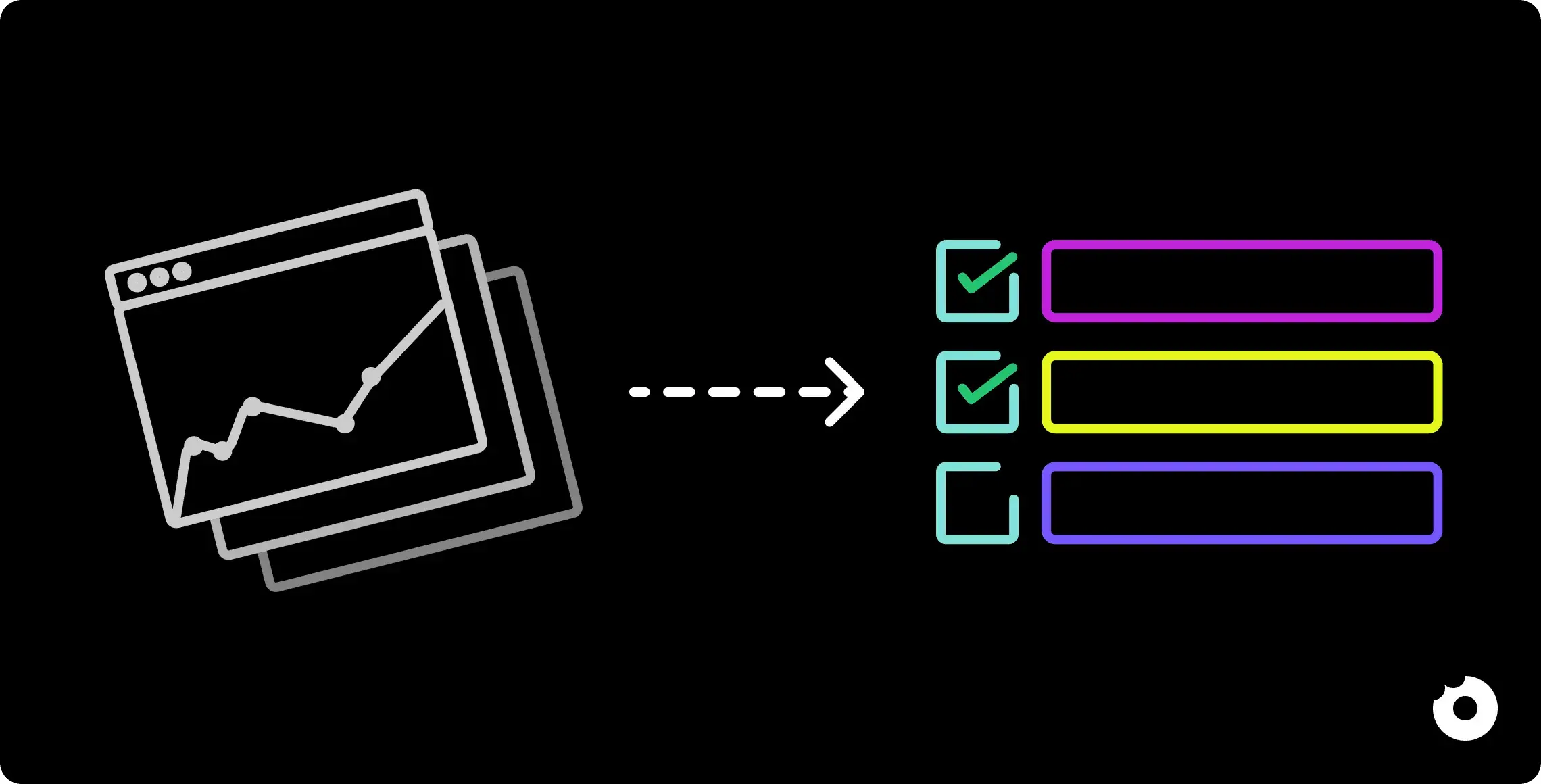
So, Friday afternoon wraps up, the sprint is over, and the team is buzzing. You've just crammed months of work into five intense days. But the real work? That's just getting started. A design sprint doesn't end with a high-fidelity prototype; that's where its value truly begins to unfold. The biggest challenge now is keeping that momentum going and making sure all those brilliant insights don't just evaporate once everyone is back at their desks on Monday.
Think of it like this: you've just climbed a mountain and the view is incredible. You can see the whole landscape clearly. The next step is to use that new perspective to map out the safest and quickest path down. Otherwise, the sprint just becomes a fun, isolated team-building exercise instead of the launchpad it's meant to be.
Synthesising Feedback Into a Clear Report
First things first, you need to make sense of all the user feedback. You can't just hand a pile of sticky notes to your engineers and expect magic to happen. The goal is to weave a clear story from Friday's user tests, a story that everyone, from the CEO to the junior developer, can immediately grasp.
Your report should get straight to the point. What parts of the prototype made users smile? Where did they get tripped up or look completely lost? And, most importantly, how did our big assumptions hold up when they met a real user?
A great sprint ends in one of three ways: a validated hit, a glorious failure, or something in between. And honestly, all three are wins. A hit gives you the green light to build. A failure saves you months of time and money building the wrong thing. And an "in-between" result tells you exactly what needs tweaking.
Try to group the feedback into common themes. Simple buckets like "Usability Wins," "Workflow Confusion," or "Unexpected Feature Ideas" work wonders. This helps the whole company see the forest for the trees, understanding both the big picture and the details that really matter.
Defining Your Key Success Metrics
To prove the sprint was worth it, you need to measure its impact. And success isn't just about whether users said they "liked" the prototype. It’s about whether you answered the critical business questions you set on Monday morning.
Qualitative Metrics: This is all about the human side of things. Is the team finally on the same page? Do stakeholders now have a gut-level understanding of what users actually need? A big jump in team alignment is a massive, if unquantifiable, victory.
Quantitative Metrics: Here's where you get into the hard data. Did the user tests prove or disprove your core hypothesis? Did the prototype actually solve the problem we thought it would? You need these answers to make smart, data-driven decisions. If you want to get serious about this, you can start with product analytics insights to build a proper framework.
From Prototype to Product Backlog
With a clear report and your metrics defined, the last piece of the puzzle is to move your findings into the development pipeline. This is where the abstract ideas from the sprint become actual tickets in your team's backlog.
Go through the sprint findings and decide what's next. Maybe you need another sprint to polish the concept. Or, if you got a strong signal, you can start breaking down the validated features into user stories and tasks. Let the user feedback guide your priorities: focus on what was most critical for them.
This structured follow-through is what ensures a sprint's energy doesn't just fizzle out. In the IT world, this process has a proven track record, often cutting through months of pointless debate in a single week. Case studies show that teams regularly see stakeholder alignment jump by 20–50%. Decision-making also gets a huge boost, shrinking roadmap planning from a quarterly slog into a matter of days. You can discover more about how sprints compress time on GV.com.
Picture this: you're about to shoot a massive blockbuster movie. Instead of spending millions on the full production right away, you first create a killer trailer and show it to a test audience. If they love it, you go all in. If they don't, you tweak the story before a single scene is shot.That’s the essence of a Google Design Sprint. It's a focused, five-day process for tackling big challenges by creating a realistic prototype and testing it with real people. It’s all about compressing months of back-and-forth debate into a single, intensely productive week.
De-Risking Big Ideas Before You Build
A Design Sprint isn't just another long meeting on the calendar. It's a structured method for taking the guesswork out of major projects, giving you clear, data-driven answers to your most critical business questions. Think of it as hitting the fast-forward button on your product development timeline.
Instead of building a complete product and just hoping for the best at launch, you test a high-fidelity illusion of that product first. This sharp focus helps answer the single most important question any team can ask: are we even building the right thing? By getting feedback from actual users before a single line of production code is written, you sidestep expensive mistakes and make decisions based on solid evidence, not just assumptions.
The Origins at Google
This whole approach started inside Google back in 2010. Its creator, Jake Knapp, ran early sprints with teams like Chrome and Google Search, figuring out how to squeeze months of work into just one week.
By 2012, Google Ventures (GV) adopted the process and started running it with their portfolio companies. It quickly earned a reputation as a "greatest hits" compilation of ideas from design thinking, behavioural science, and business strategy. The real magic was in condensing user research, something that used to take weeks, into a format that delivers actionable insights in the same week the prototype is built.
A Design Sprint is a structured, time-constrained process for answering critical business questions through design, prototyping, and testing ideas with users. It's a shortcut to learning without building and launching.
Why It Matters for Your Business
To really get what a Design Sprint is, it helps to understand the fundamentals of user experience design, because a sprint is a super-focused application of those principles. The benefits have a direct impact on your bottom line.
Speed: Why wait months for answers you can get in a few days? This kind of speed helps you move faster than the competition.
Alignment: It gets everyone: engineers, designers, marketers, executives, in the same room, focused on the same goal. No more silos.
User Validation: You get to test your biggest assumptions with real users and find out what works (and what doesn't) before you invest a ton of money.
Reduced Risk: By validating or killing off ideas early, you dramatically lower the financial and reputational risk of a failed launch.
Breaking Down the Five-Day Sprint Process
The real genius of a Google Design Sprint is its five-day, step-by-step structure. Each day builds on the last, turning a complex problem into a tested solution. It’s a way to fast-forward months of debate and development into one productive week and de-risk big ideas.

This process acts as the crucial link between simply having a problem and actually building a solution that works, replacing ambiguity with genuine clarity.
To really get a feel for how this works in practice, let's walk through the day-by-day structure. The table below gives a quick overview of what to expect, and then we'll dive into the details for each day.
The Google Design Sprint At a Glance
Day
Focus
Key Activities
Main Outcome
1
Map the Problem
Expert interviews, setting a long-term goal, mapping the user journey.
A single, clear target for the sprint.
2
Sketch Solutions
Lightning Demos, individual solution sketching (Crazy 8s).
A collection of diverse, well-thought-out solution concepts.
3
Decide
Solution critique ("art museum"), dot voting, Decider's choice.
A storyboard outlining the winning solution to be prototyped.
4
Prototype
Building a high-fidelity, realistic-looking prototype.
A testable prototype ready for user feedback.
5
Test
One-on-one user interviews (with 5 target users).
Validated learnings and clear, actionable insights.
Day 1: Map Out the Problem
The first day is all about getting the entire team on the same page. The main goal here is to establish a shared understanding of the problem, agree on a long-term vision, and literally map out the challenge. We aren't trying to solve anything yet, it’s all about defining the battlefield with precision.
Key activities include "Ask the Experts," where we bring in stakeholders to get their unique perspectives and insights. From there, the team collaborates to map the complete customer journey, pinpointing every key interaction. By day's end, the group will have chosen a single, specific moment in that journey to focus on the spot where we have the biggest opportunity to make an impact.
This is the foundation for the entire week. It ensures every ounce of effort from here on out is aimed at the most critical part of the problem.
Day 2: Sketch Competing Solutions
With a clear target in our sights, Tuesday is for creating solutions. But here’s the twist: everyone works individually. Instead of a classic group brainstorm where the loudest person often wins, each team member quietly sketches out their own detailed concepts. This simple change is incredible for generating a wide range of creative ideas and avoiding the trap of groupthink.
The day usually kicks off with "Lightning Demos," a quick-fire round where everyone shares inspiring examples from other products or even different industries. After that, we move into a structured, four-step sketching process that takes people from rough notes to a complete solution concept. The emphasis is entirely on critical thinking, not artistic talent.
The point of Day 2 isn't to land on one perfect idea. It's to generate several strong, competing solutions that we can properly evaluate tomorrow. Working alone first always gets a richer, more diverse pool of ideas.
Day 3: Decide on the Best Path Forward
Wednesday is decision day. The walls are filled with all the solution sketches from Tuesday, forming an “art museum” of ideas. The team reviews, critiques, and votes on each concept using silent review and dot voting to surface the strongest solutions without endless debate. The Decider, a designated leader, makes the final choice. By the end of the day, the team creates a storyboard, a comic-strip-style plan that clearly shows what will be built on Thursday.
Day 4: Build a Realistic Prototype
On Thursday, we shift from planning to building. The goal is a high-fidelity “Goldilocks” prototype, realistic enough for user feedback but simple enough to create in about seven hours. The team splits tasks, using tools like Figma or Sketch to bring the storyboard to life.
Makers: The designers and engineers who will build the actual screens.
Stitcher: One person who pieces all the screens and components together into a cohesive flow.
Writer: Someone focused on crafting realistic and compelling text for the prototype.
Asset Collector: This person is in charge of finding all the images, icons, and data needed to make the prototype feel authentic.
By the end of the day, you have a tangible artifact that's ready for its close-up with real users.
Day 5: Test with Real Users
Friday is test day. We show the prototype to five real users in one-on-one sessions, guided by a facilitator, while the team observes remotely. Immediate feedback reveals what works and what doesn’t, giving clear insights for next steps and saving months of uncertainty.
How to Assemble Your Sprint Team for Success

A Design Sprint’s success depends as much on the team as the process. Gather a small, cross-functional group of no more than seven people, each bringing a unique perspective.
This isn't an open invitation for everyone with an opinion. It’s a strategic selection of individuals with unique expertise. Think of it like putting together a crew for a high-stakes mission, every single person has a vital role to play in tackling the challenge.
Defining Your Core Sprint Roles
While everyone’s voice matters, a few specific roles are essential to keep the sprint from going off the rails. These roles provide the structure and authority needed to make real decisions, preventing the week from getting bogged down in endless debates.
The Decider: Makes the final call, keeping the sprint moving.
The Facilitator: Guides the process, keeps time, and ensures focus.
The Experts: Provide deep, varied insights from their areas of expertise.
A sprint team should be a balanced mix of perspectives. Including engineering, design, marketing, and customer support ensures that the solution is not only desirable for users but also feasible to build and viable for the business.
Your Pre-Sprint Logistics Checklist
Once you've got your crew, setting up the right environment is the next big step. A well-prepared space lets the team get straight into deep work without fighting distractions. Think of this as your pre-flight checklist for a smooth take-off on Monday morning.
Secure a Dedicated "War Room": You need to book one room for all five days. It must have plenty of whiteboard space for all the ideas, maps, and sketches that will emerge.
Gather Essential Supplies: Get the room stocked up. We're talking sticky notes, good markers, dot stickers for voting, and plenty of healthy snacks to keep energy levels up. The right tools need to be an arm's length away.
Schedule User Tests in Advance: Don't leave this until Thursday. Finding and booking five users from your target audience should be done the week before the sprint even starts. This saves a world of last-minute panic.
Implement a Strict "No Devices" Rule: Laptops and phones are the biggest enemies of focus. Set a hard-and-fast rule that all devices are put away during the exercises. This one discipline is crucial for the intense concentration needed to solve big challenges in just a few days. Getting this right paves the way for a successful design sprint google outcome.
Adapting the Sprint for Remote Teams and B2B
The classic five-day design sprint was born in a physical room, powered by endless whiteboards and a sea of sticky notes. But its highly structured nature makes it surprisingly good at tackling two of the biggest hurdles in product development today: distributed teams and the complexities of B2B.
Adapting the sprint for these situations isn't just about swapping a whiteboard for a digital tool. It demands a different style of facilitation and a sharp focus on some unique details. The core principles hold up, but the execution needs a few smart adjustments to keep the energy high and the outcomes clear.
Navigating the B2B SaaS Maze
Running a sprint for a B2B product brings a whole different set of challenges that you just don't see with consumer-facing apps. Workflows can be incredibly complicated, user roles are highly specialised, and often the person who buys the software isn’t the one using it every day.
A standard sprint can easily get tangled in these layers. To get it right, you have to tweak your approach to fit the B2B reality.
Balancing Personas: You’ve got to draw a clear line between the buyer persona (think a CTO worried about security and ROI) and the end-user persona (like an analyst who just needs their workflow to be faster). Your sprint goal and prototype have to speak to the right audience.
Recruiting Specialist Testers: Finding five "users" for a niche B2B tool is a lot tougher than finding people to try a new social media app. You need to start recruitment weeks ahead of time and usually offer better incentives to get an hour with busy professionals like engineers, accountants, or doctors.
Mapping Complex Workflows: B2B problems are often buried inside multi-step, technical processes. This makes Day 1 (Map) absolutely crucial. Plan on spending extra time mapping the existing workflow in minute detail, ensuring the team is solving a genuine pain point within that system.
The real challenge in a B2B sprint is accurately simulating the professional context. A prototype that ignores existing workflows or the specific technical jargon of its users will fail to get realistic feedback during testing.
Taking the Design Sprint Remote
The big shift to remote work has proven that sprints can absolutely thrive outside of a shared physical space. With the right tools and facilitation, distributed teams can collaborate just as effectively and sometimes even better, as it gives quieter team members a more level playing field.
Digital whiteboarding tools like Miro and Mural have become the new sprint "war rooms," giving us infinite space for mapping, sketching, and voting. But a successful remote sprint is about more than just technology. When adapting the sprint for remote teams, understanding the specific considerations for virtual environments is crucial. Explore strategies for mastering the remote design sprint to boost virtual team innovation.

Keys to Virtual Facilitation
Facilitating a remote sprint requires a different touch to keep everyone engaged and energised, especially when they’re spread across different time zones.
Break Up the Days: An eight-hour video call is a recipe for burnout. It’s much better to split sprint activities into shorter, focused blocks of 2-3 hours with long breaks in between. This keeps the deep work deep.
Over-Communicate Everything: When you’re virtual, you can’t read the room or rely on body language. The facilitator needs to be crystal clear with instructions for every single exercise, constantly checking that everyone is on the same page.
Use Digital Tools Deliberately: Lean on features like private voting, timers, and pre-built templates in tools like Miro. They help keep the process structured and the momentum going.
Schedule "Social" Time: Make time for non-work moments. A virtual coffee break to kick off the day can do wonders for helping the team connect as people and build a bit of rapport. For a deeper dive, check out our guide on addressing organisational challenges in remote work.
This evolution from in-person workshops to flexible, remote-friendly formats has broadened the sprint's reach significantly. Starting in the mid-2010s, Design Sprints moved from an internal Google practice to a popular method across Europe. In Italy, consultancies emerged after 2016, advertising outcomes like creating a prototype by Day 4 and running user tests on Day 5: metrics that demonstrated clear ROI compared to development timelines that previously stretched for months. This rapid adoption addressed common pain points like long development cycles and the need to validate ideas before costly backend work began.
How We Use Design Sprints to Deliver Real Wins for Our Clients

Frameworks and theory are great, but the real test is seeing how a method performs when faced with a genuine business problem. For us, the design sprint isn't just a trendy exercise; it’s a core part of how we help our B2B SaaS clients tackle major product decisions and get real results.
It’s where big ideas get a reality check with actual user feedback in just five days. The whole process turns vague goals into clear, validated insights that give shape to product roadmaps and, most importantly, prevent you from making expensive mistakes down the line.
Moving From a Hunch to a Solid Plan
Here’s a situation we see all the time. A B2B client came to us with an idea for a powerful new feature for their enterprise customers. They were geared up to pour a lot of time and money into development, but one huge question hung in the air: would their busy, expert users even bother to use it?
Instead of diving headfirst into a six-month development cycle, we suggested a one-week design sprint. The aim was simple but vital: to test the core idea behind the feature before a single line of code was written.
Sprints are the perfect cure for "analysis paralysis." By squeezing the decision-making timeline, you're forced to make a choice based on evidence, not endless debate. It stops teams from spending months arguing over a direction that users might dismiss in minutes.
The week kicked off with a deep dive into the problem, mapping out the complex day-to-day workflows of the target users. By Wednesday, the team and the designated Decider had settled on one promising solution to build out as a prototype.
What We Learned From Real Users
The real magic happened on Friday during user testing. We put our high-fidelity prototype in front of five people from the client's target audience, the very users they needed to win over. Their feedback was instant, and honestly, a little surprising.
While everyone understood what the feature was supposed to do, they got stuck on a key step in the workflow that we had all assumed was obvious. That single piece of feedback was gold. If our client had built the feature based on their original plan, this usability flaw would have killed adoption and forced a costly redesign after launch.
What We Validated: The core problem was absolutely real, and users were eager for a fix.
What We Invalidated: Our first guess at the most intuitive workflow was completely off.
The Outcome: The sprint gave us a clear, user-approved direction for the feature's design and user flow.
The best part? The sprint got every stakeholder on the same page because they saw the user feedback with their own eyes. The debates stopped. There were no more arguments based on personal opinions, just a shared, crystal-clear understanding of what needed to be built.
The prototype didn't just answer a question; it gave the development team a blueprint that was already vetted by real users. This is the kind of practical, business-focused result we aim for in every sprint. It’s about swapping assumptions for evidence and turning uncertainty into a confident plan.
You can see more examples of how we get these kinds of results in our collection of product design case studies. The outcomes really do speak for themselves.
Turning Sprint Insights Into Action

So, Friday afternoon wraps up, the sprint is over, and the team is buzzing. You've just crammed months of work into five intense days. But the real work? That's just getting started. A design sprint doesn't end with a high-fidelity prototype; that's where its value truly begins to unfold. The biggest challenge now is keeping that momentum going and making sure all those brilliant insights don't just evaporate once everyone is back at their desks on Monday.
Think of it like this: you've just climbed a mountain and the view is incredible. You can see the whole landscape clearly. The next step is to use that new perspective to map out the safest and quickest path down. Otherwise, the sprint just becomes a fun, isolated team-building exercise instead of the launchpad it's meant to be.
Synthesising Feedback Into a Clear Report
First things first, you need to make sense of all the user feedback. You can't just hand a pile of sticky notes to your engineers and expect magic to happen. The goal is to weave a clear story from Friday's user tests, a story that everyone, from the CEO to the junior developer, can immediately grasp.
Your report should get straight to the point. What parts of the prototype made users smile? Where did they get tripped up or look completely lost? And, most importantly, how did our big assumptions hold up when they met a real user?
A great sprint ends in one of three ways: a validated hit, a glorious failure, or something in between. And honestly, all three are wins. A hit gives you the green light to build. A failure saves you months of time and money building the wrong thing. And an "in-between" result tells you exactly what needs tweaking.
Try to group the feedback into common themes. Simple buckets like "Usability Wins," "Workflow Confusion," or "Unexpected Feature Ideas" work wonders. This helps the whole company see the forest for the trees, understanding both the big picture and the details that really matter.
Defining Your Key Success Metrics
To prove the sprint was worth it, you need to measure its impact. And success isn't just about whether users said they "liked" the prototype. It’s about whether you answered the critical business questions you set on Monday morning.
Qualitative Metrics: This is all about the human side of things. Is the team finally on the same page? Do stakeholders now have a gut-level understanding of what users actually need? A big jump in team alignment is a massive, if unquantifiable, victory.
Quantitative Metrics: Here's where you get into the hard data. Did the user tests prove or disprove your core hypothesis? Did the prototype actually solve the problem we thought it would? You need these answers to make smart, data-driven decisions. If you want to get serious about this, you can start with product analytics insights to build a proper framework.
From Prototype to Product Backlog
With a clear report and your metrics defined, the last piece of the puzzle is to move your findings into the development pipeline. This is where the abstract ideas from the sprint become actual tickets in your team's backlog.
Go through the sprint findings and decide what's next. Maybe you need another sprint to polish the concept. Or, if you got a strong signal, you can start breaking down the validated features into user stories and tasks. Let the user feedback guide your priorities: focus on what was most critical for them.
This structured follow-through is what ensures a sprint's energy doesn't just fizzle out. In the IT world, this process has a proven track record, often cutting through months of pointless debate in a single week. Case studies show that teams regularly see stakeholder alignment jump by 20–50%. Decision-making also gets a huge boost, shrinking roadmap planning from a quarterly slog into a matter of days. You can discover more about how sprints compress time on GV.com.
Picture this: you're about to shoot a massive blockbuster movie. Instead of spending millions on the full production right away, you first create a killer trailer and show it to a test audience. If they love it, you go all in. If they don't, you tweak the story before a single scene is shot.That’s the essence of a Google Design Sprint. It's a focused, five-day process for tackling big challenges by creating a realistic prototype and testing it with real people. It’s all about compressing months of back-and-forth debate into a single, intensely productive week.
De-Risking Big Ideas Before You Build
A Design Sprint isn't just another long meeting on the calendar. It's a structured method for taking the guesswork out of major projects, giving you clear, data-driven answers to your most critical business questions. Think of it as hitting the fast-forward button on your product development timeline.
Instead of building a complete product and just hoping for the best at launch, you test a high-fidelity illusion of that product first. This sharp focus helps answer the single most important question any team can ask: are we even building the right thing? By getting feedback from actual users before a single line of production code is written, you sidestep expensive mistakes and make decisions based on solid evidence, not just assumptions.
The Origins at Google
This whole approach started inside Google back in 2010. Its creator, Jake Knapp, ran early sprints with teams like Chrome and Google Search, figuring out how to squeeze months of work into just one week.
By 2012, Google Ventures (GV) adopted the process and started running it with their portfolio companies. It quickly earned a reputation as a "greatest hits" compilation of ideas from design thinking, behavioural science, and business strategy. The real magic was in condensing user research, something that used to take weeks, into a format that delivers actionable insights in the same week the prototype is built.
A Design Sprint is a structured, time-constrained process for answering critical business questions through design, prototyping, and testing ideas with users. It's a shortcut to learning without building and launching.
Why It Matters for Your Business
To really get what a Design Sprint is, it helps to understand the fundamentals of user experience design, because a sprint is a super-focused application of those principles. The benefits have a direct impact on your bottom line.
Speed: Why wait months for answers you can get in a few days? This kind of speed helps you move faster than the competition.
Alignment: It gets everyone: engineers, designers, marketers, executives, in the same room, focused on the same goal. No more silos.
User Validation: You get to test your biggest assumptions with real users and find out what works (and what doesn't) before you invest a ton of money.
Reduced Risk: By validating or killing off ideas early, you dramatically lower the financial and reputational risk of a failed launch.
Breaking Down the Five-Day Sprint Process
The real genius of a Google Design Sprint is its five-day, step-by-step structure. Each day builds on the last, turning a complex problem into a tested solution. It’s a way to fast-forward months of debate and development into one productive week and de-risk big ideas.

This process acts as the crucial link between simply having a problem and actually building a solution that works, replacing ambiguity with genuine clarity.
To really get a feel for how this works in practice, let's walk through the day-by-day structure. The table below gives a quick overview of what to expect, and then we'll dive into the details for each day.
The Google Design Sprint At a Glance
Day
Focus
Key Activities
Main Outcome
1
Map the Problem
Expert interviews, setting a long-term goal, mapping the user journey.
A single, clear target for the sprint.
2
Sketch Solutions
Lightning Demos, individual solution sketching (Crazy 8s).
A collection of diverse, well-thought-out solution concepts.
3
Decide
Solution critique ("art museum"), dot voting, Decider's choice.
A storyboard outlining the winning solution to be prototyped.
4
Prototype
Building a high-fidelity, realistic-looking prototype.
A testable prototype ready for user feedback.
5
Test
One-on-one user interviews (with 5 target users).
Validated learnings and clear, actionable insights.
Day 1: Map Out the Problem
The first day is all about getting the entire team on the same page. The main goal here is to establish a shared understanding of the problem, agree on a long-term vision, and literally map out the challenge. We aren't trying to solve anything yet, it’s all about defining the battlefield with precision.
Key activities include "Ask the Experts," where we bring in stakeholders to get their unique perspectives and insights. From there, the team collaborates to map the complete customer journey, pinpointing every key interaction. By day's end, the group will have chosen a single, specific moment in that journey to focus on the spot where we have the biggest opportunity to make an impact.
This is the foundation for the entire week. It ensures every ounce of effort from here on out is aimed at the most critical part of the problem.
Day 2: Sketch Competing Solutions
With a clear target in our sights, Tuesday is for creating solutions. But here’s the twist: everyone works individually. Instead of a classic group brainstorm where the loudest person often wins, each team member quietly sketches out their own detailed concepts. This simple change is incredible for generating a wide range of creative ideas and avoiding the trap of groupthink.
The day usually kicks off with "Lightning Demos," a quick-fire round where everyone shares inspiring examples from other products or even different industries. After that, we move into a structured, four-step sketching process that takes people from rough notes to a complete solution concept. The emphasis is entirely on critical thinking, not artistic talent.
The point of Day 2 isn't to land on one perfect idea. It's to generate several strong, competing solutions that we can properly evaluate tomorrow. Working alone first always gets a richer, more diverse pool of ideas.
Day 3: Decide on the Best Path Forward
Wednesday is decision day. The walls are filled with all the solution sketches from Tuesday, forming an “art museum” of ideas. The team reviews, critiques, and votes on each concept using silent review and dot voting to surface the strongest solutions without endless debate. The Decider, a designated leader, makes the final choice. By the end of the day, the team creates a storyboard, a comic-strip-style plan that clearly shows what will be built on Thursday.
Day 4: Build a Realistic Prototype
On Thursday, we shift from planning to building. The goal is a high-fidelity “Goldilocks” prototype, realistic enough for user feedback but simple enough to create in about seven hours. The team splits tasks, using tools like Figma or Sketch to bring the storyboard to life.
Makers: The designers and engineers who will build the actual screens.
Stitcher: One person who pieces all the screens and components together into a cohesive flow.
Writer: Someone focused on crafting realistic and compelling text for the prototype.
Asset Collector: This person is in charge of finding all the images, icons, and data needed to make the prototype feel authentic.
By the end of the day, you have a tangible artifact that's ready for its close-up with real users.
Day 5: Test with Real Users
Friday is test day. We show the prototype to five real users in one-on-one sessions, guided by a facilitator, while the team observes remotely. Immediate feedback reveals what works and what doesn’t, giving clear insights for next steps and saving months of uncertainty.
How to Assemble Your Sprint Team for Success

A Design Sprint’s success depends as much on the team as the process. Gather a small, cross-functional group of no more than seven people, each bringing a unique perspective.
This isn't an open invitation for everyone with an opinion. It’s a strategic selection of individuals with unique expertise. Think of it like putting together a crew for a high-stakes mission, every single person has a vital role to play in tackling the challenge.
Defining Your Core Sprint Roles
While everyone’s voice matters, a few specific roles are essential to keep the sprint from going off the rails. These roles provide the structure and authority needed to make real decisions, preventing the week from getting bogged down in endless debates.
The Decider: Makes the final call, keeping the sprint moving.
The Facilitator: Guides the process, keeps time, and ensures focus.
The Experts: Provide deep, varied insights from their areas of expertise.
A sprint team should be a balanced mix of perspectives. Including engineering, design, marketing, and customer support ensures that the solution is not only desirable for users but also feasible to build and viable for the business.
Your Pre-Sprint Logistics Checklist
Once you've got your crew, setting up the right environment is the next big step. A well-prepared space lets the team get straight into deep work without fighting distractions. Think of this as your pre-flight checklist for a smooth take-off on Monday morning.
Secure a Dedicated "War Room": You need to book one room for all five days. It must have plenty of whiteboard space for all the ideas, maps, and sketches that will emerge.
Gather Essential Supplies: Get the room stocked up. We're talking sticky notes, good markers, dot stickers for voting, and plenty of healthy snacks to keep energy levels up. The right tools need to be an arm's length away.
Schedule User Tests in Advance: Don't leave this until Thursday. Finding and booking five users from your target audience should be done the week before the sprint even starts. This saves a world of last-minute panic.
Implement a Strict "No Devices" Rule: Laptops and phones are the biggest enemies of focus. Set a hard-and-fast rule that all devices are put away during the exercises. This one discipline is crucial for the intense concentration needed to solve big challenges in just a few days. Getting this right paves the way for a successful design sprint google outcome.
Adapting the Sprint for Remote Teams and B2B
The classic five-day design sprint was born in a physical room, powered by endless whiteboards and a sea of sticky notes. But its highly structured nature makes it surprisingly good at tackling two of the biggest hurdles in product development today: distributed teams and the complexities of B2B.
Adapting the sprint for these situations isn't just about swapping a whiteboard for a digital tool. It demands a different style of facilitation and a sharp focus on some unique details. The core principles hold up, but the execution needs a few smart adjustments to keep the energy high and the outcomes clear.
Navigating the B2B SaaS Maze
Running a sprint for a B2B product brings a whole different set of challenges that you just don't see with consumer-facing apps. Workflows can be incredibly complicated, user roles are highly specialised, and often the person who buys the software isn’t the one using it every day.
A standard sprint can easily get tangled in these layers. To get it right, you have to tweak your approach to fit the B2B reality.
Balancing Personas: You’ve got to draw a clear line between the buyer persona (think a CTO worried about security and ROI) and the end-user persona (like an analyst who just needs their workflow to be faster). Your sprint goal and prototype have to speak to the right audience.
Recruiting Specialist Testers: Finding five "users" for a niche B2B tool is a lot tougher than finding people to try a new social media app. You need to start recruitment weeks ahead of time and usually offer better incentives to get an hour with busy professionals like engineers, accountants, or doctors.
Mapping Complex Workflows: B2B problems are often buried inside multi-step, technical processes. This makes Day 1 (Map) absolutely crucial. Plan on spending extra time mapping the existing workflow in minute detail, ensuring the team is solving a genuine pain point within that system.
The real challenge in a B2B sprint is accurately simulating the professional context. A prototype that ignores existing workflows or the specific technical jargon of its users will fail to get realistic feedback during testing.
Taking the Design Sprint Remote
The big shift to remote work has proven that sprints can absolutely thrive outside of a shared physical space. With the right tools and facilitation, distributed teams can collaborate just as effectively and sometimes even better, as it gives quieter team members a more level playing field.
Digital whiteboarding tools like Miro and Mural have become the new sprint "war rooms," giving us infinite space for mapping, sketching, and voting. But a successful remote sprint is about more than just technology. When adapting the sprint for remote teams, understanding the specific considerations for virtual environments is crucial. Explore strategies for mastering the remote design sprint to boost virtual team innovation.

Keys to Virtual Facilitation
Facilitating a remote sprint requires a different touch to keep everyone engaged and energised, especially when they’re spread across different time zones.
Break Up the Days: An eight-hour video call is a recipe for burnout. It’s much better to split sprint activities into shorter, focused blocks of 2-3 hours with long breaks in between. This keeps the deep work deep.
Over-Communicate Everything: When you’re virtual, you can’t read the room or rely on body language. The facilitator needs to be crystal clear with instructions for every single exercise, constantly checking that everyone is on the same page.
Use Digital Tools Deliberately: Lean on features like private voting, timers, and pre-built templates in tools like Miro. They help keep the process structured and the momentum going.
Schedule "Social" Time: Make time for non-work moments. A virtual coffee break to kick off the day can do wonders for helping the team connect as people and build a bit of rapport. For a deeper dive, check out our guide on addressing organisational challenges in remote work.
This evolution from in-person workshops to flexible, remote-friendly formats has broadened the sprint's reach significantly. Starting in the mid-2010s, Design Sprints moved from an internal Google practice to a popular method across Europe. In Italy, consultancies emerged after 2016, advertising outcomes like creating a prototype by Day 4 and running user tests on Day 5: metrics that demonstrated clear ROI compared to development timelines that previously stretched for months. This rapid adoption addressed common pain points like long development cycles and the need to validate ideas before costly backend work began.
How We Use Design Sprints to Deliver Real Wins for Our Clients

Frameworks and theory are great, but the real test is seeing how a method performs when faced with a genuine business problem. For us, the design sprint isn't just a trendy exercise; it’s a core part of how we help our B2B SaaS clients tackle major product decisions and get real results.
It’s where big ideas get a reality check with actual user feedback in just five days. The whole process turns vague goals into clear, validated insights that give shape to product roadmaps and, most importantly, prevent you from making expensive mistakes down the line.
Moving From a Hunch to a Solid Plan
Here’s a situation we see all the time. A B2B client came to us with an idea for a powerful new feature for their enterprise customers. They were geared up to pour a lot of time and money into development, but one huge question hung in the air: would their busy, expert users even bother to use it?
Instead of diving headfirst into a six-month development cycle, we suggested a one-week design sprint. The aim was simple but vital: to test the core idea behind the feature before a single line of code was written.
Sprints are the perfect cure for "analysis paralysis." By squeezing the decision-making timeline, you're forced to make a choice based on evidence, not endless debate. It stops teams from spending months arguing over a direction that users might dismiss in minutes.
The week kicked off with a deep dive into the problem, mapping out the complex day-to-day workflows of the target users. By Wednesday, the team and the designated Decider had settled on one promising solution to build out as a prototype.
What We Learned From Real Users
The real magic happened on Friday during user testing. We put our high-fidelity prototype in front of five people from the client's target audience, the very users they needed to win over. Their feedback was instant, and honestly, a little surprising.
While everyone understood what the feature was supposed to do, they got stuck on a key step in the workflow that we had all assumed was obvious. That single piece of feedback was gold. If our client had built the feature based on their original plan, this usability flaw would have killed adoption and forced a costly redesign after launch.
What We Validated: The core problem was absolutely real, and users were eager for a fix.
What We Invalidated: Our first guess at the most intuitive workflow was completely off.
The Outcome: The sprint gave us a clear, user-approved direction for the feature's design and user flow.
The best part? The sprint got every stakeholder on the same page because they saw the user feedback with their own eyes. The debates stopped. There were no more arguments based on personal opinions, just a shared, crystal-clear understanding of what needed to be built.
The prototype didn't just answer a question; it gave the development team a blueprint that was already vetted by real users. This is the kind of practical, business-focused result we aim for in every sprint. It’s about swapping assumptions for evidence and turning uncertainty into a confident plan.
You can see more examples of how we get these kinds of results in our collection of product design case studies. The outcomes really do speak for themselves.
Turning Sprint Insights Into Action

So, Friday afternoon wraps up, the sprint is over, and the team is buzzing. You've just crammed months of work into five intense days. But the real work? That's just getting started. A design sprint doesn't end with a high-fidelity prototype; that's where its value truly begins to unfold. The biggest challenge now is keeping that momentum going and making sure all those brilliant insights don't just evaporate once everyone is back at their desks on Monday.
Think of it like this: you've just climbed a mountain and the view is incredible. You can see the whole landscape clearly. The next step is to use that new perspective to map out the safest and quickest path down. Otherwise, the sprint just becomes a fun, isolated team-building exercise instead of the launchpad it's meant to be.
Synthesising Feedback Into a Clear Report
First things first, you need to make sense of all the user feedback. You can't just hand a pile of sticky notes to your engineers and expect magic to happen. The goal is to weave a clear story from Friday's user tests, a story that everyone, from the CEO to the junior developer, can immediately grasp.
Your report should get straight to the point. What parts of the prototype made users smile? Where did they get tripped up or look completely lost? And, most importantly, how did our big assumptions hold up when they met a real user?
A great sprint ends in one of three ways: a validated hit, a glorious failure, or something in between. And honestly, all three are wins. A hit gives you the green light to build. A failure saves you months of time and money building the wrong thing. And an "in-between" result tells you exactly what needs tweaking.
Try to group the feedback into common themes. Simple buckets like "Usability Wins," "Workflow Confusion," or "Unexpected Feature Ideas" work wonders. This helps the whole company see the forest for the trees, understanding both the big picture and the details that really matter.
Defining Your Key Success Metrics
To prove the sprint was worth it, you need to measure its impact. And success isn't just about whether users said they "liked" the prototype. It’s about whether you answered the critical business questions you set on Monday morning.
Qualitative Metrics: This is all about the human side of things. Is the team finally on the same page? Do stakeholders now have a gut-level understanding of what users actually need? A big jump in team alignment is a massive, if unquantifiable, victory.
Quantitative Metrics: Here's where you get into the hard data. Did the user tests prove or disprove your core hypothesis? Did the prototype actually solve the problem we thought it would? You need these answers to make smart, data-driven decisions. If you want to get serious about this, you can start with product analytics insights to build a proper framework.
From Prototype to Product Backlog
With a clear report and your metrics defined, the last piece of the puzzle is to move your findings into the development pipeline. This is where the abstract ideas from the sprint become actual tickets in your team's backlog.
Go through the sprint findings and decide what's next. Maybe you need another sprint to polish the concept. Or, if you got a strong signal, you can start breaking down the validated features into user stories and tasks. Let the user feedback guide your priorities: focus on what was most critical for them.
This structured follow-through is what ensures a sprint's energy doesn't just fizzle out. In the IT world, this process has a proven track record, often cutting through months of pointless debate in a single week. Case studies show that teams regularly see stakeholder alignment jump by 20–50%. Decision-making also gets a huge boost, shrinking roadmap planning from a quarterly slog into a matter of days. You can discover more about how sprints compress time on GV.com.
Picture this: you're about to shoot a massive blockbuster movie. Instead of spending millions on the full production right away, you first create a killer trailer and show it to a test audience. If they love it, you go all in. If they don't, you tweak the story before a single scene is shot.That’s the essence of a Google Design Sprint. It's a focused, five-day process for tackling big challenges by creating a realistic prototype and testing it with real people. It’s all about compressing months of back-and-forth debate into a single, intensely productive week.
De-Risking Big Ideas Before You Build
A Design Sprint isn't just another long meeting on the calendar. It's a structured method for taking the guesswork out of major projects, giving you clear, data-driven answers to your most critical business questions. Think of it as hitting the fast-forward button on your product development timeline.
Instead of building a complete product and just hoping for the best at launch, you test a high-fidelity illusion of that product first. This sharp focus helps answer the single most important question any team can ask: are we even building the right thing? By getting feedback from actual users before a single line of production code is written, you sidestep expensive mistakes and make decisions based on solid evidence, not just assumptions.
The Origins at Google
This whole approach started inside Google back in 2010. Its creator, Jake Knapp, ran early sprints with teams like Chrome and Google Search, figuring out how to squeeze months of work into just one week.
By 2012, Google Ventures (GV) adopted the process and started running it with their portfolio companies. It quickly earned a reputation as a "greatest hits" compilation of ideas from design thinking, behavioural science, and business strategy. The real magic was in condensing user research, something that used to take weeks, into a format that delivers actionable insights in the same week the prototype is built.
A Design Sprint is a structured, time-constrained process for answering critical business questions through design, prototyping, and testing ideas with users. It's a shortcut to learning without building and launching.
Why It Matters for Your Business
To really get what a Design Sprint is, it helps to understand the fundamentals of user experience design, because a sprint is a super-focused application of those principles. The benefits have a direct impact on your bottom line.
Speed: Why wait months for answers you can get in a few days? This kind of speed helps you move faster than the competition.
Alignment: It gets everyone: engineers, designers, marketers, executives, in the same room, focused on the same goal. No more silos.
User Validation: You get to test your biggest assumptions with real users and find out what works (and what doesn't) before you invest a ton of money.
Reduced Risk: By validating or killing off ideas early, you dramatically lower the financial and reputational risk of a failed launch.
Breaking Down the Five-Day Sprint Process
The real genius of a Google Design Sprint is its five-day, step-by-step structure. Each day builds on the last, turning a complex problem into a tested solution. It’s a way to fast-forward months of debate and development into one productive week and de-risk big ideas.

This process acts as the crucial link between simply having a problem and actually building a solution that works, replacing ambiguity with genuine clarity.
To really get a feel for how this works in practice, let's walk through the day-by-day structure. The table below gives a quick overview of what to expect, and then we'll dive into the details for each day.
The Google Design Sprint At a Glance
Day
Focus
Key Activities
Main Outcome
1
Map the Problem
Expert interviews, setting a long-term goal, mapping the user journey.
A single, clear target for the sprint.
2
Sketch Solutions
Lightning Demos, individual solution sketching (Crazy 8s).
A collection of diverse, well-thought-out solution concepts.
3
Decide
Solution critique ("art museum"), dot voting, Decider's choice.
A storyboard outlining the winning solution to be prototyped.
4
Prototype
Building a high-fidelity, realistic-looking prototype.
A testable prototype ready for user feedback.
5
Test
One-on-one user interviews (with 5 target users).
Validated learnings and clear, actionable insights.
Day 1: Map Out the Problem
The first day is all about getting the entire team on the same page. The main goal here is to establish a shared understanding of the problem, agree on a long-term vision, and literally map out the challenge. We aren't trying to solve anything yet, it’s all about defining the battlefield with precision.
Key activities include "Ask the Experts," where we bring in stakeholders to get their unique perspectives and insights. From there, the team collaborates to map the complete customer journey, pinpointing every key interaction. By day's end, the group will have chosen a single, specific moment in that journey to focus on the spot where we have the biggest opportunity to make an impact.
This is the foundation for the entire week. It ensures every ounce of effort from here on out is aimed at the most critical part of the problem.
Day 2: Sketch Competing Solutions
With a clear target in our sights, Tuesday is for creating solutions. But here’s the twist: everyone works individually. Instead of a classic group brainstorm where the loudest person often wins, each team member quietly sketches out their own detailed concepts. This simple change is incredible for generating a wide range of creative ideas and avoiding the trap of groupthink.
The day usually kicks off with "Lightning Demos," a quick-fire round where everyone shares inspiring examples from other products or even different industries. After that, we move into a structured, four-step sketching process that takes people from rough notes to a complete solution concept. The emphasis is entirely on critical thinking, not artistic talent.
The point of Day 2 isn't to land on one perfect idea. It's to generate several strong, competing solutions that we can properly evaluate tomorrow. Working alone first always gets a richer, more diverse pool of ideas.
Day 3: Decide on the Best Path Forward
Wednesday is decision day. The walls are filled with all the solution sketches from Tuesday, forming an “art museum” of ideas. The team reviews, critiques, and votes on each concept using silent review and dot voting to surface the strongest solutions without endless debate. The Decider, a designated leader, makes the final choice. By the end of the day, the team creates a storyboard, a comic-strip-style plan that clearly shows what will be built on Thursday.
Day 4: Build a Realistic Prototype
On Thursday, we shift from planning to building. The goal is a high-fidelity “Goldilocks” prototype, realistic enough for user feedback but simple enough to create in about seven hours. The team splits tasks, using tools like Figma or Sketch to bring the storyboard to life.
Makers: The designers and engineers who will build the actual screens.
Stitcher: One person who pieces all the screens and components together into a cohesive flow.
Writer: Someone focused on crafting realistic and compelling text for the prototype.
Asset Collector: This person is in charge of finding all the images, icons, and data needed to make the prototype feel authentic.
By the end of the day, you have a tangible artifact that's ready for its close-up with real users.
Day 5: Test with Real Users
Friday is test day. We show the prototype to five real users in one-on-one sessions, guided by a facilitator, while the team observes remotely. Immediate feedback reveals what works and what doesn’t, giving clear insights for next steps and saving months of uncertainty.
How to Assemble Your Sprint Team for Success

A Design Sprint’s success depends as much on the team as the process. Gather a small, cross-functional group of no more than seven people, each bringing a unique perspective.
This isn't an open invitation for everyone with an opinion. It’s a strategic selection of individuals with unique expertise. Think of it like putting together a crew for a high-stakes mission, every single person has a vital role to play in tackling the challenge.
Defining Your Core Sprint Roles
While everyone’s voice matters, a few specific roles are essential to keep the sprint from going off the rails. These roles provide the structure and authority needed to make real decisions, preventing the week from getting bogged down in endless debates.
The Decider: Makes the final call, keeping the sprint moving.
The Facilitator: Guides the process, keeps time, and ensures focus.
The Experts: Provide deep, varied insights from their areas of expertise.
A sprint team should be a balanced mix of perspectives. Including engineering, design, marketing, and customer support ensures that the solution is not only desirable for users but also feasible to build and viable for the business.
Your Pre-Sprint Logistics Checklist
Once you've got your crew, setting up the right environment is the next big step. A well-prepared space lets the team get straight into deep work without fighting distractions. Think of this as your pre-flight checklist for a smooth take-off on Monday morning.
Secure a Dedicated "War Room": You need to book one room for all five days. It must have plenty of whiteboard space for all the ideas, maps, and sketches that will emerge.
Gather Essential Supplies: Get the room stocked up. We're talking sticky notes, good markers, dot stickers for voting, and plenty of healthy snacks to keep energy levels up. The right tools need to be an arm's length away.
Schedule User Tests in Advance: Don't leave this until Thursday. Finding and booking five users from your target audience should be done the week before the sprint even starts. This saves a world of last-minute panic.
Implement a Strict "No Devices" Rule: Laptops and phones are the biggest enemies of focus. Set a hard-and-fast rule that all devices are put away during the exercises. This one discipline is crucial for the intense concentration needed to solve big challenges in just a few days. Getting this right paves the way for a successful design sprint google outcome.
Adapting the Sprint for Remote Teams and B2B
The classic five-day design sprint was born in a physical room, powered by endless whiteboards and a sea of sticky notes. But its highly structured nature makes it surprisingly good at tackling two of the biggest hurdles in product development today: distributed teams and the complexities of B2B.
Adapting the sprint for these situations isn't just about swapping a whiteboard for a digital tool. It demands a different style of facilitation and a sharp focus on some unique details. The core principles hold up, but the execution needs a few smart adjustments to keep the energy high and the outcomes clear.
Navigating the B2B SaaS Maze
Running a sprint for a B2B product brings a whole different set of challenges that you just don't see with consumer-facing apps. Workflows can be incredibly complicated, user roles are highly specialised, and often the person who buys the software isn’t the one using it every day.
A standard sprint can easily get tangled in these layers. To get it right, you have to tweak your approach to fit the B2B reality.
Balancing Personas: You’ve got to draw a clear line between the buyer persona (think a CTO worried about security and ROI) and the end-user persona (like an analyst who just needs their workflow to be faster). Your sprint goal and prototype have to speak to the right audience.
Recruiting Specialist Testers: Finding five "users" for a niche B2B tool is a lot tougher than finding people to try a new social media app. You need to start recruitment weeks ahead of time and usually offer better incentives to get an hour with busy professionals like engineers, accountants, or doctors.
Mapping Complex Workflows: B2B problems are often buried inside multi-step, technical processes. This makes Day 1 (Map) absolutely crucial. Plan on spending extra time mapping the existing workflow in minute detail, ensuring the team is solving a genuine pain point within that system.
The real challenge in a B2B sprint is accurately simulating the professional context. A prototype that ignores existing workflows or the specific technical jargon of its users will fail to get realistic feedback during testing.
Taking the Design Sprint Remote
The big shift to remote work has proven that sprints can absolutely thrive outside of a shared physical space. With the right tools and facilitation, distributed teams can collaborate just as effectively and sometimes even better, as it gives quieter team members a more level playing field.
Digital whiteboarding tools like Miro and Mural have become the new sprint "war rooms," giving us infinite space for mapping, sketching, and voting. But a successful remote sprint is about more than just technology. When adapting the sprint for remote teams, understanding the specific considerations for virtual environments is crucial. Explore strategies for mastering the remote design sprint to boost virtual team innovation.

Keys to Virtual Facilitation
Facilitating a remote sprint requires a different touch to keep everyone engaged and energised, especially when they’re spread across different time zones.
Break Up the Days: An eight-hour video call is a recipe for burnout. It’s much better to split sprint activities into shorter, focused blocks of 2-3 hours with long breaks in between. This keeps the deep work deep.
Over-Communicate Everything: When you’re virtual, you can’t read the room or rely on body language. The facilitator needs to be crystal clear with instructions for every single exercise, constantly checking that everyone is on the same page.
Use Digital Tools Deliberately: Lean on features like private voting, timers, and pre-built templates in tools like Miro. They help keep the process structured and the momentum going.
Schedule "Social" Time: Make time for non-work moments. A virtual coffee break to kick off the day can do wonders for helping the team connect as people and build a bit of rapport. For a deeper dive, check out our guide on addressing organisational challenges in remote work.
This evolution from in-person workshops to flexible, remote-friendly formats has broadened the sprint's reach significantly. Starting in the mid-2010s, Design Sprints moved from an internal Google practice to a popular method across Europe. In Italy, consultancies emerged after 2016, advertising outcomes like creating a prototype by Day 4 and running user tests on Day 5: metrics that demonstrated clear ROI compared to development timelines that previously stretched for months. This rapid adoption addressed common pain points like long development cycles and the need to validate ideas before costly backend work began.
How We Use Design Sprints to Deliver Real Wins for Our Clients

Frameworks and theory are great, but the real test is seeing how a method performs when faced with a genuine business problem. For us, the design sprint isn't just a trendy exercise; it’s a core part of how we help our B2B SaaS clients tackle major product decisions and get real results.
It’s where big ideas get a reality check with actual user feedback in just five days. The whole process turns vague goals into clear, validated insights that give shape to product roadmaps and, most importantly, prevent you from making expensive mistakes down the line.
Moving From a Hunch to a Solid Plan
Here’s a situation we see all the time. A B2B client came to us with an idea for a powerful new feature for their enterprise customers. They were geared up to pour a lot of time and money into development, but one huge question hung in the air: would their busy, expert users even bother to use it?
Instead of diving headfirst into a six-month development cycle, we suggested a one-week design sprint. The aim was simple but vital: to test the core idea behind the feature before a single line of code was written.
Sprints are the perfect cure for "analysis paralysis." By squeezing the decision-making timeline, you're forced to make a choice based on evidence, not endless debate. It stops teams from spending months arguing over a direction that users might dismiss in minutes.
The week kicked off with a deep dive into the problem, mapping out the complex day-to-day workflows of the target users. By Wednesday, the team and the designated Decider had settled on one promising solution to build out as a prototype.
What We Learned From Real Users
The real magic happened on Friday during user testing. We put our high-fidelity prototype in front of five people from the client's target audience, the very users they needed to win over. Their feedback was instant, and honestly, a little surprising.
While everyone understood what the feature was supposed to do, they got stuck on a key step in the workflow that we had all assumed was obvious. That single piece of feedback was gold. If our client had built the feature based on their original plan, this usability flaw would have killed adoption and forced a costly redesign after launch.
What We Validated: The core problem was absolutely real, and users were eager for a fix.
What We Invalidated: Our first guess at the most intuitive workflow was completely off.
The Outcome: The sprint gave us a clear, user-approved direction for the feature's design and user flow.
The best part? The sprint got every stakeholder on the same page because they saw the user feedback with their own eyes. The debates stopped. There were no more arguments based on personal opinions, just a shared, crystal-clear understanding of what needed to be built.
The prototype didn't just answer a question; it gave the development team a blueprint that was already vetted by real users. This is the kind of practical, business-focused result we aim for in every sprint. It’s about swapping assumptions for evidence and turning uncertainty into a confident plan.
You can see more examples of how we get these kinds of results in our collection of product design case studies. The outcomes really do speak for themselves.
Turning Sprint Insights Into Action

So, Friday afternoon wraps up, the sprint is over, and the team is buzzing. You've just crammed months of work into five intense days. But the real work? That's just getting started. A design sprint doesn't end with a high-fidelity prototype; that's where its value truly begins to unfold. The biggest challenge now is keeping that momentum going and making sure all those brilliant insights don't just evaporate once everyone is back at their desks on Monday.
Think of it like this: you've just climbed a mountain and the view is incredible. You can see the whole landscape clearly. The next step is to use that new perspective to map out the safest and quickest path down. Otherwise, the sprint just becomes a fun, isolated team-building exercise instead of the launchpad it's meant to be.
Synthesising Feedback Into a Clear Report
First things first, you need to make sense of all the user feedback. You can't just hand a pile of sticky notes to your engineers and expect magic to happen. The goal is to weave a clear story from Friday's user tests, a story that everyone, from the CEO to the junior developer, can immediately grasp.
Your report should get straight to the point. What parts of the prototype made users smile? Where did they get tripped up or look completely lost? And, most importantly, how did our big assumptions hold up when they met a real user?
A great sprint ends in one of three ways: a validated hit, a glorious failure, or something in between. And honestly, all three are wins. A hit gives you the green light to build. A failure saves you months of time and money building the wrong thing. And an "in-between" result tells you exactly what needs tweaking.
Try to group the feedback into common themes. Simple buckets like "Usability Wins," "Workflow Confusion," or "Unexpected Feature Ideas" work wonders. This helps the whole company see the forest for the trees, understanding both the big picture and the details that really matter.
Defining Your Key Success Metrics
To prove the sprint was worth it, you need to measure its impact. And success isn't just about whether users said they "liked" the prototype. It’s about whether you answered the critical business questions you set on Monday morning.
Qualitative Metrics: This is all about the human side of things. Is the team finally on the same page? Do stakeholders now have a gut-level understanding of what users actually need? A big jump in team alignment is a massive, if unquantifiable, victory.
Quantitative Metrics: Here's where you get into the hard data. Did the user tests prove or disprove your core hypothesis? Did the prototype actually solve the problem we thought it would? You need these answers to make smart, data-driven decisions. If you want to get serious about this, you can start with product analytics insights to build a proper framework.
From Prototype to Product Backlog
With a clear report and your metrics defined, the last piece of the puzzle is to move your findings into the development pipeline. This is where the abstract ideas from the sprint become actual tickets in your team's backlog.
Go through the sprint findings and decide what's next. Maybe you need another sprint to polish the concept. Or, if you got a strong signal, you can start breaking down the validated features into user stories and tasks. Let the user feedback guide your priorities: focus on what was most critical for them.
This structured follow-through is what ensures a sprint's energy doesn't just fizzle out. In the IT world, this process has a proven track record, often cutting through months of pointless debate in a single week. Case studies show that teams regularly see stakeholder alignment jump by 20–50%. Decision-making also gets a huge boost, shrinking roadmap planning from a quarterly slog into a matter of days. You can discover more about how sprints compress time on GV.com.
Subscribe to our product design newsletter
We'll be sending two emails every month with product and design tips for B2B SaaS
Products
About
Products
About
Products
About